
These AI-inspired large Patch Tuesday updates are causing issues. Having cumulative updates suddenly picking up hundreds of individual fixes per month finally seems to have pushed WSUS over the edge:
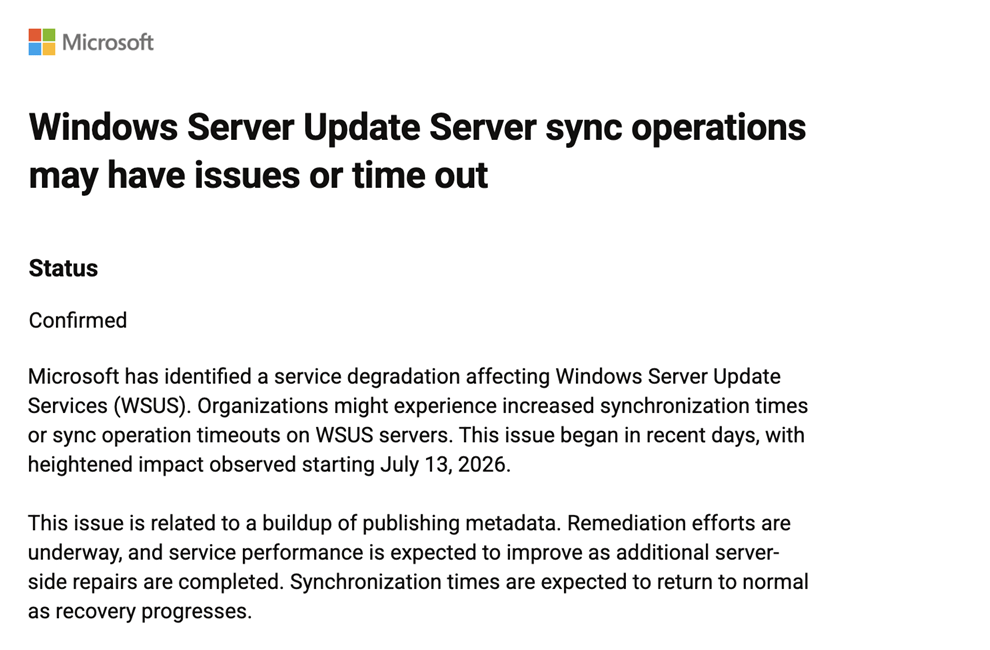
While most people noticed this after the July cumulative update, we actually noticed this earlier while working on DeployR, which has the ability to install updates when doing a bare metal deployment. When we used WSUS instead of pulling updates directly from Windows Update, we started seeing failures on the initial Windows Update sync from the client to the WSUS server:
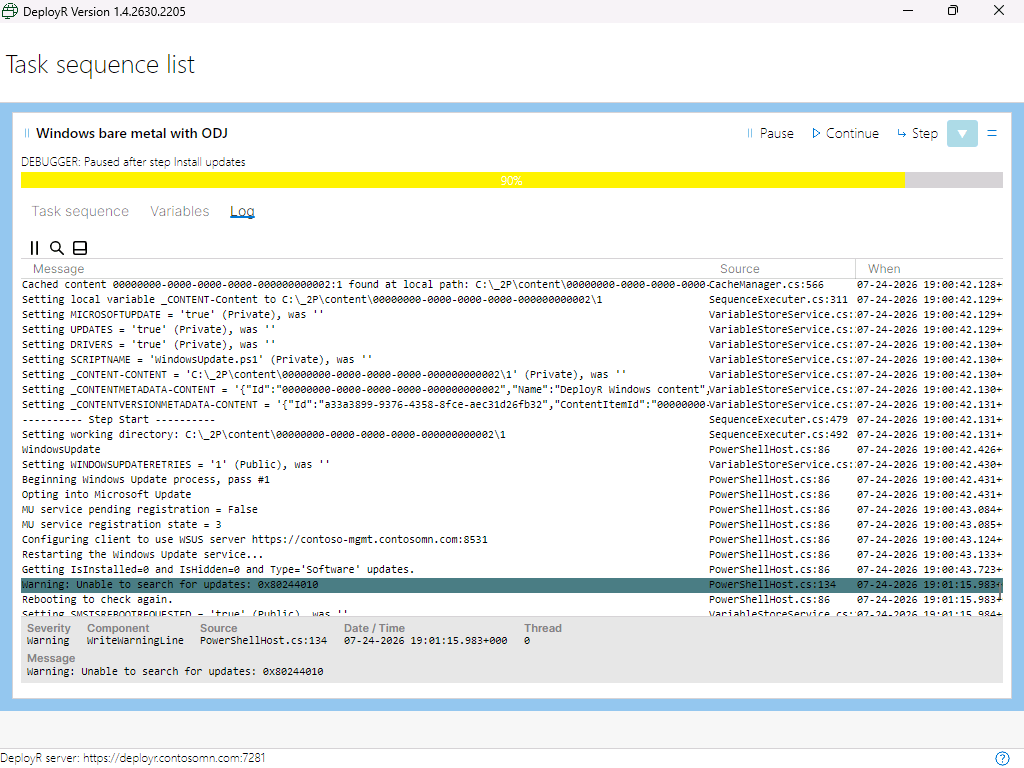
So that 0x80244010 error is:
| WU_E_PT_EXCEEDED_MAX_SERVER_TRIPS | The scan exceeded the maximum number of round trips to WSUS. |
We first ran into that in mid-June, and when researching the cause we found that it would happen when the WU client downloaded more than 5MB of XML from the WSUS server. How do you fix it? In our case, we just rebooted the computer and tried again, as the next time it would get the “next” chunk of XML, so we were good (well, at least until it hits 10MB, then we’ll reboot a second time). Problem solved, DeployR update released to customers.
Then came the July Patch Tuesday update, where everyone else noticed. Microsoft’s fix, which you can find at https://support.microsoft.com/en-us/servicing/os/windows/docs/2026/07/kb5121986-windows-server-update-service-sync-operations-issues-and-timeouts, has multiple parts:
- They did some back-end cleanup.
- You need to do some WSUS cleanup.
- You may need to temporarily eliminate that 5MB limit and then put it back again later to make all the clients sync again.
For the WSUS cleanup, you can copy-and-paste the script into SQL Server Management Studio:

And then run it (which took one minute, 45 seconds in my lab):

I then went ahead and put the XML limit back:

And then did a new bare metal deployment to see if the 0x80244010 went away.
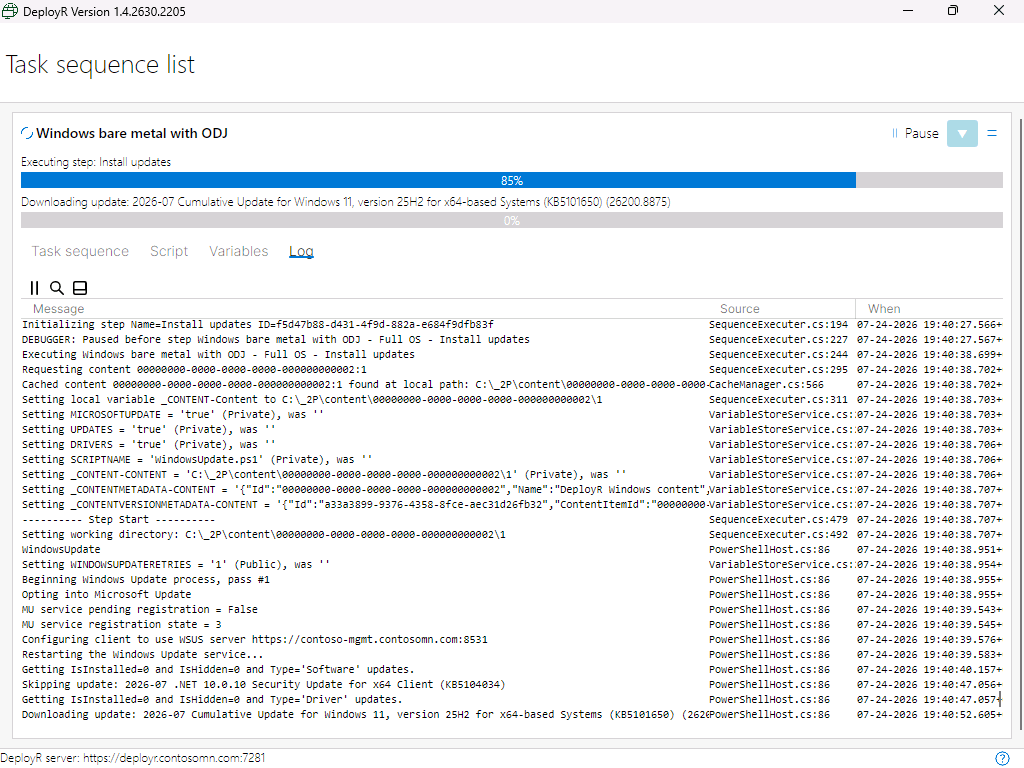
Not only did it go away, the Windows Update scan is now much, much faster. From 1.5 minutes to 7 seconds, so it’s definitely a worthwhile process to go through if you’re still using WSUS (standalone or SCCM).







3 responses to “Still using WSUS? Patch Tuesday broke it…”
Great aarticle. We are using WSUS to patch our servers with SCCM. Clients are managed by Intune unfortunately. (Yes you read it correctly. Unfortunately)
LikeLike
I keep seeing the comment about backing up because this eliminates metadata and you can’t recover it without the backup…but restoring the DB is not part of the process. Presumably everything is going to rebuild after you run the cleanup process and you won’t use the DB backup, correct?
LikeLike
I think the backup is just in case you screw something up in the process. I skipped it — worst case, you have to reinstall WSUS from scratch if you mess things up too badly.
LikeLike