

Out of curiosity, I measured the amount of network traffic generated by Windows Update during a bare metal installation of the OS when there are no updates to install: I was using the 25H2 July WIM file from Microsoft and updating it as part of the DeployR bare metal installation process, so the only expected updates would be for Defender updates.
The easiest way to do this measurement is to get the number of bytes downloaded from each Delivery Optimization download job, since the Windows Update agent is supposed to be smart enough to download only the pieces of a particular update that are still needed on the device. The hard part of gathering the bytes downloaded is that the built-in Get-DeliveryOptimizationLog PowerShell cmdlet stuffs this data into a single string, instead of providing it in a more useful form that separates each value.
To solve that problem, we’ve published a PowerShell module called TwoPint.DOCmdlets to the PowerShell Gallery. It has a simple Get-TwoPintDOJob cmdlet that gets the needed information, which we can then have PowerShell summarize:
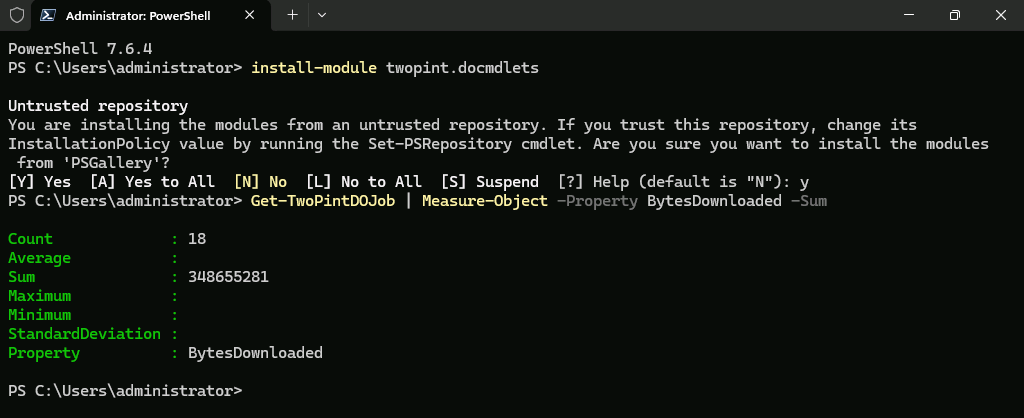
So 18 DO jobs totaling about 340MB. That’s not too bad.
For comparison, let’s go back a month and use the 25H2 June media, so that the July cumulative update needs to be installed.

That increased the traffic to 38 DO jobs totaling 1.7GB, so nearly 1.3GB additional payload needed — in one month. Yikes. And that takes over 20 minutes to download and install (even with MCC already having the content cached, even longer for the first client downloading).
If you need any more motivation to update your Windows 11 WIM file each month (usually new ISOs are available a few days after Patch Tuesday), that is it. And it should also reinforce the importance of properly configuring Delivery Optimization.
p.s. Still looking for an MDT replacement? DeployR Community is available now, and it’s free.
p.p.s. Now that the August update is out, I can repeat this experiment using the July ISO and then updating it with the August CU:
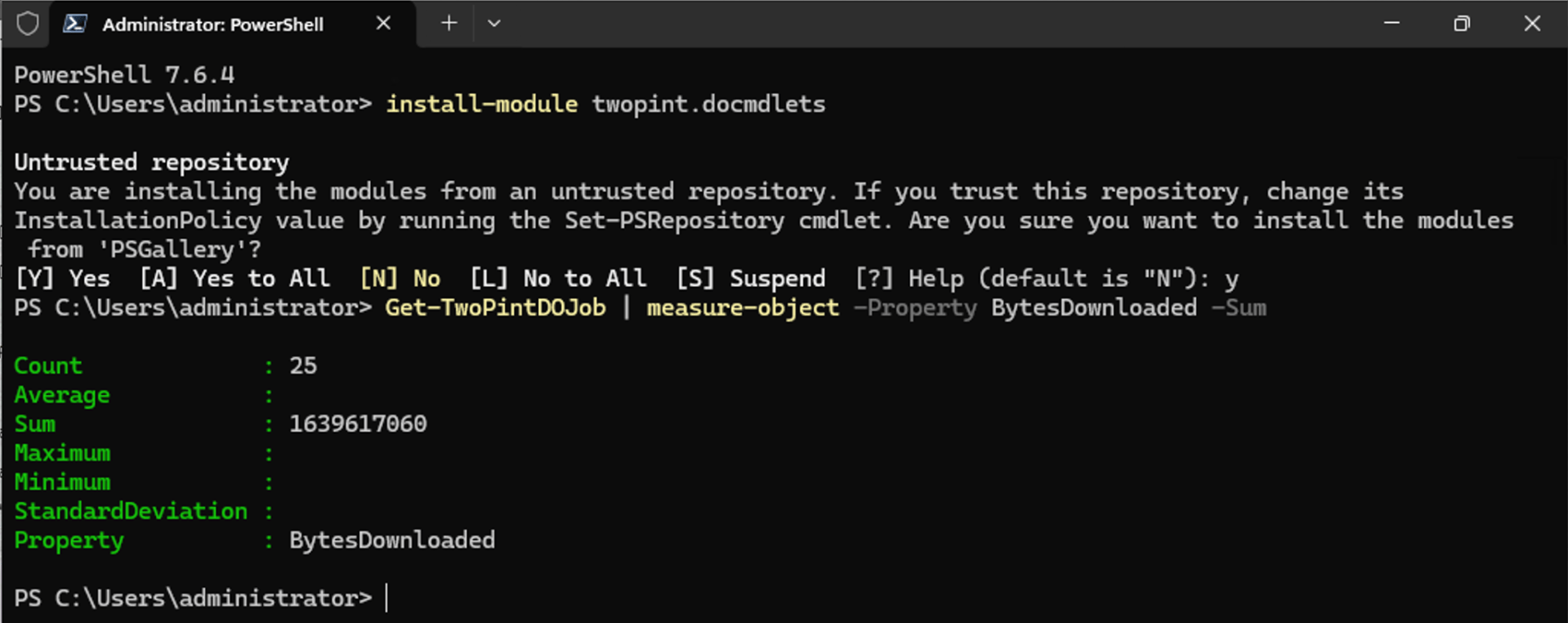
So another 1.6GB this month.






6 responses to “Monthly update traffic: A good reason to update your Windows 11 image monthly”
With respect, I’m not sure what you’re suggesting.
Thanks
LikeLike
Download a new ISO every month. Slipstreaming is possible, but you’ll never manage to create a small WIM than what Micrsooft provides for download.
LikeLike
What about updating the imported install.wim on a monthly base via Config Managers internal update mechanism?
LikeLike
While it would probably work, it will end up creating a bigger WIM than what you’ll find on the updated media.
LikeLike
The problem is W11 DISM /ResetBase no longer works well to clean up updated images, they’re still too large.
When MS creates a new monthly ISO image, they get the benefit of creating it from scratch and not follow the process of having to apply their own updates. Kinda ironic?
LikeLike
I don’t think they rebuild the OS; they apply their own update because then they know the media will be identical to a patched machine — not that I’ve ever been able to prove that because they do such a good job cleaning up the resulting OS…
LikeLike