
It shouldn’t come as a surprise that there’s a new PowerShell release. Every year there is a new .NET release (now up to version 11) and a new PowerShell release that goes with it. The even numbers are “Long Term Servicing” (LTS) versions, while the odd numbers are stable releases. LTS versions are supported until the next LTS is released, so effectively for about two years, and stable releases are supported for about six months after the next LTS release, so effectively about 18 months.
That means the only supported versions right now are 7.6 and 7.7.
What’s new in PowerShell 7.7? You can read the full list at https://learn.microsoft.com/en-us/powershell/scripting/whats-new/what-s-new-in-powershell-77. There are continued incremental improvements, and that’s always good.
But there’s one particular change in PowerShell 7.7 that is more controversial. For Windows, instead of being released as an MSI as with previous versions, 7.7 is only being released as an MSIX. (OK, technically you can get the binaries in a zip file too, but no MSI.) Why as an MSIX? Mainly because they want to include this in “future Windows releases” and to do that they need to use MSIX.
But MSIX has some inherent limitations. Sure, there have been promises over the years to solve some of these, but as of right now they still aren’t solved. The PowerShell team was aware of this, and for several months they’ve been saying that work is underway by other teams to address the limitations.
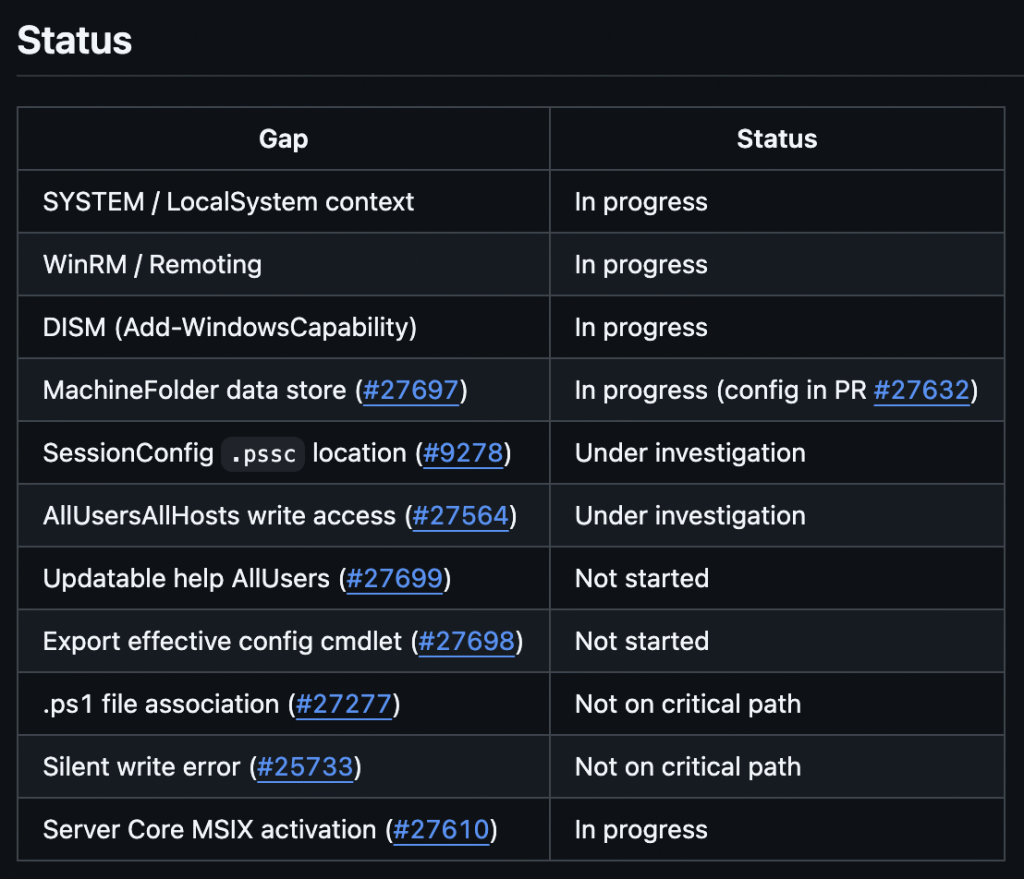
So where are we today on that quest to make MSIX better? You can see for yourself in this tracking item that the PowerShell team is maintaining on GitHub:
https://github.com/PowerShell/PowerShell/issues/27565
Here’s the current summary:
That item also includes this statement:
“We are committed to resolving the blocker gaps before PS7 ships as the inbox shell. Updates will be posted to each individual issue as progress is made.“
I appreciate the openness and suspect that they are also using this to apply pressure to the other teams to “get shit done” so that PowerShell 7 can ship in Windows. Obviously, that’s not going to happen right now, so they are likely targeting the next Windows Server release, which I expect in about a year (November 2027), and best case a Windows 11 release around the same time.
That means we’re probably going to be dealing with these limitations for a while.
How does this behave?
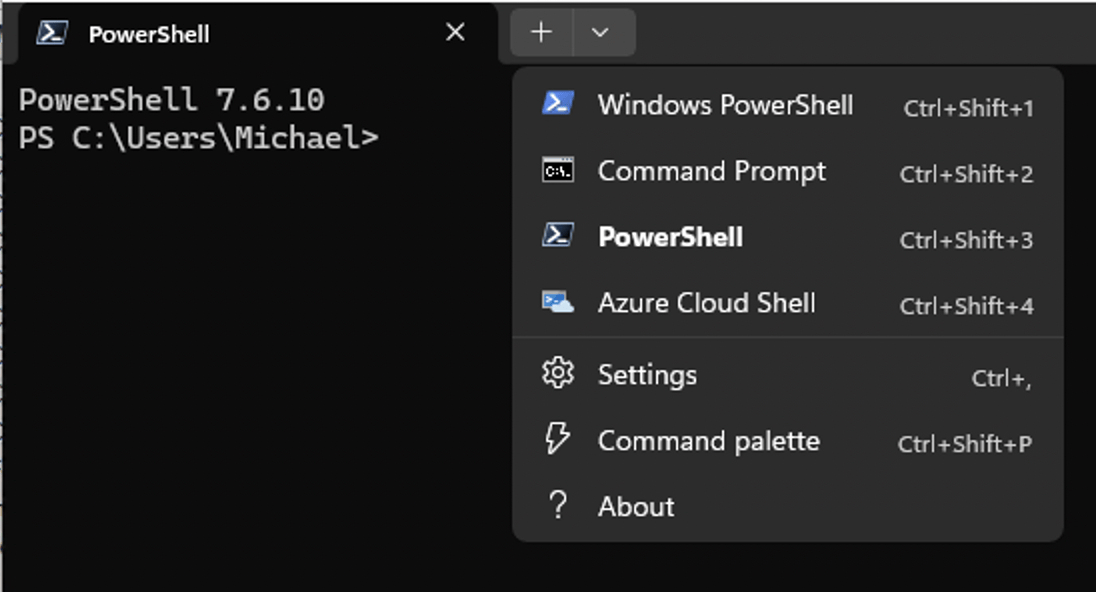
Let’s look at the actual behavior. I took a machine that was already running PowerShell 7.6 and downloaded the PowerShell 7.7 MSIX to install on it. So what do you expect the result to be? If you said “both will exist side-by-side” you’d be correct. If you look at Terminal, you’ll see two different profiles:
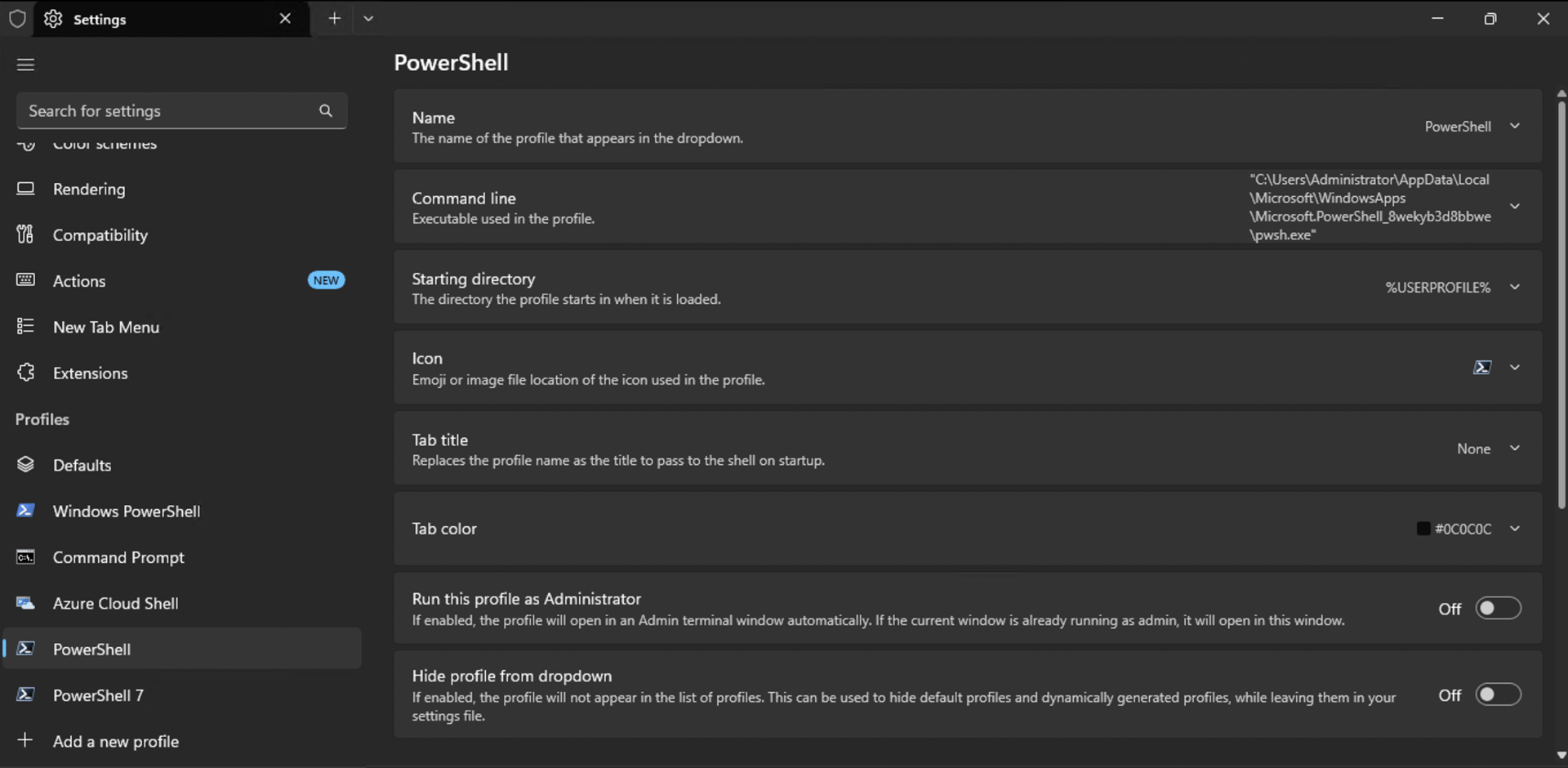
And you can open a tab for each one of them, where “PowerShell” gets you 7.7 and “PowerShell 7” gets you 7.6. Perfectly obvious, right?
But now let’s take it one step further. What happens if you start a command prompt and just run “pwsh.exe”? Which is it going to find? That’s really the job of the PATH environment variable, so let’s take a look at that, split out so that it’s readable:
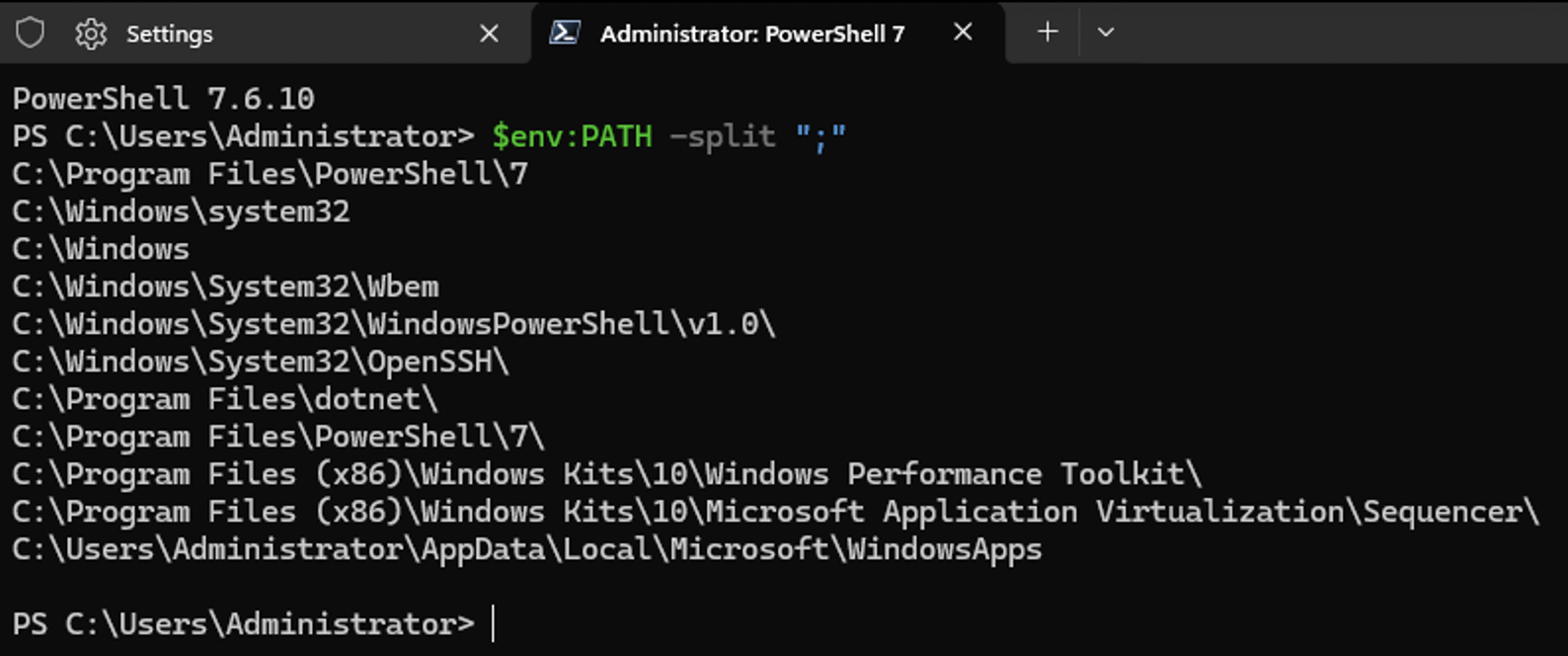
OK, there’s no sign of PowerShell 7.7 in the path. If you run “where pwsh.exe” from a command prompt you can check that:
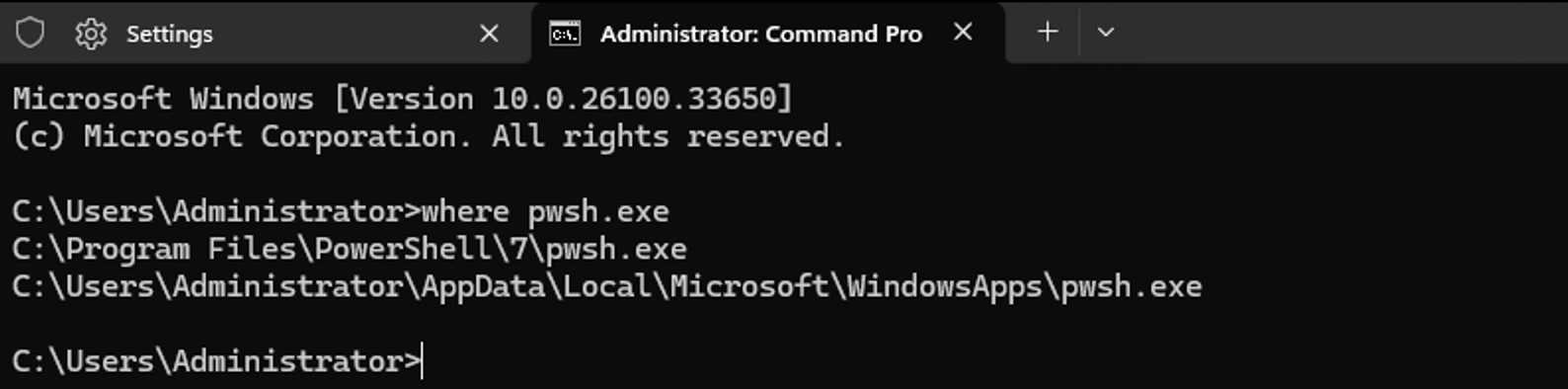
Wait a minute, there are two of them. The one in C:\Program Files is the 7.6 version, so what’s the one in WindowsApps?
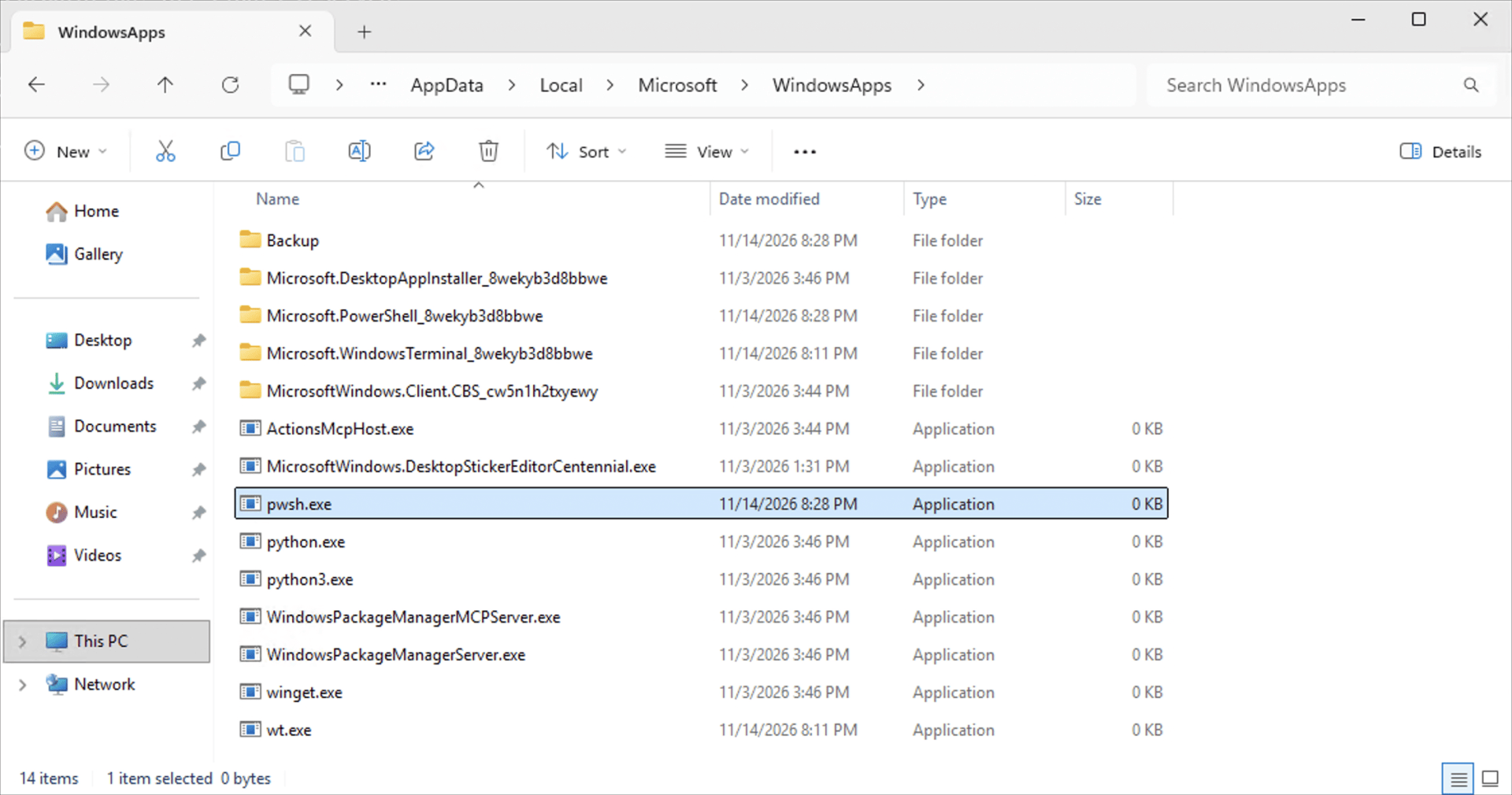
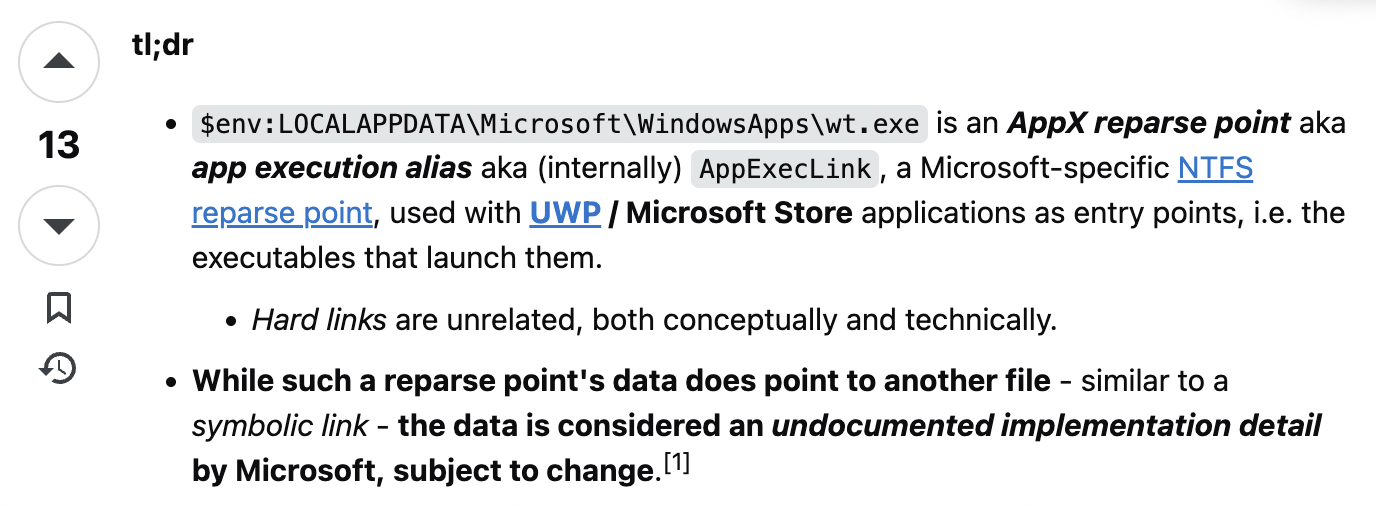
That’s a zero-byte file, so it’s safe to say that it’s a link to the “real” file. Finding out where that points is an interesting exercise as most utilities and commands don’t understand what that file is, other than a reparse point. “fsutil reparsepoint query” will show you the raw data, and from that you can tell that it points to the “real” file one level down in the Microsoft.PowerShell_8wekyb3d8bbwe directory. But to get that in a friendly way is surprisingly hard. From this Stack Overflow article, you get the idea:
Let’s throw in one other twist: On the same computer, sign in as a different user. What do you see? Only PowerShell 7.6, which shows up as just “PowerShell” in Terminal.
Why? Because the default with the MSIX is to do a per-user install, just as with other UWP (store) apps. So, you either need to install it for each user, or you need to provision it on the machine so it automatically installs for each user the next time they sign in. So let’s do that:
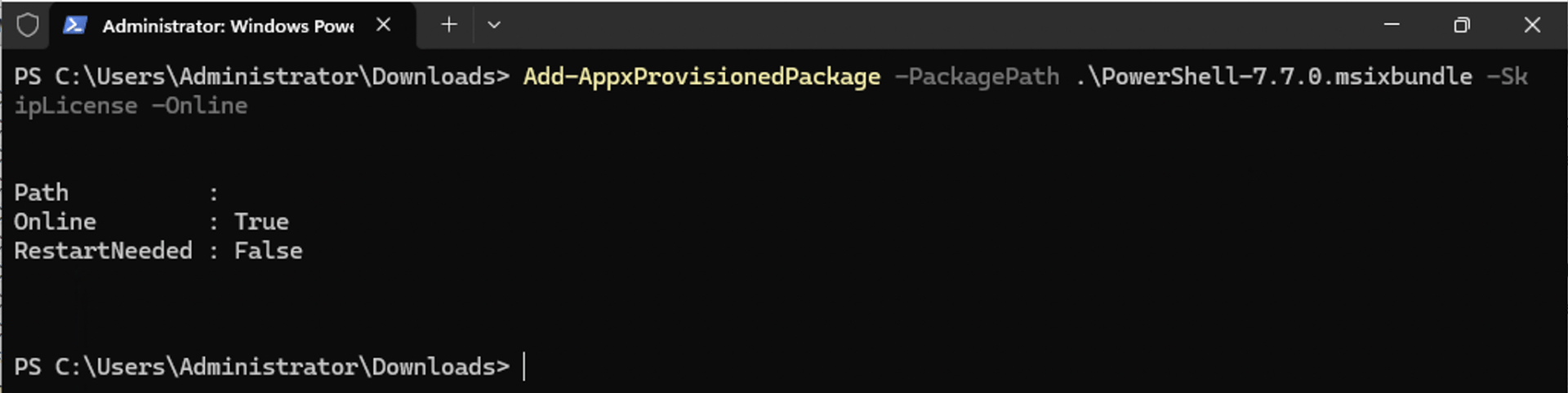
And then when we log back in as the other user, they too have PowerShell 7.7. But weirdly, it doesn’t show up in Terminal:
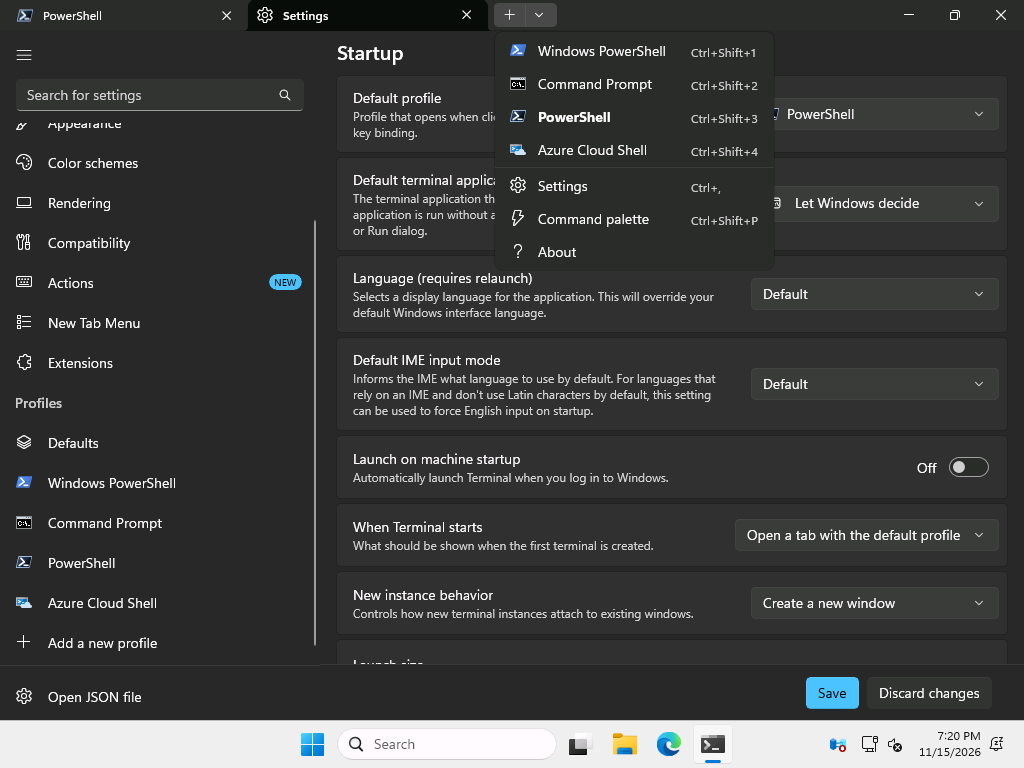
The user only sees PowerShell 7.6. But if I close Terminal and immediately open it again, now it’s there:
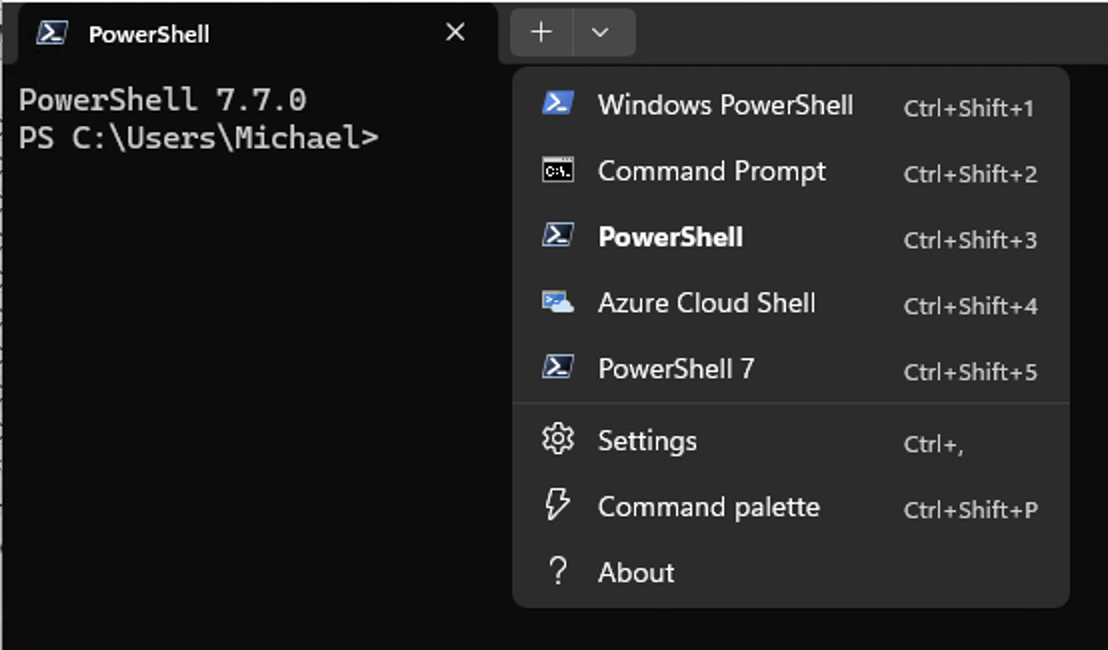
I’m sure someone can explain this, but it feels half-baked. Regardless, we now see the expected behavior, and you can see the issue with LocalSystem too: provisioned apps (whether UWP or MSIX) don’t install for LocalSystem, so they will just not be present, so something running as LocalSystem just won’t see PowerShell 7.7 at all.
It’s worth noting too that the “provisioned” PowerShell is written to C:\Program Files\WindowsApps.
Let’s look at one other thing: scheduled tasks. If I set up a scheduled task to run as the logged-on user, what happens? It runs PowerShell 7.6. Scheduled tasks running as LocalSystem will also use 7.6. (When I first tried this, the scheduled task just failed with a file not found error starting pwsh.exe. That was actually a different problem: I hadn’t rebooted since installing PowerShell 7.6, so the Task Scheduler service hadn’t yet picked up the system path change, hence it couldn’t find any version of PowerShell 7 to run. A simple reboot fixed that.)
What’s the possible impact?
Let’s assume you have some software that runs as a service and starts background PowerShell processes by running “pwsh.exe” (e.g. DeployR). What happens in these cases? Let’s look at the possibilities:
- PowerShell 7.7 installed by itself. Something running as a service that tries to run “pwsh.exe” is going to fail because it’s not there. So, install 7.6.
- PowerShell 7.7 and 7.6 are both installed. The service will see the 7.6 “pwsh.exe” from C:\Program Files and run it without issue.
(It’s worth noting that software can use the PowerShell SDK, which with PowerShell 7 actually embeds the full PowerShell engine into the software, so it doesn’t need any PowerShell version at all — with some gotchas, e.g. they purposely want to run “pwsh.exe” or need it to do remoting or jobs.)
So this isn’t the end of the world for services. What about interactive sessions? Then you may see the other two issues documented by the PowerShell team:
- PowerShell 7.7 remoting via WinRM doesn’t work.
- PowerShell 7.7 causes DISM cmdlets related to Windows features and capabilities (e.g. installing new features) to fail.
At least remoting for PowerShell 5.1 compatibility (where it implicitly creates a PowerShell 5.1 process and “remotes” to it) works fine, and background PowerShell jobs work fine. So it’s truly just the WinRM side of things that doesn’t.
As for the DISM issues, just make sure you continue to use PowerShell 7.6 for Windows capability/feature provisioning activities (e.g. Add-WindowsCapability), since 7.7 will fail. I tried it to see what would happen, and after a long delay it reported an error:

So is there a summary to all this? Overall, just be careful and make sure you understand the behavior of PowerShell 7.7 and MSIX. It’s not the end of the world, but you will probably need to leverage a coexistence strategy (ideally between Powershell 7.6 and 7.7, as PowerShell 5.1 is awful and should be avoided if you possibly can).



Leave a Reply