
I’ve been using Entra Connect Sync, formerly AAD Connect, for a long time (going back to the days when ADFS was considered “the best way” — but it was also the most complex to implement and I had no real desire to do that). But with recent improvements to the Hybrid Azure AD Join process that Entra Cloud Sync can now enabled, I had to check it out.
Given that Microsoft has been on a “slow roll” to get customers to move from Entra Connect Sync to Entra Cloud Sync (sounds like the big push starts this summer), there have obviously been some limitations that they’ve been chipping away at. So it makes sense to start with the Migrate from Microsoft Entra Connect to Cloud Sync: Decision Guide documentation. It’s a well-written guide that tells you what challenges you might have. From the perspective of my (admittedly simple) lab environment, none of the limitations have any impact on me. So, I’m good to go there.
What about HAADJ?
But before making the leap to Entra Cloud Sync, I also wanted to read up on the Entra hybrid join process, covered in a separate doc, since that’s what I’m ultimately after.
HAADJ worked really well with ADFS: it was instantaneous. But at the same time Windows Autopilot introduced HAADJ support, Microsoft told everyone to move from ADFS to AAD Connect, and AAD Connect didn’t work nearly as well — you needed line of site to a DC before the machine would sync to the cloud to complete the HAADJ process, and even if that was immediately available the sync process didn’t run frequently. It made HAADJ an awful experience. Ironic that years later they have “accidentally” improved things with Entra Cloud Sync and Entra Kerberos. But I’ll take it, even if it was to solve other problems.
While the docs for Entra Cloud Sync were very clear, those for Entra Kerberos were not nearly as straightforward. First, there’s the naming. Are Entra Kerberos and Entra Kerberos Cloud Trust the same thing or different? What does Windows Hello for Business have to do with it? Is line of site to a DC required or not? Is a TPM required or not? Not entirely obvious to me, but hey, it’s a learning experience anyway, so we push forward.
Step #1: Entra Connect to Entra Cloud Sync
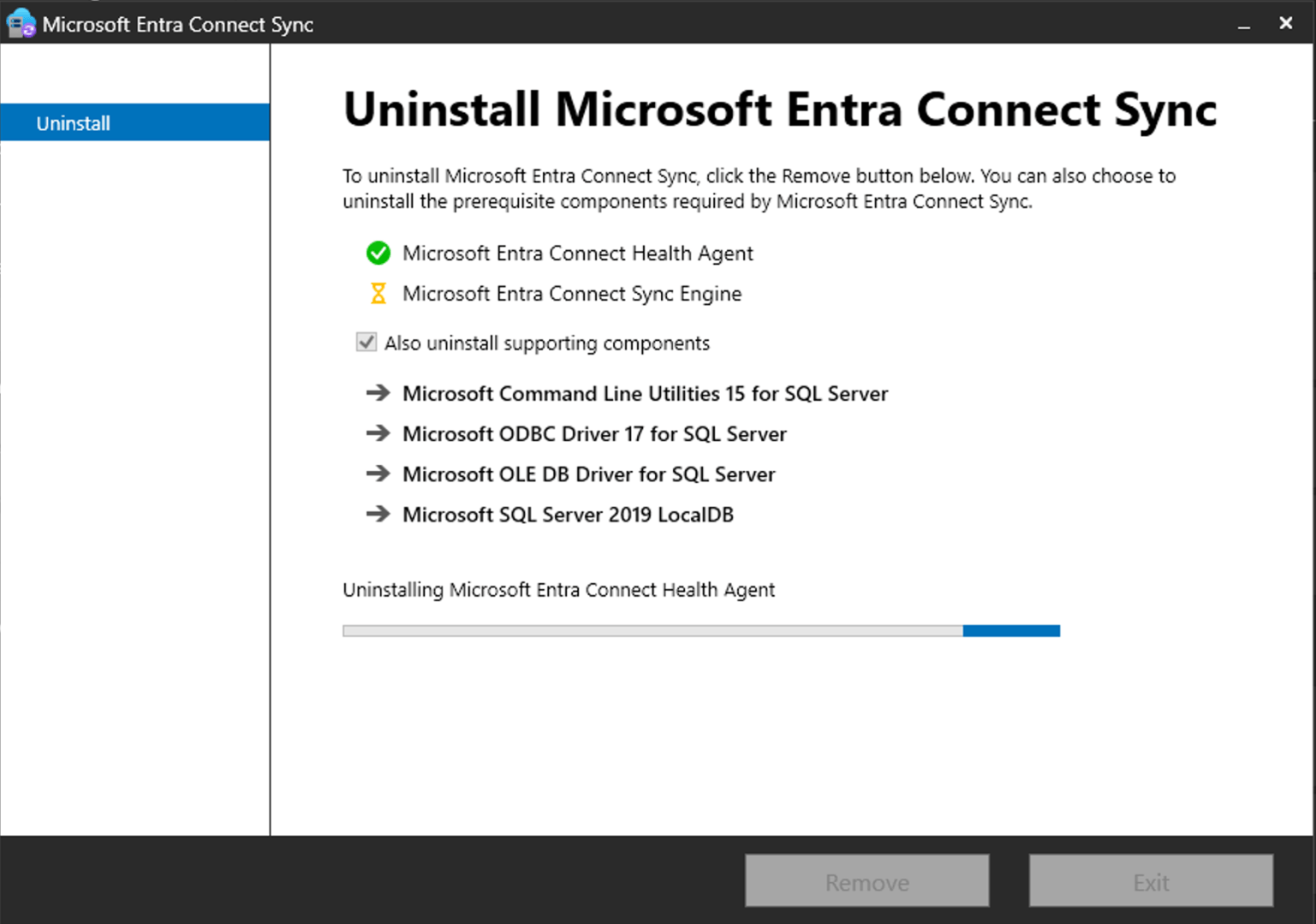
Read through the migration documentation for the complete process, which provides for fallback to Entra Connect if something doesn’t work. Or, be like me and just go for it. It all depends on your level of risk tolerance; in a lab environment, it’s all about risk. So, I’ll just uninstall one and install the other. What can possibly go wrong?
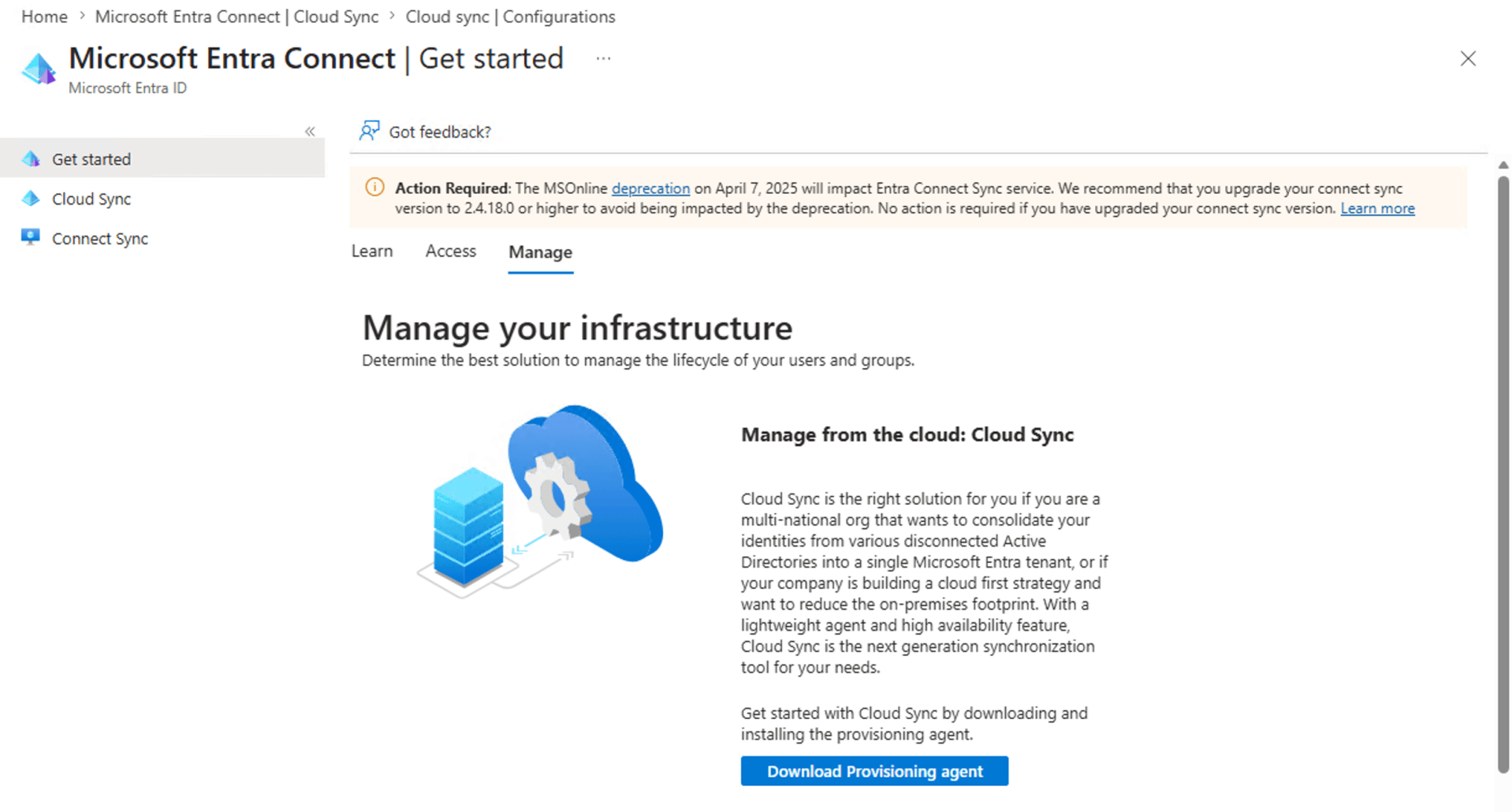
OK, next I need to install the Provisioning Agent. That’s the first place that the docs are wrong — took a moment to figure out that the download link moved from the left pane to a tab in right pane:
And, just to confuse even more, the file that you download is called AADConnectProvisioningAgentSetup.exe. (No one ever said Microsoft was good at naming things.) Running that is relatively simple, just like Entra Connect Sync (a.k.a. AADConnect), probably not surprising as they seem to share a lot of pieces between them.
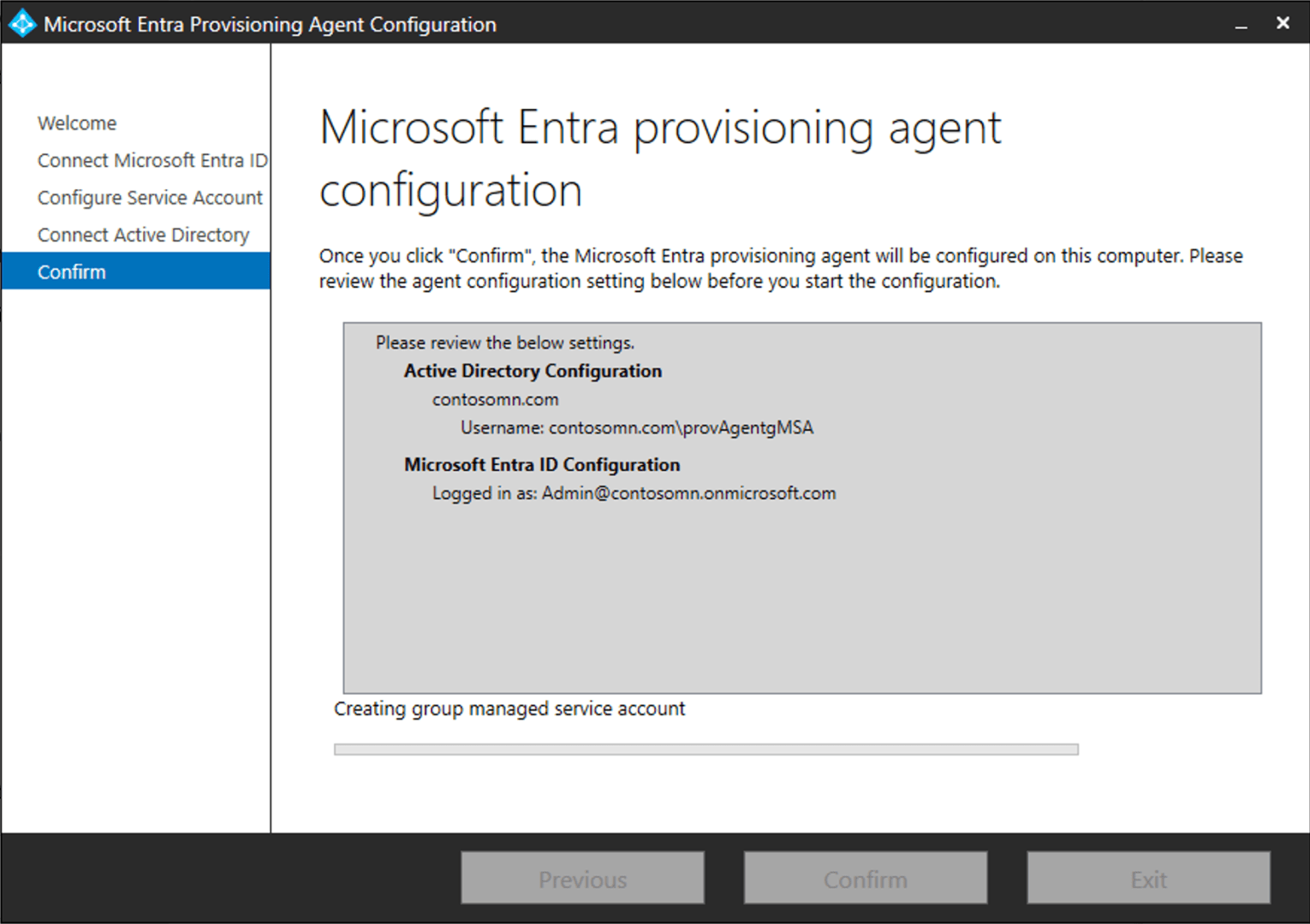
After several minutes, the process completes, and then the next steps are performed from the Entra portal (since we’re now talking about a cloud-controlled process instead of a locally-controlled process).
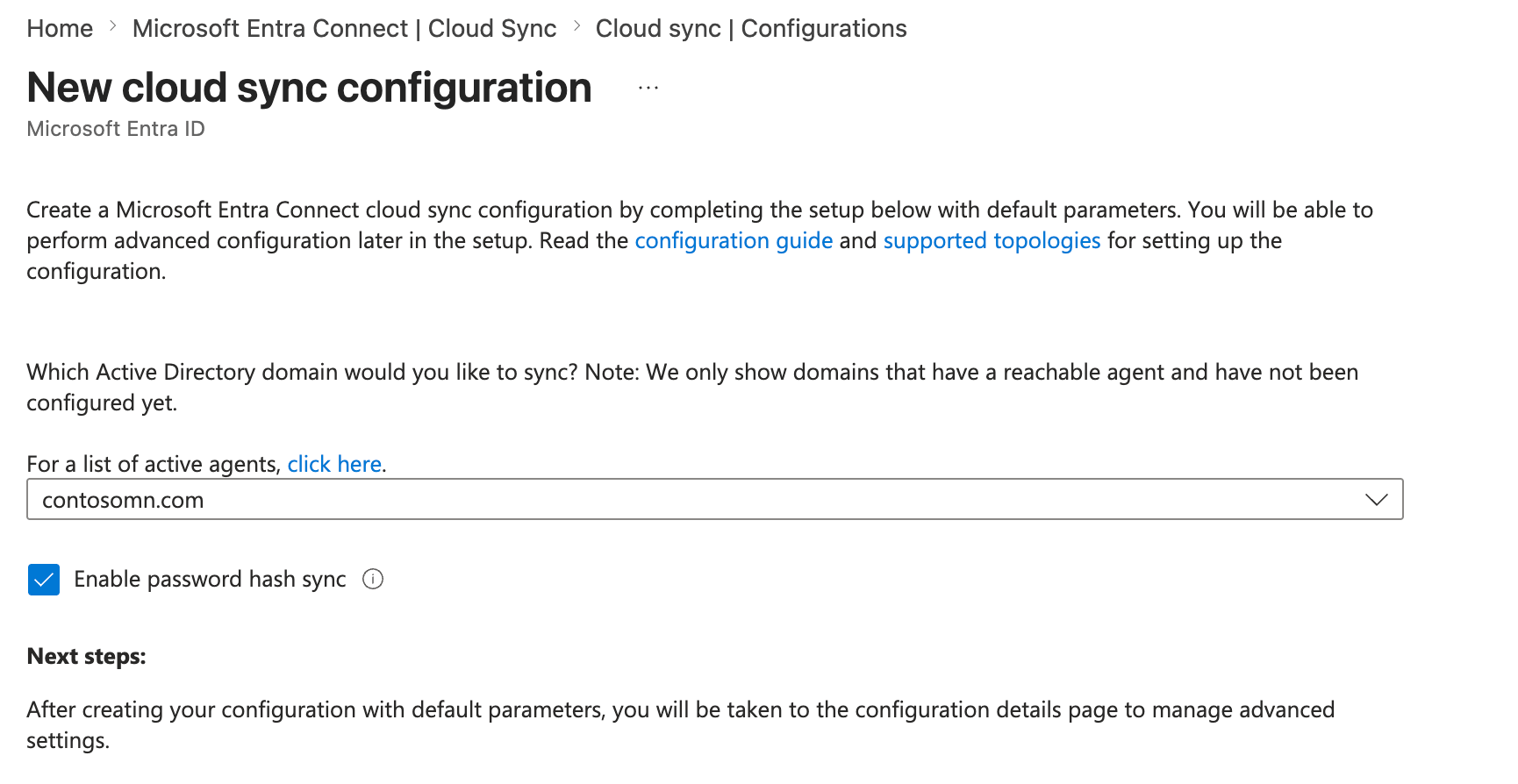
And of course once I’m in the Entra portal, I should see that my domain is ready to be configured. But while Entra sees that the agent is there, it doesn’t see the domain. OK, time for a break — no need to rush this cloud thing, gotta give it some time. Sure enough, 15 minutes later and it’s there:
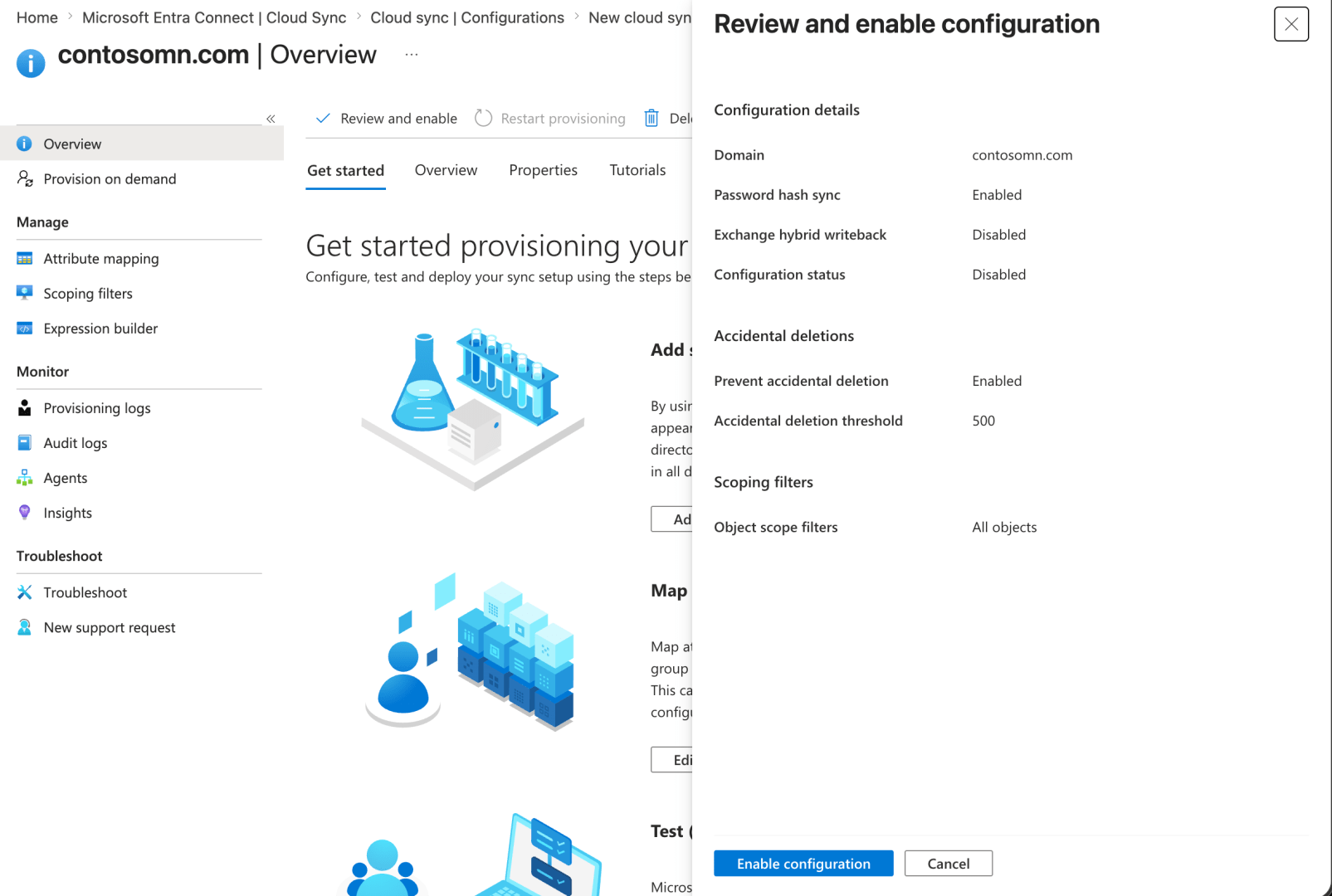
The tutorial doesn’t say that you need to “Review and enable” the configuration, but that does appear to be a logical step:
One of these days I’m going to have to figure out how to clean up the old Connect Sync configuration, but that’s an issue for another day. Otherwise, everything seems to be working fine.
Step #2: Kerberos
OK, on to the next step, getting Entra Kerberos set up to support HAADJ. The documentation for this is a maze. Eventually, you end up on an Azure SQL page that talks about installing a PowerShell module. We are definitely in “preview”/”some assembly required” territory here. Ignoring the PowerShellGet silliness (I’m running PowerShell 7.6), I could follow through the steps to a point:
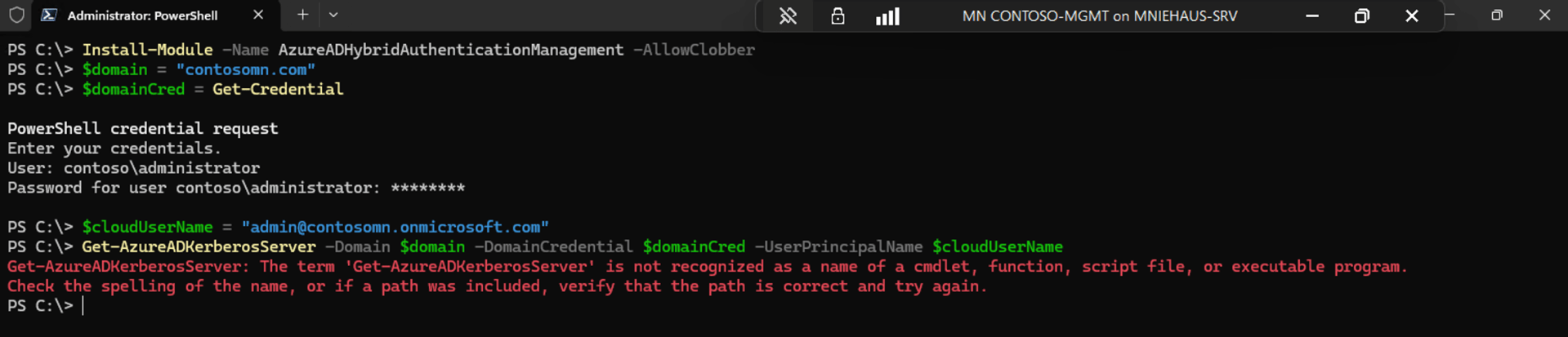
Well OK then. A simple problem at least, you just need to import the module (they left that part out):
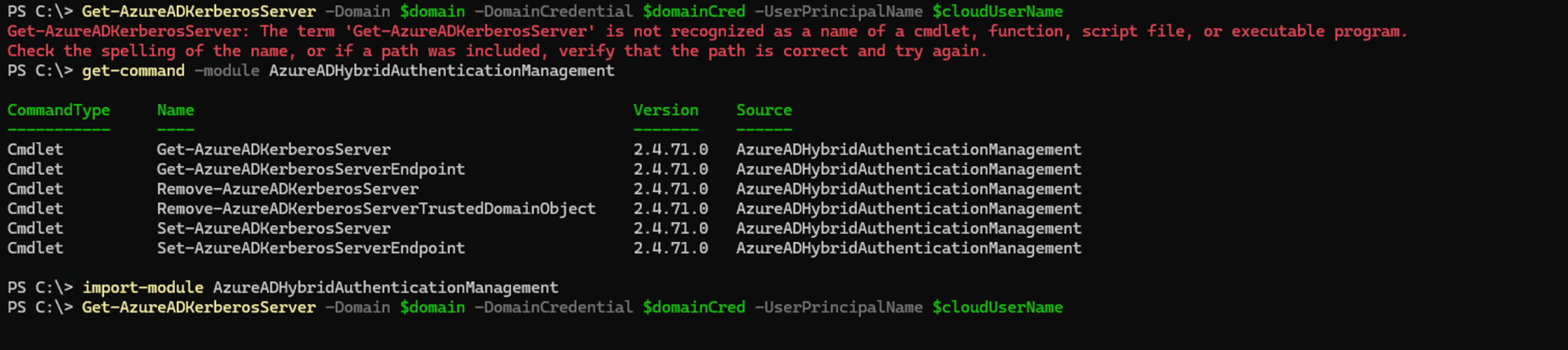
And, another error:

Whelp, looks like this module doesn’t like PowerShell 7, so back to 5.1.
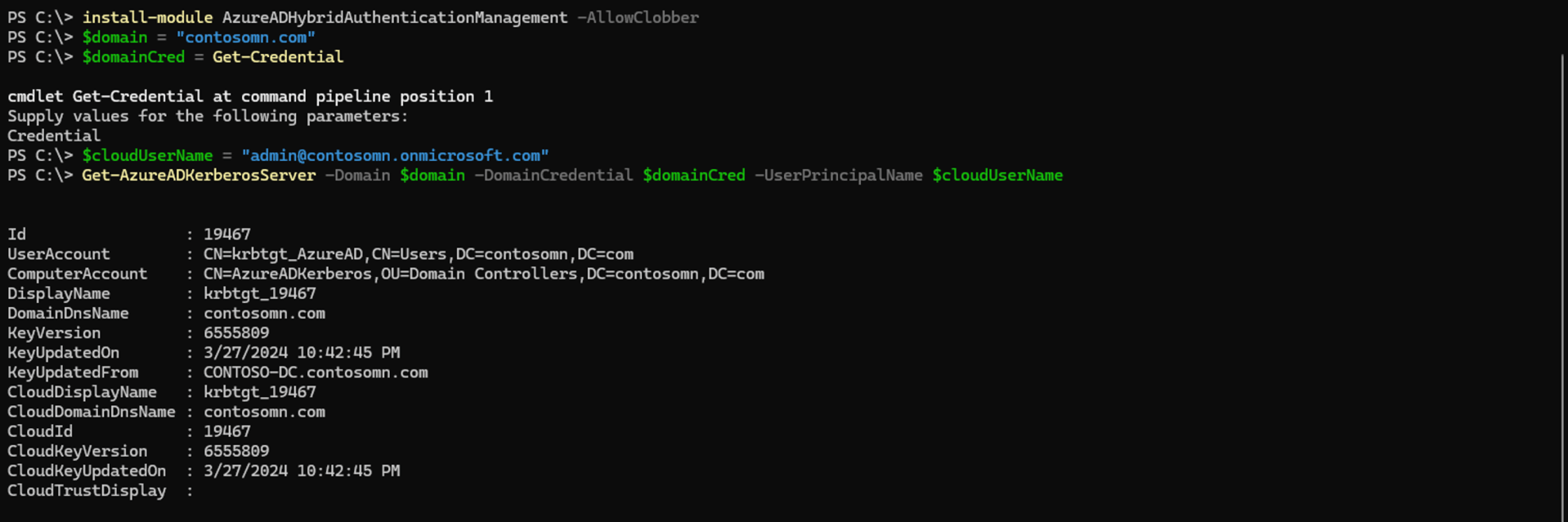
That’s much better, so on to the next step.
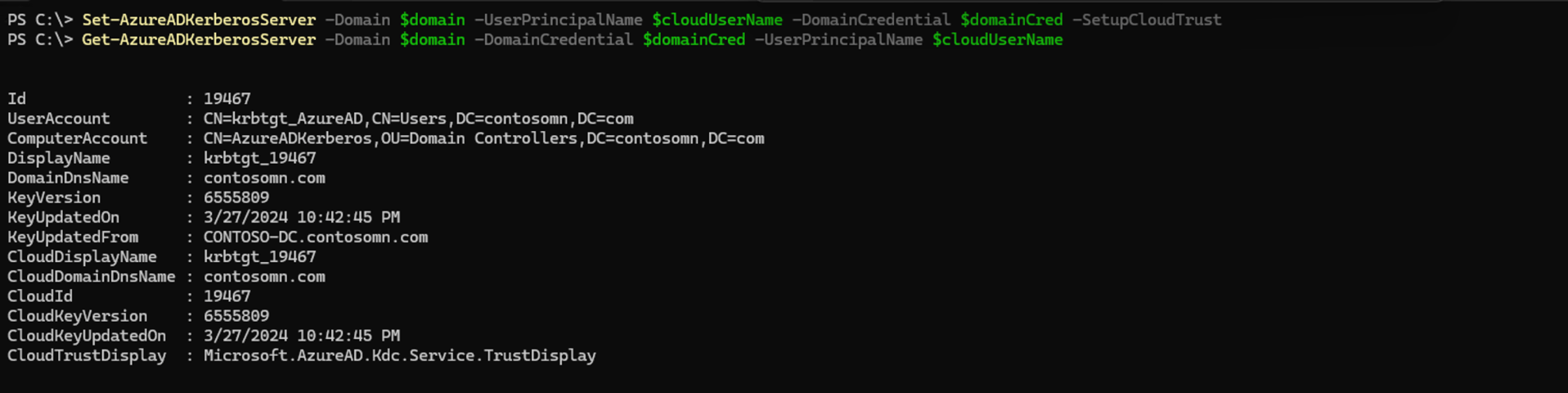
Success (after a number of authentication prompts), and verification shows what is expected. I don’t have a KDC policy configured, so I skipped that step; the next one is to create an Entra device registration service principal.
The docs leave out the fact that you need to install the Microsoft.Entra.Authentication module (seriously, why are there so many different Entra and Graph modules?), so that needs to be installed before the “Connect-Extra” step.
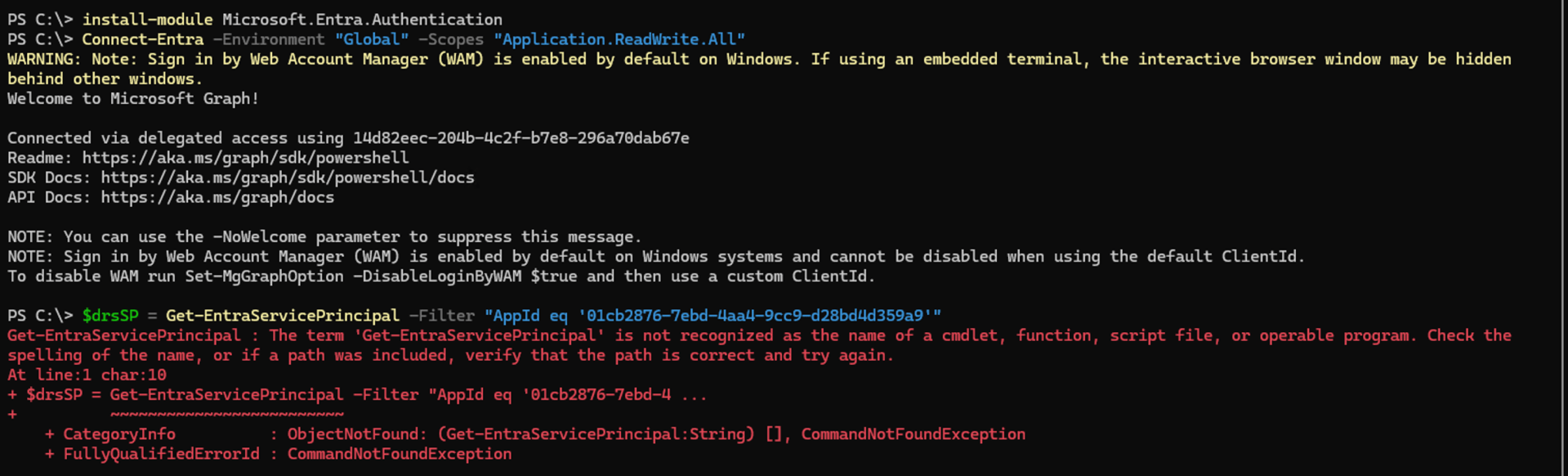
Of course the command to check for an existing Entra service principal failed (kind of used to that by now). That’s in the Microsoft.Entra.Applications module, which also needs to be installed. And that gets us into a nasty mess:
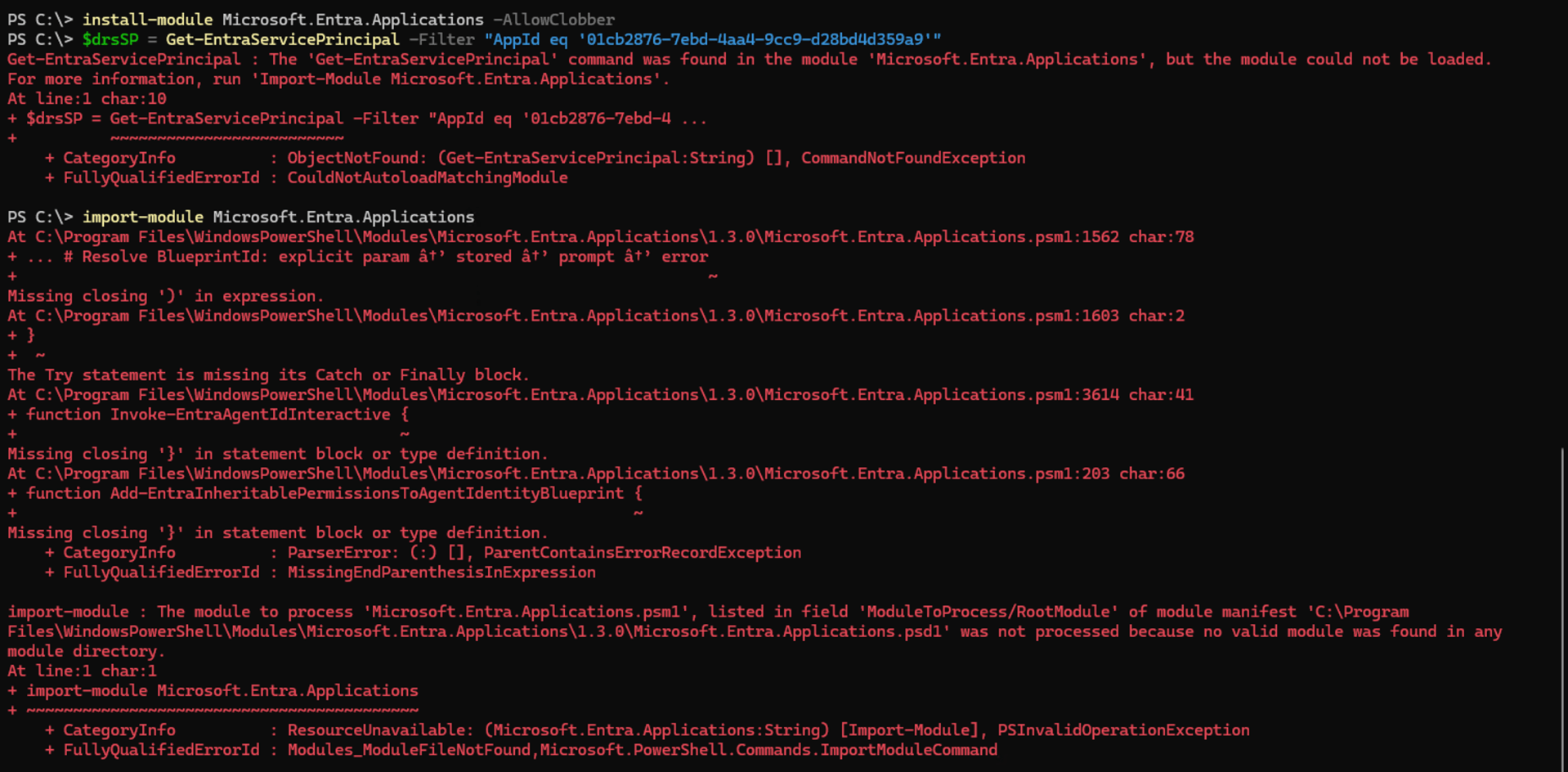
The solution to this one? Of course, switch back to PowerShell 7. (Seriously, this shows some serious lack of testing, attention to detail, documentation, or all of the above…)
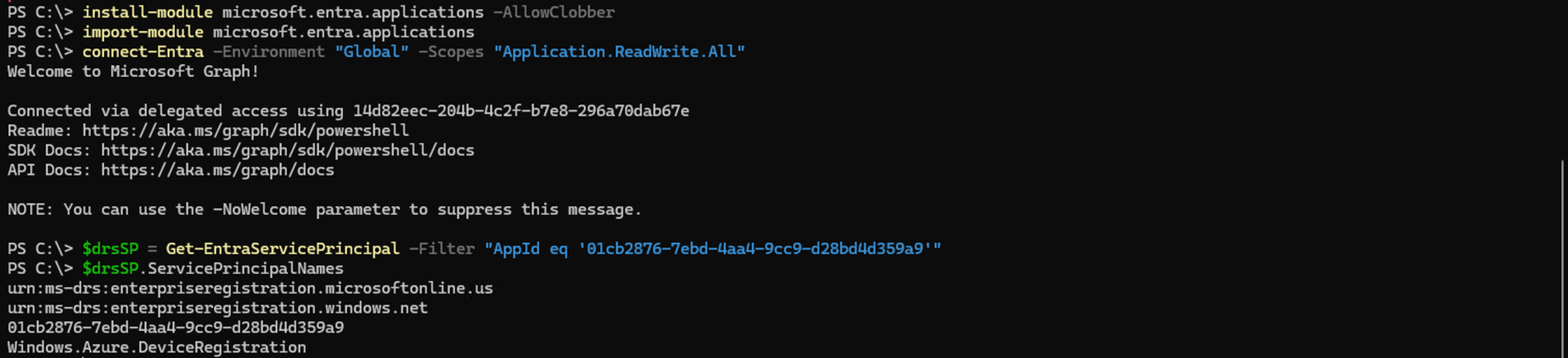
The needed SPN was already present, but the “Tags” value wasn’t, so that needs to be added.

I already have a Windows Server 2025 DC, so that part should already be fine, and having the needed Windows 11 patch (26100.6584 or higher) is no issue. So that takes us back to the Cloud Kerberos Trust Deployment Guide for some validation steps. Yes, I have the expected RODC object in AD:
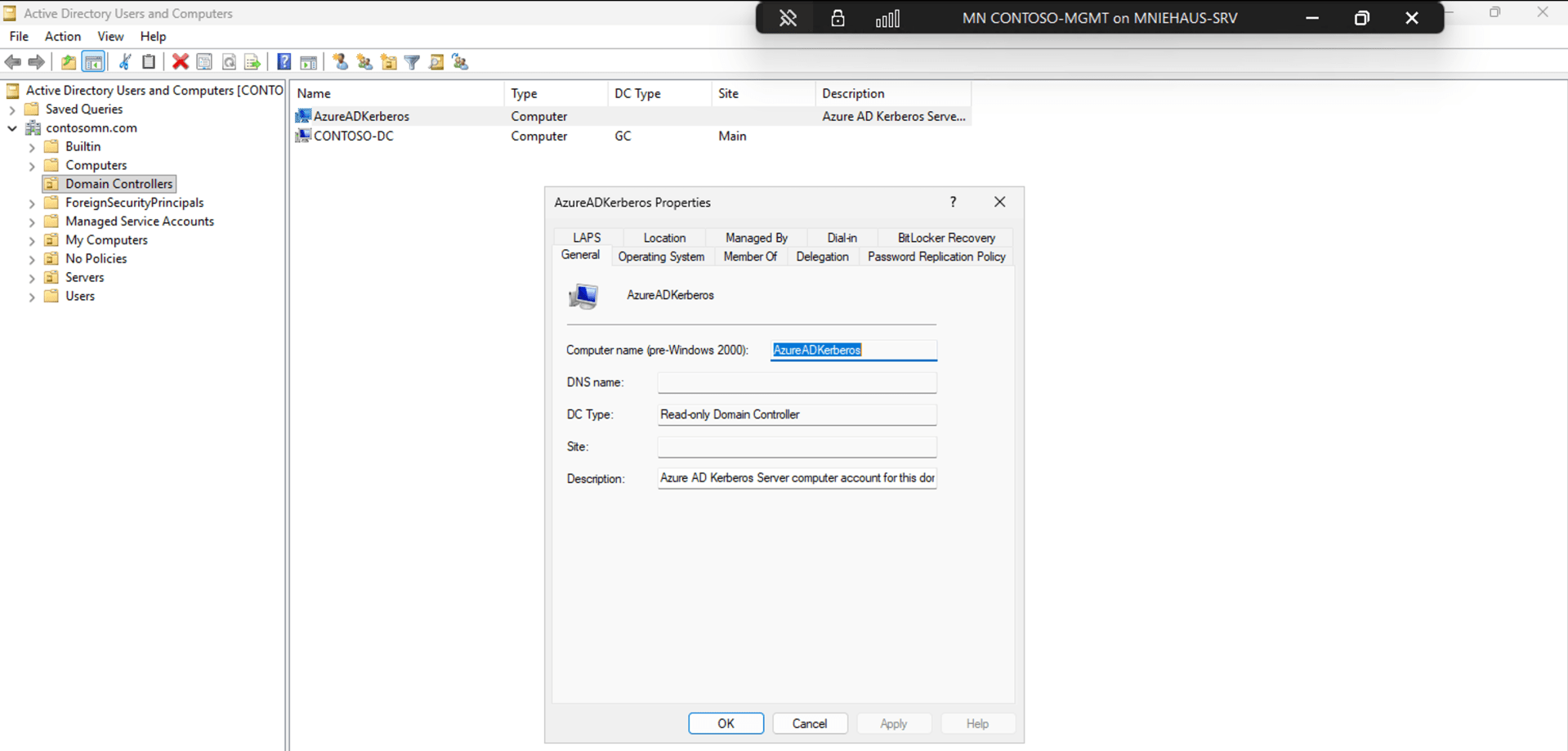
There are additional steps needed for setting up Windows Hello for Business via GPO and/or Intune; I made sure my existing Windows Hello for Business configuration profile had the needed settings enabled (adding “Use Cloud Trust For On Prem Auth”).
What about cleanup?
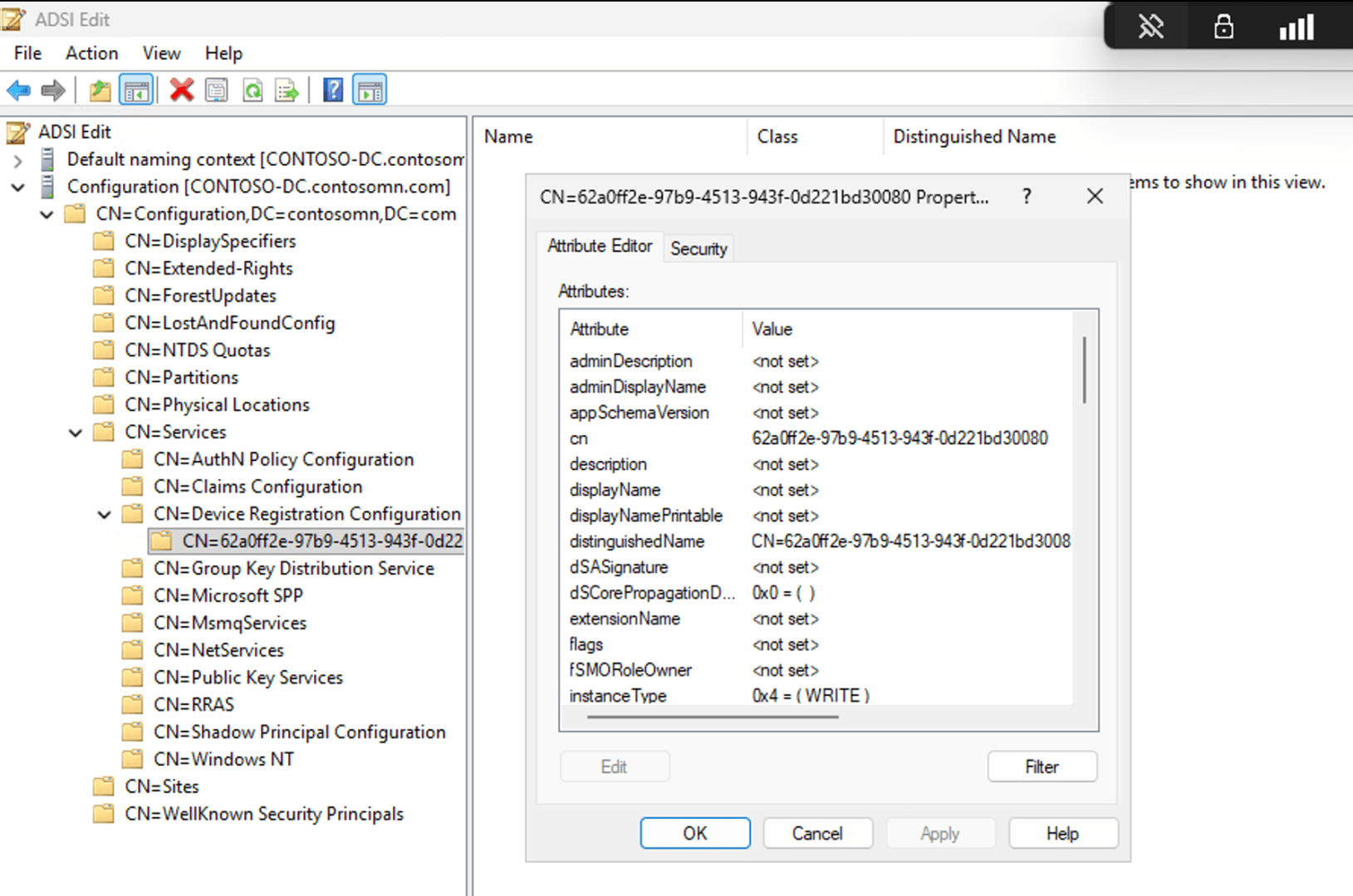
I still have the Service Connection Point from the original AAD Connect HAADJ setup in AD:
And I still have the Entra Connect Sync (AAD Connect) entry in the Entra portal:
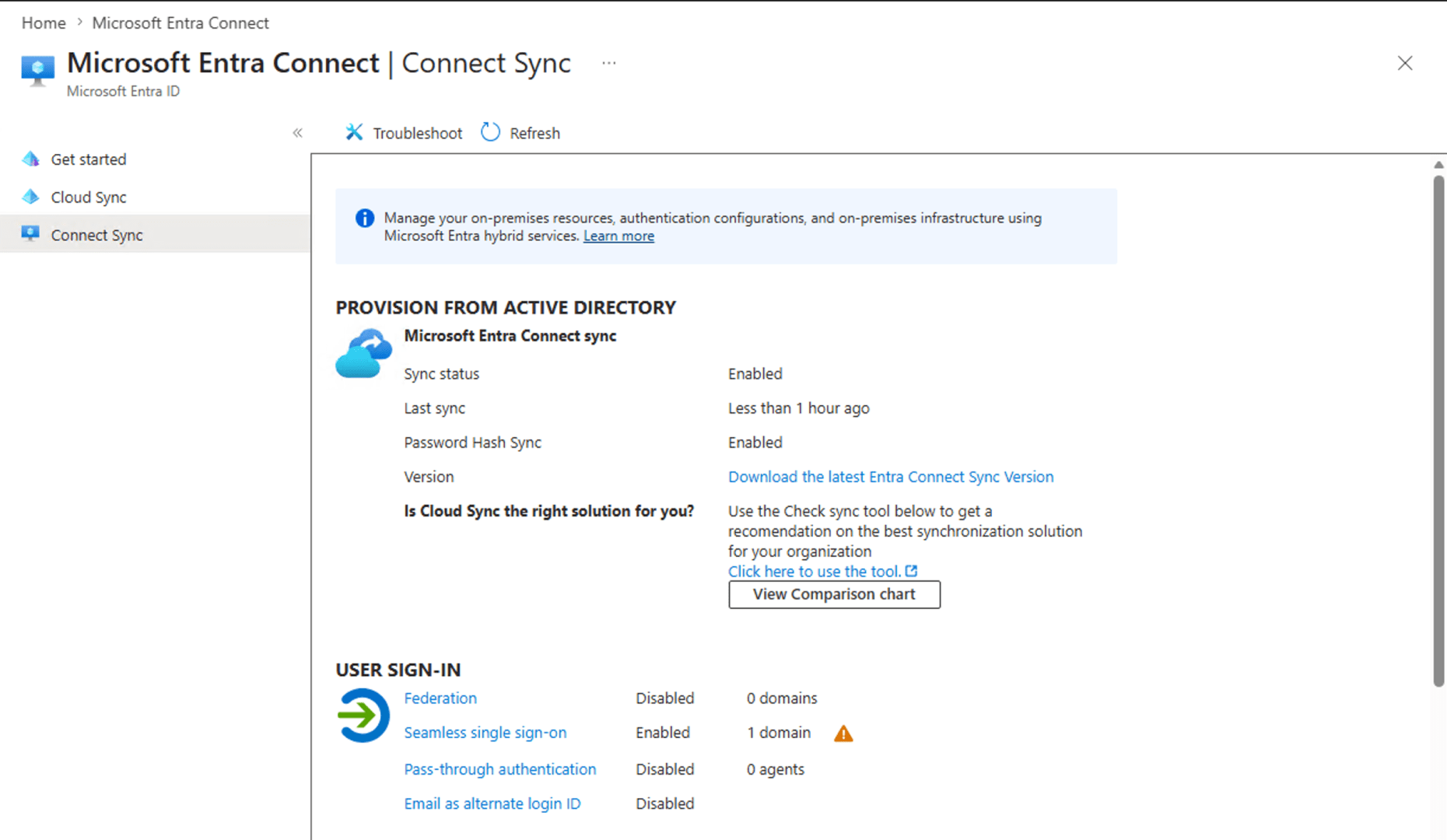
Will those cause any issues? No idea. There’s no obvious way to remove the Entra Connect entry, and no clear indication that the SCP is now unused. So for now, I’ll leave them alone.
Does it work?
That’s the biggest question. To prepare, I set up a new VM with Windows 11 25H2 patched through May, registered it with Autopilot, and assigned a user-drive HAADJ profile to it. I also changed my user account’s password since I want to make sure Entra Cloud Sync itself is working too.
So that’s the first test: Will the new password work?
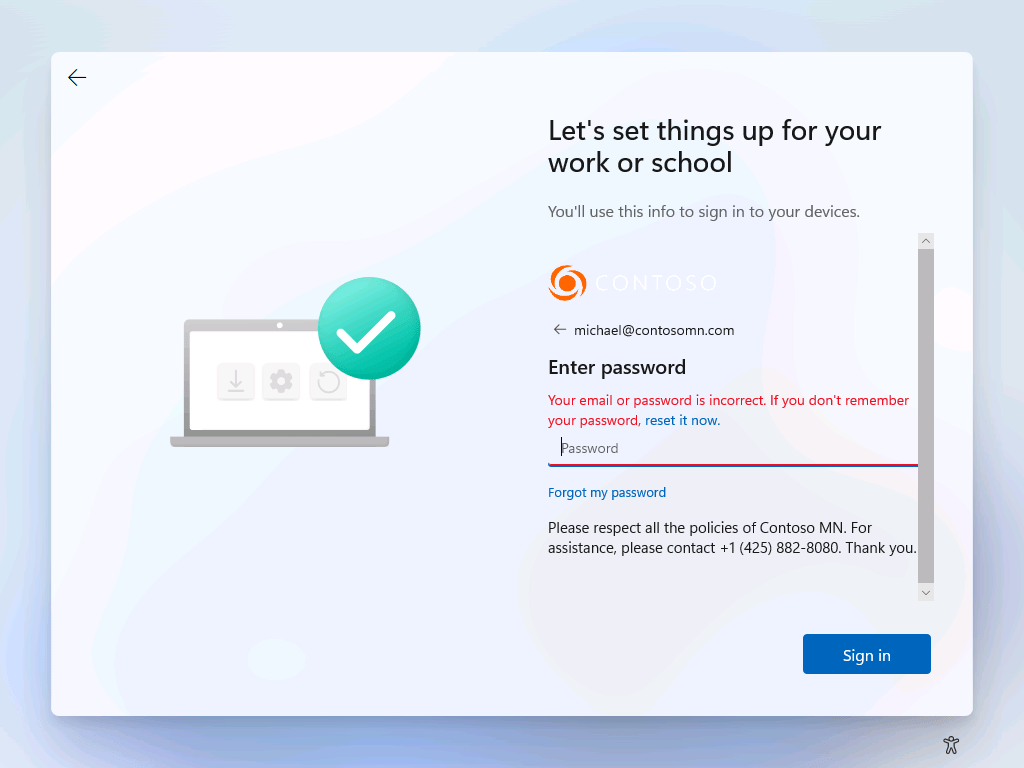
Sigh. So back to the portal, where it shows what’s up:
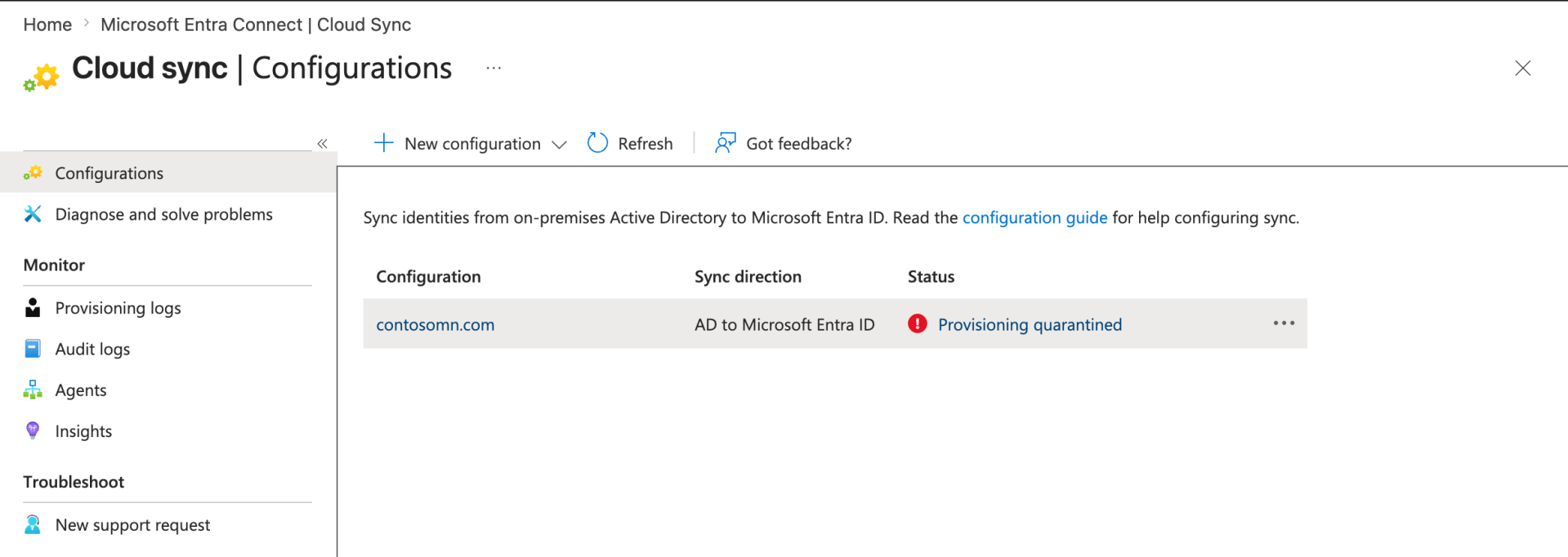
Digging into the logs showed that the agent was having issues communicating with the domain controller:
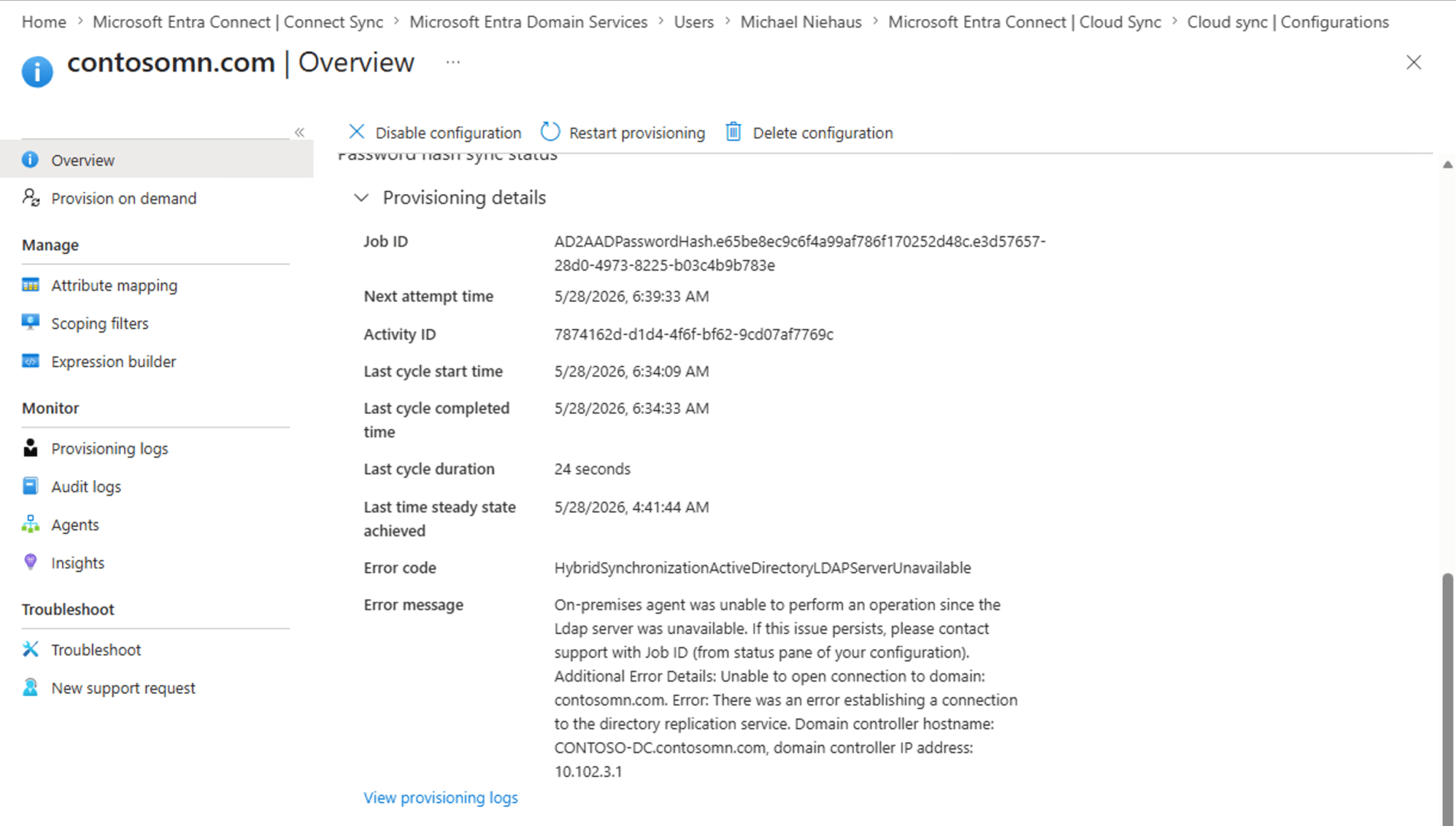
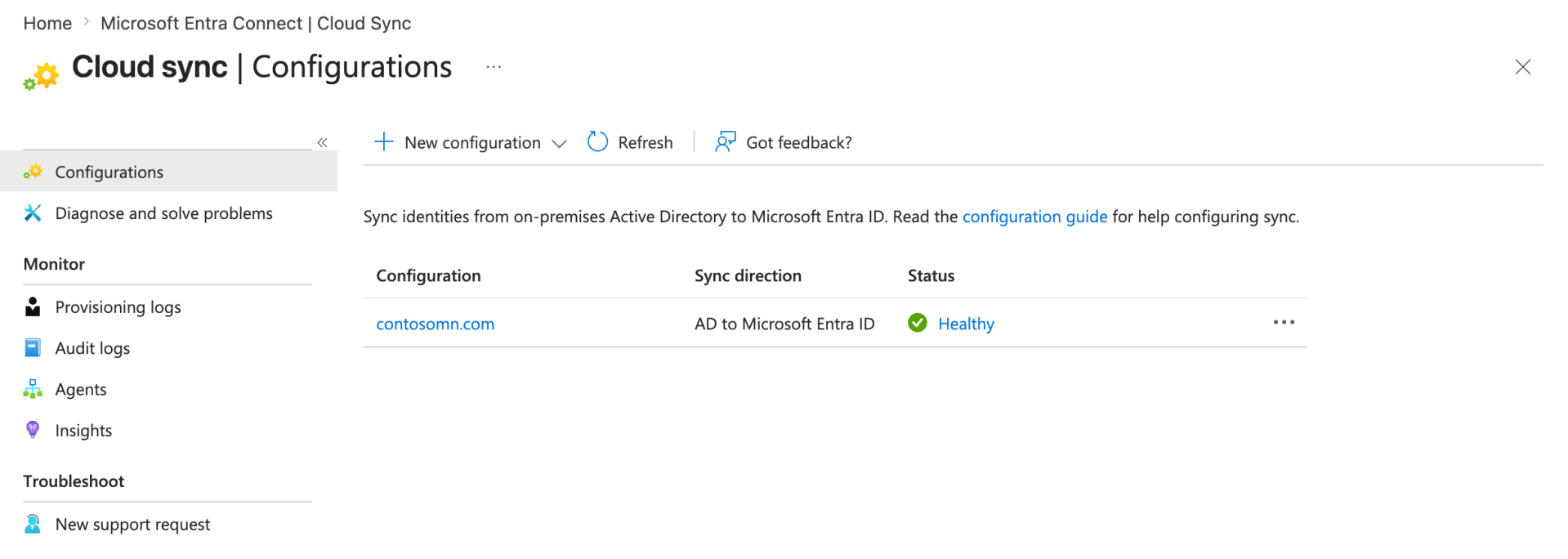
Well, that information is right and valid, so it’s not at all obvious why that didn’t work. But as I’ve had issues before with a multi-homed domain controller (this one was connected to three separate networks), I decided it was time to simplify. I reconfigured the DC to only be connected to one network, reconfigured DNS to point to that single IP, and set up the router/firewall to do DHCP forwarding. That was enough to complete the provisioning process, and Entra is now happy:
So let’s go back to Windows Autopilot to see if I can enroll a device using the new password on the user account. Weirdly, the machine isn’t getting an Autopilot profile:
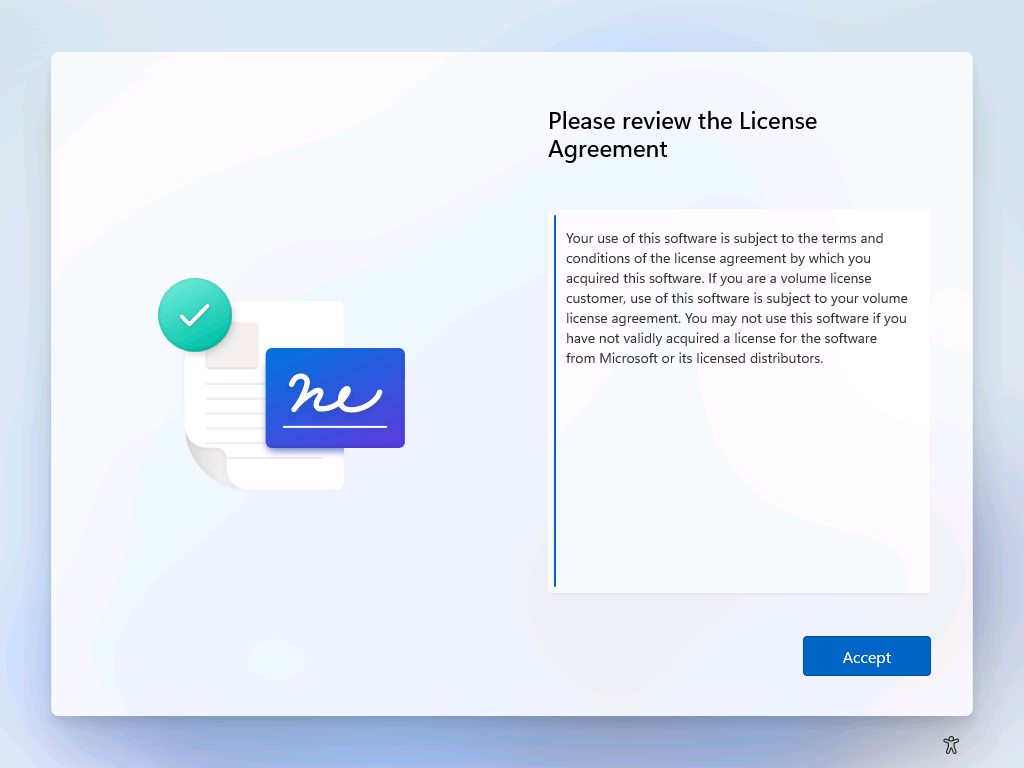
Looking at the AutopilotDDSZTDFile.json at least explains that:

I thought that Autopilot marker logic had been disabled, but I guess it hasn’t. To fix that, I need to re-register the machine and capture a snapshot with the marker in place.
Trying again, the new password was accepted:
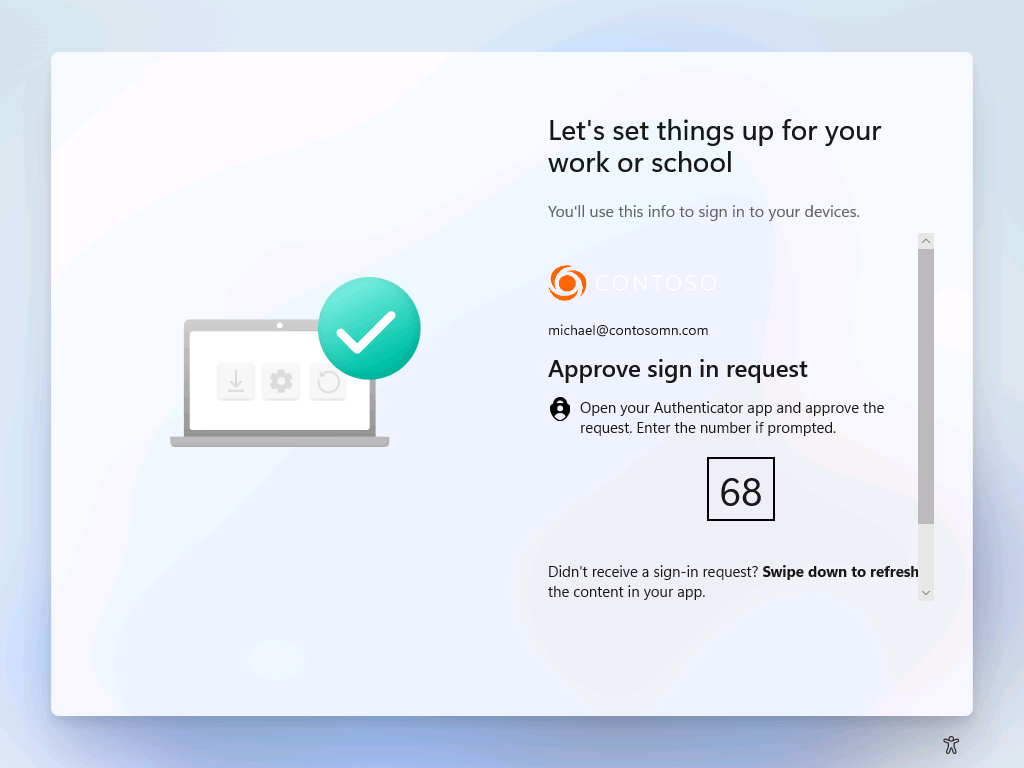
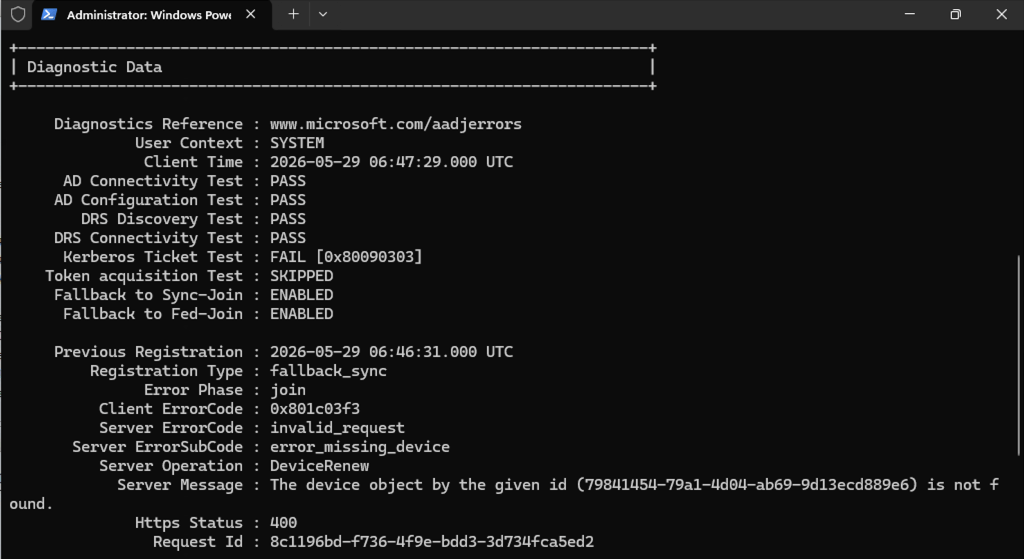
The Autopilot HAADJ process was then successful, the device was joined to AD and fully provisioned. But when signing in, things weren’t healthy from a device registration perspective:
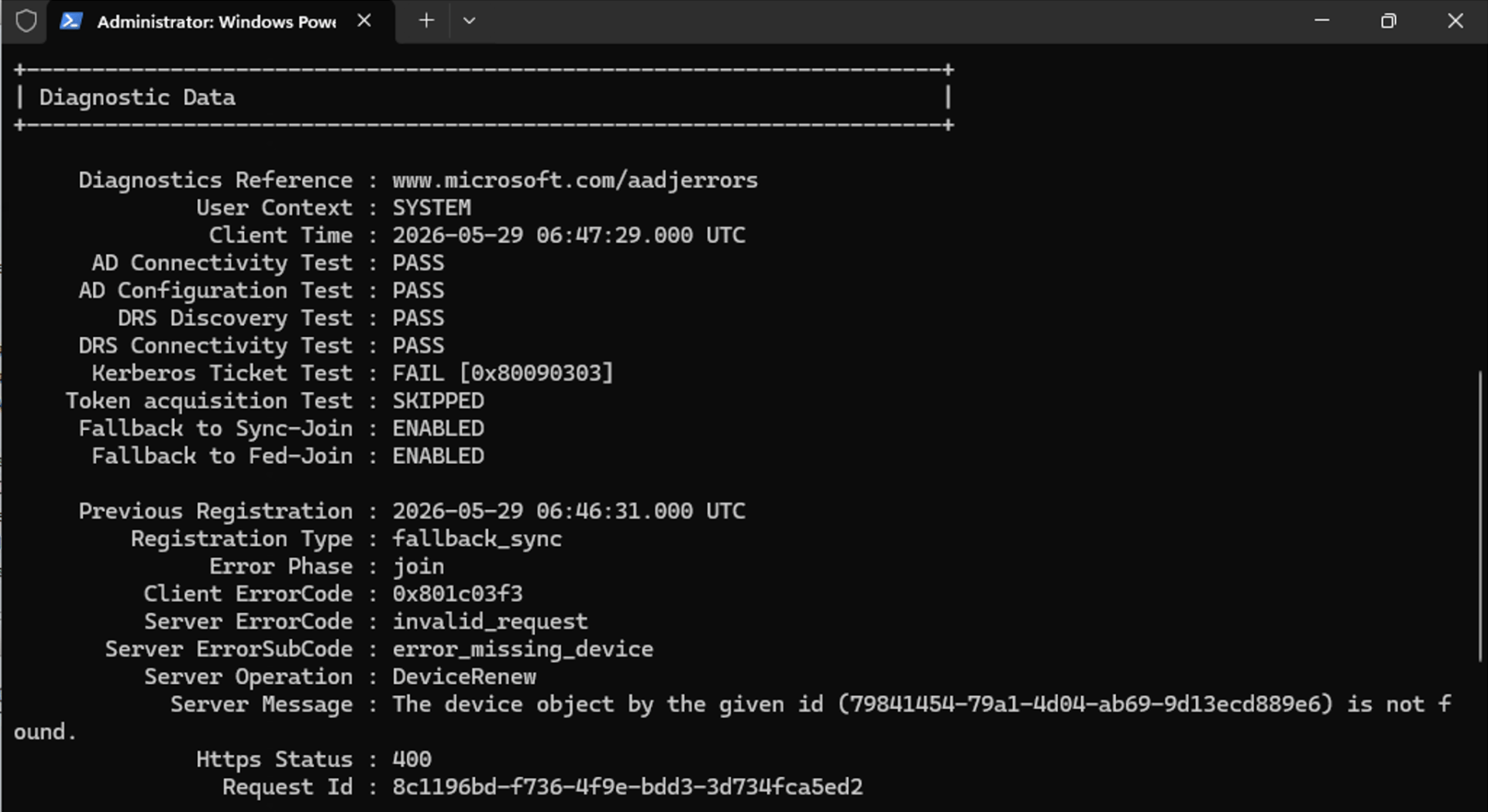
So, more troubleshooting to do. Just in case I missed something, I ran the “Or you can run this script” script from the documentation, and sure enough, it found one item that wasn’t set and it fixed it. With that simple change, now I have a HAADJ-registered device:
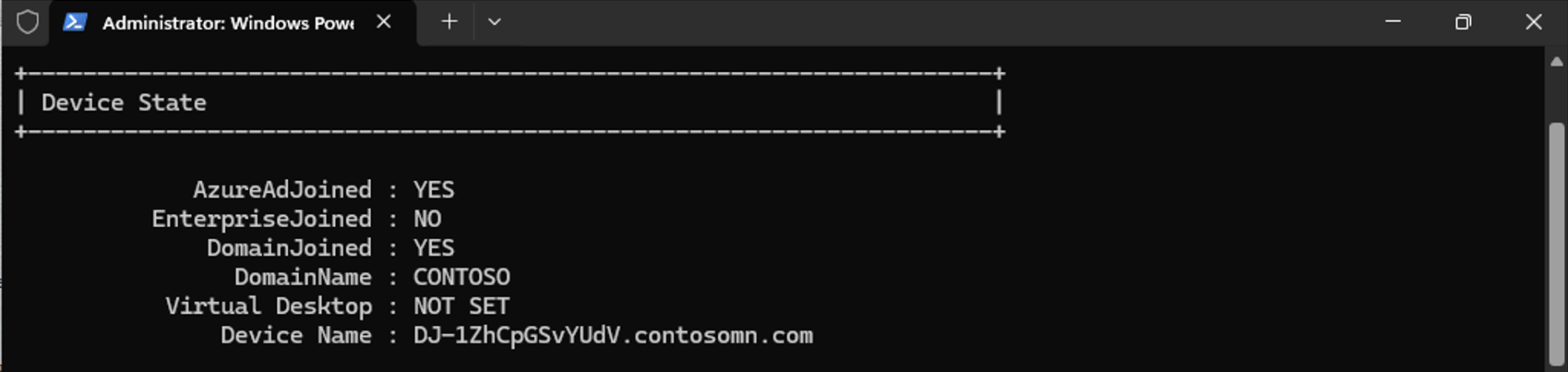
And yes, it appears to be using Kerberos:
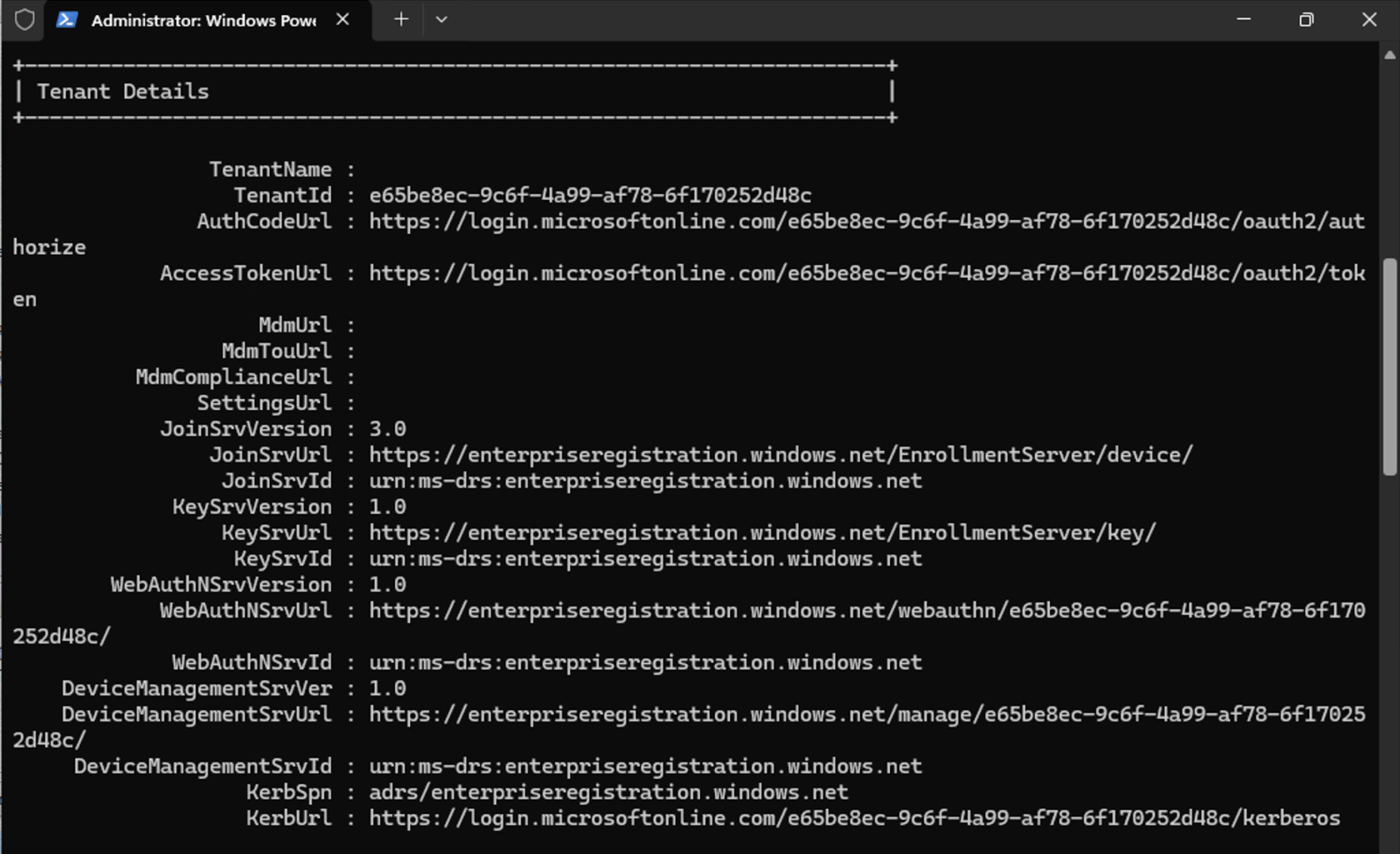
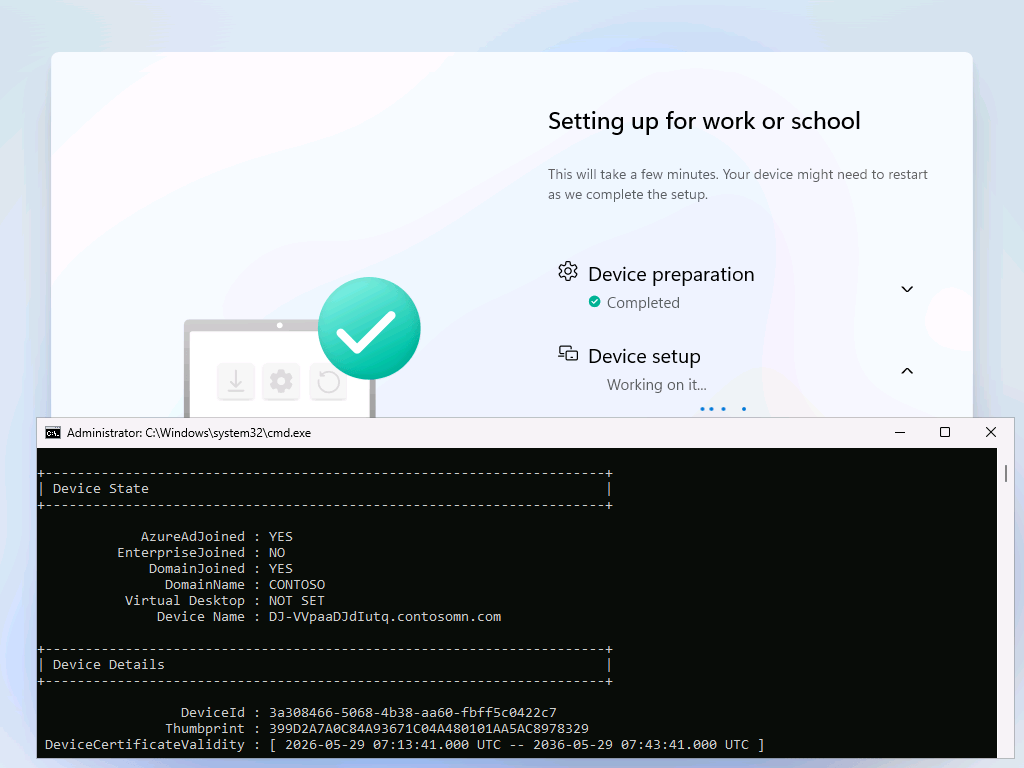
Even early in the Autopilot process, I can see that the HAADJ device registration process is already complete:
Cool. But what if the machine isn’t on the corporate network? Let’s try that instead. Sure enough, it can’t complete the HAADJ device registration:
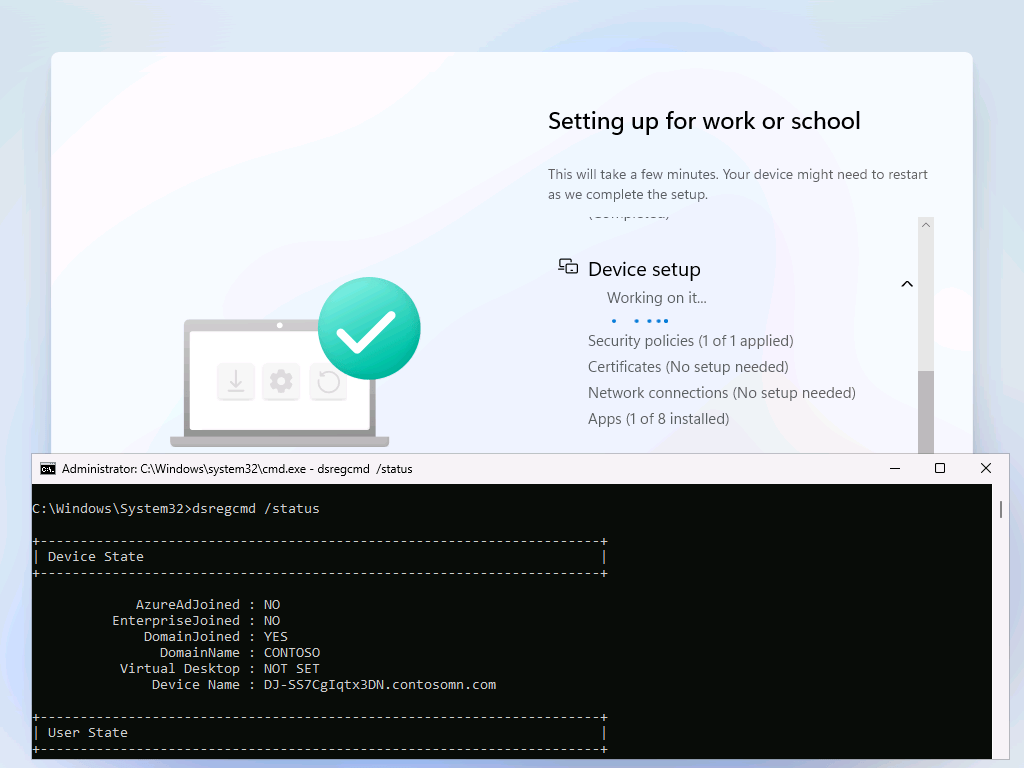
That’s not really a problem though, since the user won’t be able to log in without line of sight to a domain controller anyway — you still need a VPN connection of some sort to complete that process, one that ideally automatically establishes a connection without any user action. Too bad this Entra kerberos setup can’t take care of that too…
Moving the device back to the corporate network (the equivalent of “connect to VPN” for a remote user) did result in the device almost immediately completing the HAADJ device registration process.
Final words
Does Entra Cloud Sync work? Yes. Does it help make Entra Hybrid Join (HAADJ) faster? Yes.
Is it easy to set up? Entra Cloud Sync itself isn’t too bad, but the separate Entra Kerberos setup is still too messy. Maybe one of these days they can merge those two together, or at the very least simplify the process with some tooling that doesn’t require multiple steps with multiple PowerShell modules.
Fortunately, I’m doing this in a lab where it’s no big deal if I break something for a while. This would be a much more terrifying process if you were doing this on a large production tenant. But eventually Microsoft will be pushing customers this direction, so, well, good luck.





4 responses to “Time to move to Entra Cloud Sync”
What a mess. First we need 2025 DC. Hmm. I’ll just wait.
LikeLike
So if you don’t have 2025 server installed you are out of luck or are the betting by the time they remove all the bugs, most people will be on 2025 or 2030?
LikeLike
Not sure how hard they are going to push, but they have said they would do it in a phased manner based on those that are easier. Of course that might not take into account the state of your on-prem infrastructure.
LikeLike
Proof that you need to be an utter genius to get this working and continued working. Mike was instrumental in helping me get my Intune book out the door (https://www.mdmandgpanswers.com/books) . This would make a great update to that book, but… that’s not likely at this point. But thanks for the awesome update for the masses, MN !
LikeLike