
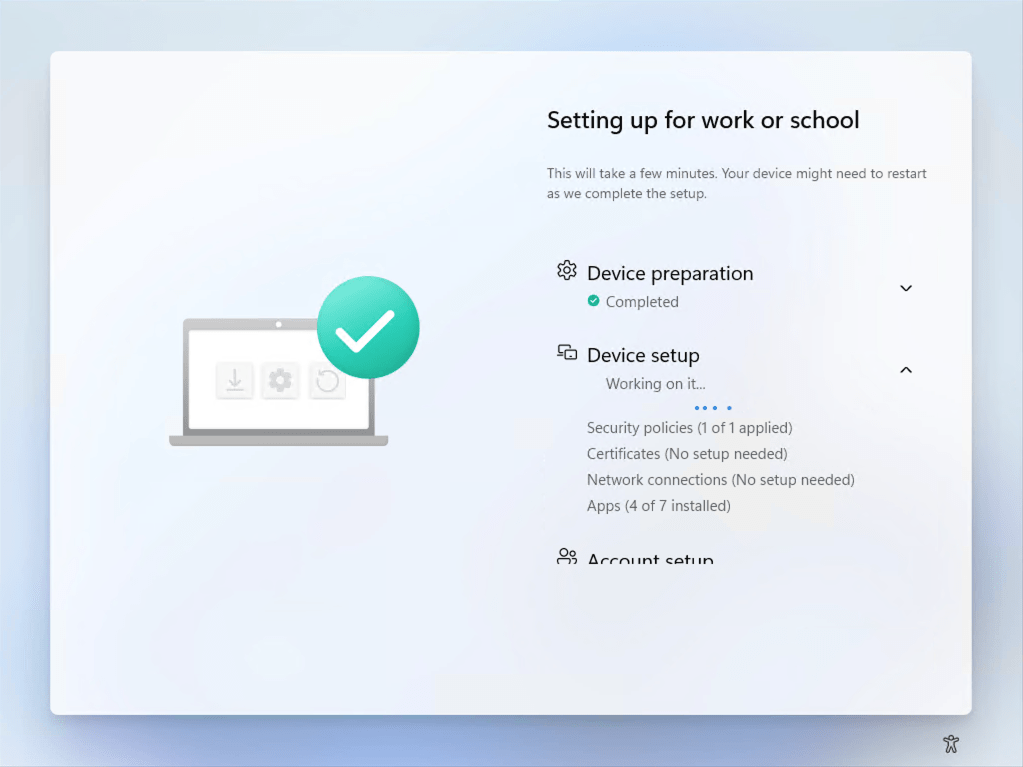
If you are doing user-driven Windows Autopilot provisioning in combination with a ConfigMgr task sequence initiated via “Co-management settings” in Intune, you know that the task sequence is tracked as an application during the device ESP phase. (Read up more on this scenario in my previous blog if you want to learn more about this.)
While normally you would install apps then as part of the ConfigMgr task sequence (which will run hidden unless you do something like I described in this blog using an automated Shift-F10 trick), so there would only be one “app” tracked by ESP, there’s nothing that stops you from installing apps from Intune at the same time (although watch out if those are MSI apps). If you do that, you’ll see ESP tracking a number of apps. In my case, it showed seven apps:
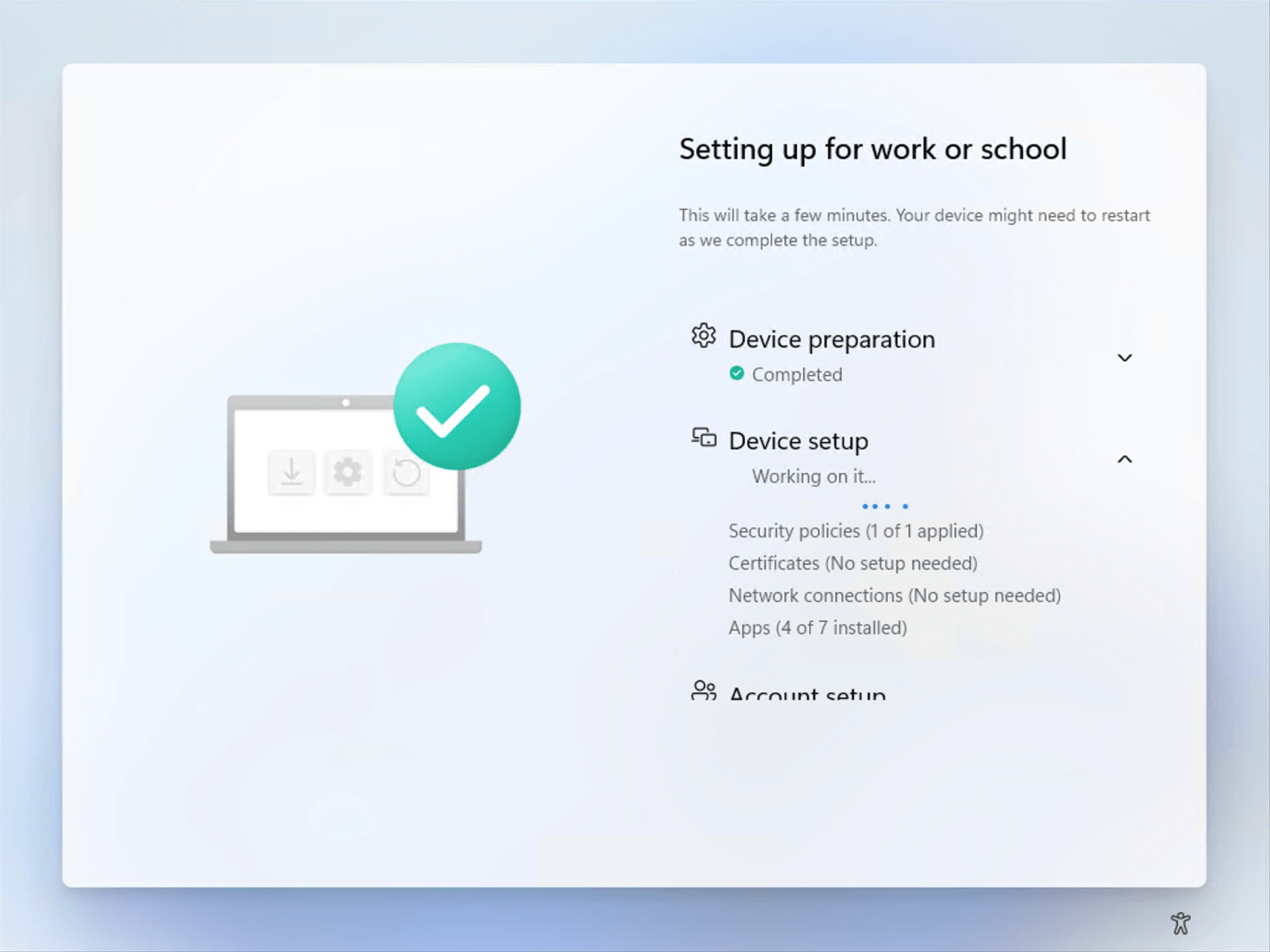
But as soon as the task sequence completed, the number changed:

What happened to app #7? Well, when the ConfigMgr task sequence completed, it marked the ConfigMgr policy provider, used to tell ESP about the “apps” that ConfigMgr was installing, as “not installed”, apparently cleaning up after itself as the task sequence had finished. That caused ESP to completely forget that the “app” had even existed, hence the drop from 7 apps to 6.
Oops. At least it’s a relatively harmless issue.


 Out of Office Hours
3 responses to “Entertaining bug of the day: Autopilot + Task Sequence”
Hi! Currently i simply cannot mix a ProvisonTS (set by Co-Management Settings) and simultaneosly push Intune apps. If i run only the TS it works fine, but as soon as i push an app, for ex the Company Portal (New) it hangs the installation, or the TS never starts. Why is this happening? Is the MDM authority being confused during the process? (I’ve already tried to set override all workloads to Intune, but nothing works).
Another issue is since last week i can only run a ProvisionTS in a real computer, but not in a Virtual Machine (tried different VM’s in multiple computers). In the VM it always fails when trying to start the TS, with an error of “NoReply from server” when trying to download packages from Distribution Point.
LikeLike
It’s working for me. Workloads don’t have much affect on apps, so if you set it to Intune it’s not going to stop SCCM from also installing stuff.
The biggest challenge is getting a fully-functional CMG in place. In my case, I’m using EHTTP, and also have PKI computer certs deployed to all the devices. And I would say that it still wasn’t easy getting everything configured successfully.
LikeLike
Hi! Thank you for the reply. I too have EHTTP PKI and a fully funcional CMG. I’m using a bulk token in order to install the ConfigMgr (Co-Management Settings) in pure internet. The oddity here is that’s working in physical computers but not in VM’s. I’m scratching my head!!
LikeLike