While doing some Autopilot (v1) pre-provisioning work using the latest Windows 11 Insider Canary ring build (27695), I noticed a new item in the UI:
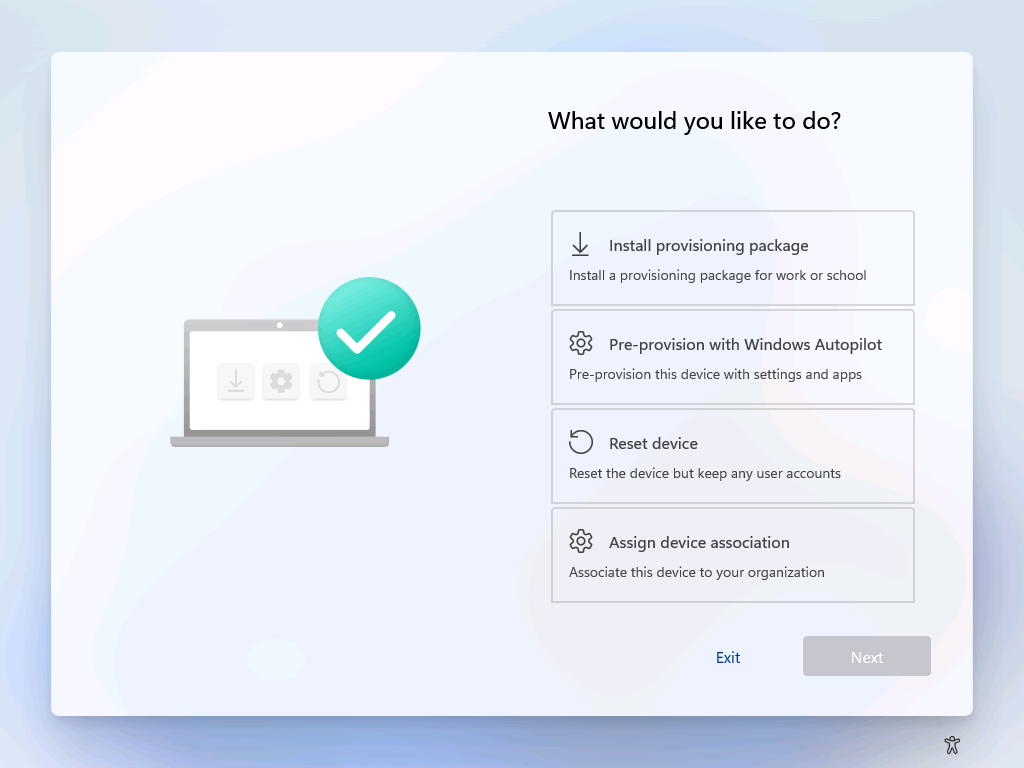
If you try it out, you can see a rough version of this new Autopilot v2 (Autopilot device preparation) user experience, but it’s very clear that this functionality isn’t done yet — more like a UI mockup than finished code. Here’s a video:
So why do I say it isn’t done yet? A few reasons:
- The QR code just says “Test Data” repeated a number of times.
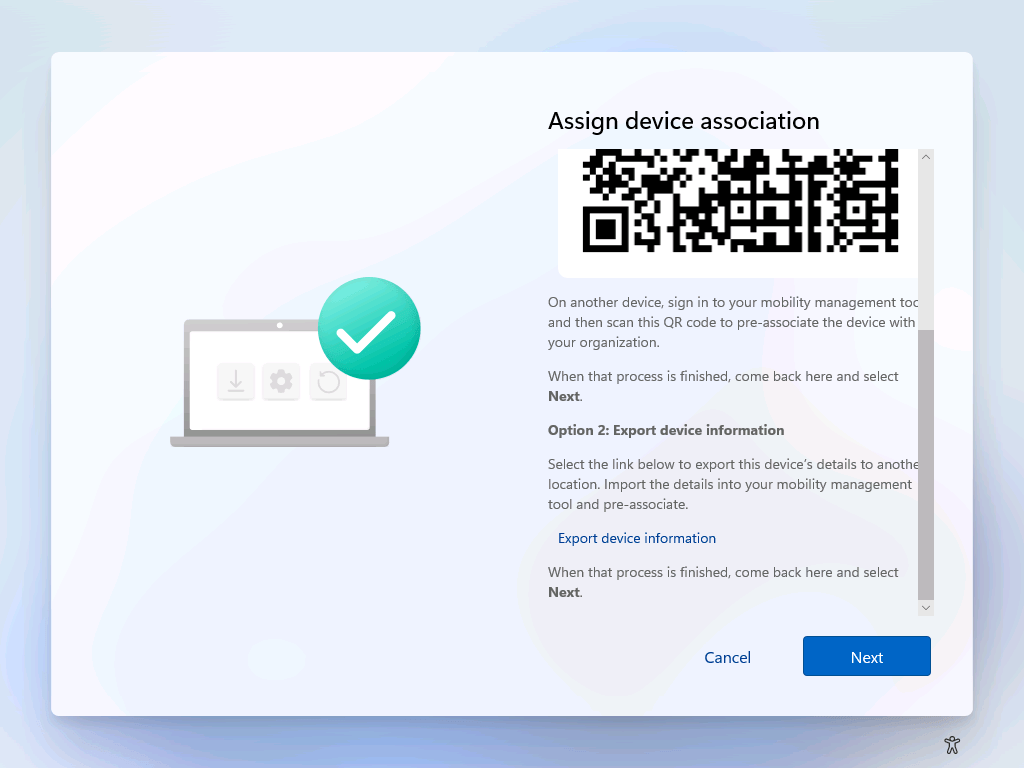
- The “Export device information” option (see image below) just creates a MDMDiagReport.zip file (likely just copying the code from the separate “Export logs” button).
- The “Completing device association” page doesn’t appear to actually do anything except show a progress bar for a few seconds — no network traffic is generated.
- The “Device association complete” screen appears to be hard-coded with the “Device associated with Contoso, Inc.” text.
If you scroll down from the QR code, you can see the “export” option I mentioned, which just creates a zip file with logs.
So what can you make of this? Well, that it’s being worked on and is nowhere close to being done yet. I would imagine that once complete it could be backported to previous Windows 11 releases, but that’s always challenging if you are using an OEM-supplied image that they don’t update after they first start shipping that OS version. So practically, this is likely a 25H2 feature, given how close we are to the 24H2 release.
So what will this eventually do? My speculation:
- It will tag the device, probably using a UEFI variable, with a tenant ID. (Delete that variable and the device is no longer associated.)
- It will create a corporate device identifier for the device so that it can enroll without enabling personal device enrollment.
- OEMs will be able to do the first part in the factory, but not the second (since they won’t have access to your tenant).