
There’s no question that this year drumbeat of AI, AI, AI during Microsoft’s annual Ignite conference left little room for “other stuff” to break through. So it’s not surprising that news around Windows Autopilot became “blink and you’ll miss it” references on slides or mentions in separate blog posts.
But still, progress is being made — if your primary interest is in Autopilot v2 (a.k.a. Windows Autopilot device preparation). So let’s go through a rundown (and yes, it will be quick).
First, most of the references can be found in the Intune session’s “here’s all the stuff we’ve done in the last 6-9 months” slide, found in the What’s new in Intune session.
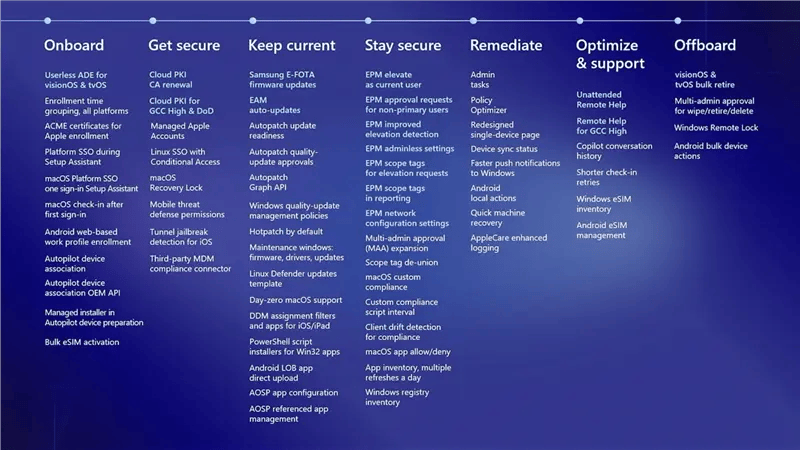
So let’s walk through the Autopilot items here:
Autopilot device association
This was announced back in late August on the Intune Customer Success blog. Basically, it lets you associate a device with an Intune tenant so that some of the things you take for granted in Autopilot v1 can actually work with Autopilot v2. I first talked about that one over two years ago on a blog that looked at what was in the Windows builds at that time. So, two years later and it’s now real.
Want more detail on the “simple 16-step” device association process? Follow through Rudy’s dissection here:
https://patchmypc.com/blog/windows-autopilot-device-association
Autopilot device association OEM API
Since Autopilot v2 is tied to your Intune tenant instead of a “big database of machines in the cloud,” things that used to work for registering devices, which were created for Autopilot v1, no longer worked. Initially, you needed to create corporate device identifiers in your tenant so that Intune would allow the device to enroll as a corporate device; now with device association, you need to do a much more involved process to “tag” the device.
So who can do that? You can. OEMs can’t, nor can resellers or distributors. They don’t have access to your Intune tenant, nor do they want that access. Obviously that’s a step backwards for anyone who registers devices today for APv1 using OEMs, resellers or distributors. Rudy flagged that in a separate blog, stating simply that “you are the OEM now.” Wonderful, a job I didn’t want. He did at least provide a script to help you automate that process, but it still falls on you.
I’ve mentioned in presentations throughout the year that surely Microsoft is thinking about ways to restore the OEM/reseller functionality, so seeing “Autopilot device association OEM API” on the Intune slide is a positive sign. It’s interesting that they are saying this is something already delivered, since there’s no public sign of it yet, but it is apparently coming (“soon” I’m sure).
Managed installer in Autopilot device association
This one feels like an oversight (a.k.a. bug): If you were using App Control for Business to control what apps are allowed to run on a Windows device, you would discover that APv2-deployed machines didn’t get the needed managed installer policy before installing apps, and therefore those apps weren’t trusted and wouldn’t run. (Not sure how many people actually use App Control and managed installers, but suffice to say this would break things.)
The Intune support team confirmed this in a blog in October 2024, and a workaround (deferring the apps until after APv2 finished) was implemented until a “real fix” could be created.
So how long did that fix take? Until April 2026. Yes, 18 months later. Yikes.
Autopilot device preparation experience
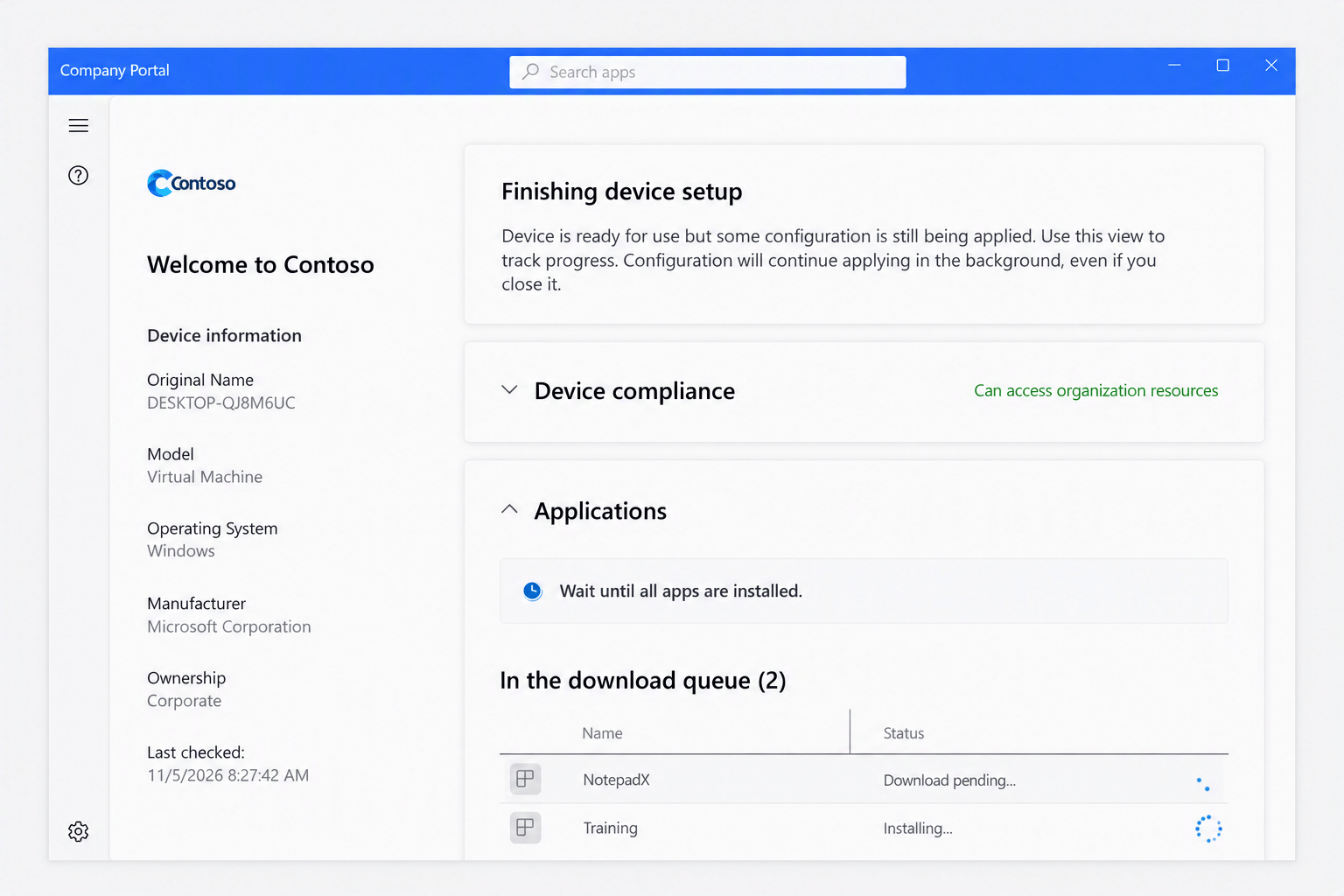
I guess since this one is still in preview, it doesn’t even get a bullet point in the Ignite slides? But it did get a blurb in the Intune blog post about Ignite. The basic idea: Autopilot v2 doesn’t include the equivalent of “user ESP” so there’s no tracking of things that are targeted to the user.
Some time ago (over two years?), Microsoft showed a video publicly that demonstrated the behavior that they wanted to deliver: having the company portal app launch automatically when the user signs in, showing remaining apps and policies that still need to delivered to the machine. A fine idea, as this lines up with how other platforms (e.g. iOS and Android) are provisioned.
At the time, I think we assumed this would come “soon” but I think the reality of the situation is that this was just a mock-up showing what they wanted to build.
Now, we finally see that this is in “limited public preview”:
So how is Autopilot v2 coming along?
Autopilot v2 was announced back in May 2024, over two and a half years ago. Included in that original announcement was a statement:
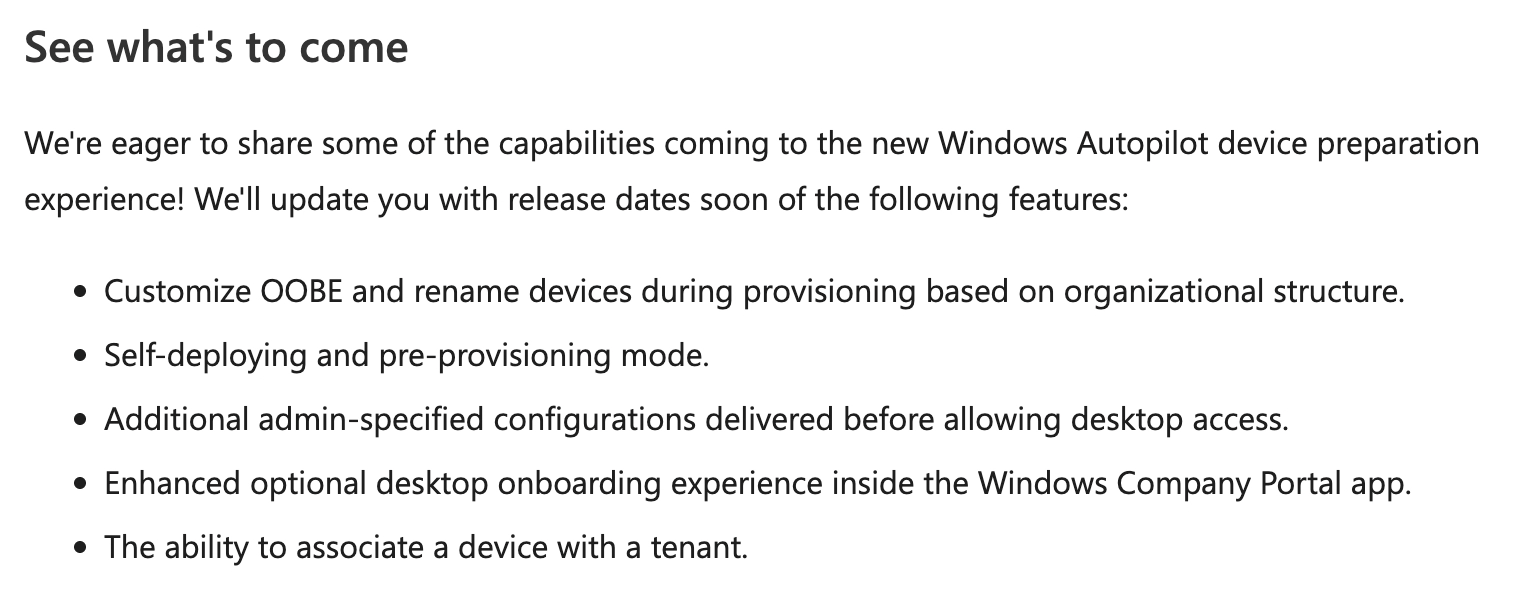
It’s safe to say that release dates were not provided, nor was any of this delivered “soon.” But they are at least continuing to make progress. We’ve yet to see anything about self-deploying and pre-provisioning scenarios, but there is at least some progress on the other items. Maybe before the third anniversary?
There’s still very limited adoption of Autopilot v2 overall, usually single digit percentages of customers say they are using it when I ask at events. And Microsoft still wants to replace v1 with v2:

So when might such a replacement occur? Well, not before a significant percentage switch over to v2. So, umm, “soon”?



Leave a Reply