

I’ve been looking at a variety of solutions for installing apps on Windows as we work on expanding what DeployR can do. We’re generally open to all, so of course Chocolatey was on that list. But I noticed a different ISV announced that they were dropping Chocolatey support, so I had to investigate what was behind that.
But first, let’s talk a bit about what Chocolatey is. You can read up on it yourself at https://chocolatey.org and look at the code at https://github.com/chocolatey but let me summarize: It’s an open-source package manager that can consume software packages (which can be just about anything that you might want to install) from one of many repositories. It’s also a paid commercial product that can do that inside your organization for software that you want to manage. And it also has its own public repository of community-contributed packages; in many cases, these packages are just the metadata (detection rules, installation commands, etc.) with the content pulled from elsewhere (e.g. vendor sites). (If you are thinking hey, this sounds like WinGet, you are right, but Chocolatey predates WinGet by a number of years.)
When you use it, you can do simple things like this:
# Install 7zipchoco install 7zip -y# Upgrade all installed packageschoco upgrade all -y
OK, so back to the issue at hand: the terms of use. Back in June, Chocolatey (the org) posted a blog clarifying the “organizational use” of the community repository. You can read that blog here:
https://blog.chocolatey.org/2026/06/updated-terms-of-use
And then look at the terms of use themselves:
So it all really comes down to this piece:
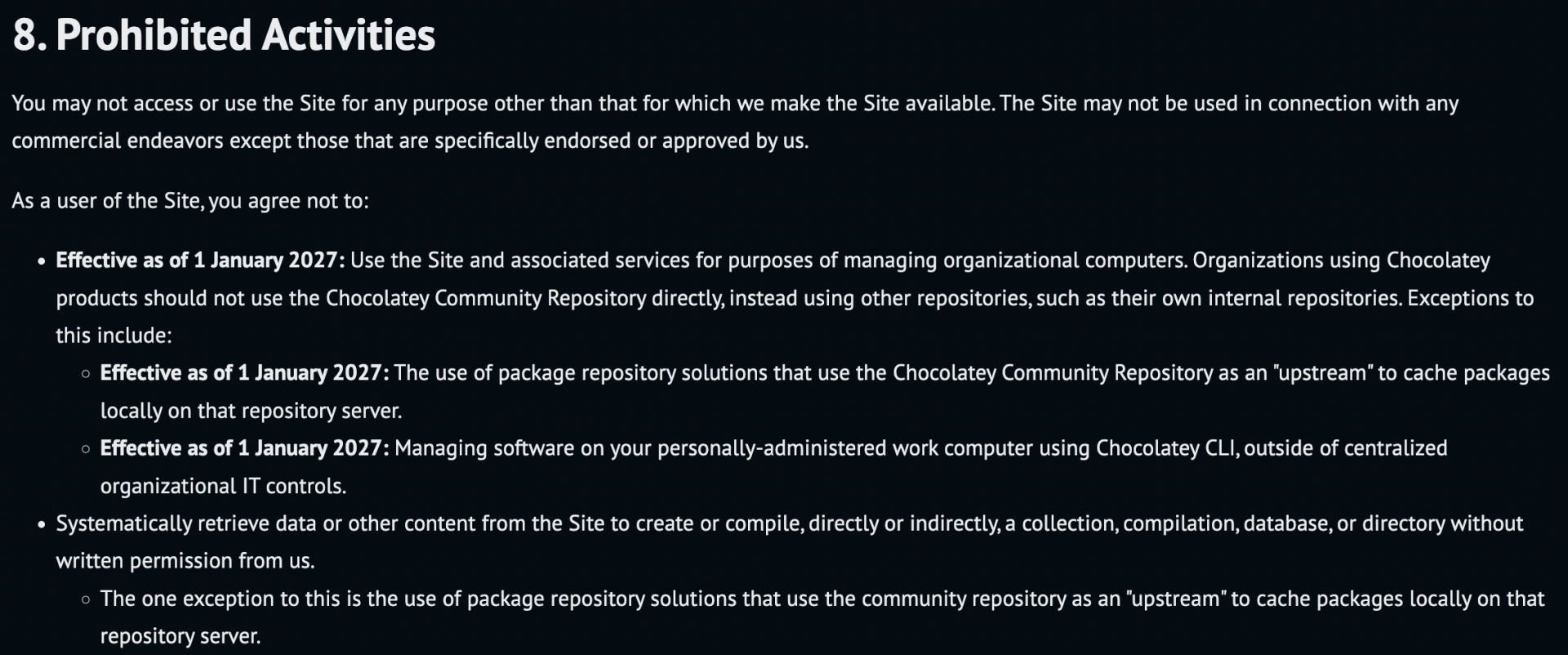
So if you’re using the community repository for your own personal use (e.g. updating the computers that you yourself use), you’re OK. But if you’re IT at an organization, there are now restrictions: You can’t use the community repository directly, you can only use it to establish your own local cache (proxy).
So that’s the twist. The Chocolatey blog talks about that being a simple operation and provides some packages that can do it:
- ProGet from https://www.inedo.com, starting at $2395/year.
- Artifactory from https://jfrog.com, pricing varies.
- Sonatype Nexus from https://sonatype.com, with free and paid offerings.
Since this is all NuGet-based, you could build your own or try other open-source solutions, but I suspect it would work out like this for most orgs: Set up the free Sonatype Nexus (and maybe need to upgrade to a paid version based on your specific requirements for availabilty and scale) unless you are already using Artifactory or ProGet.
Or, you can probably switch to Chocolatey for Business and let them take care of it.
Is it the end of the world? No, but I suspect this will catch a bunch of organizations off guard, especially if Chocolatey actually enforces this (e.g. throttles or returns errors if it finds large number of devices from the same corporate internet IP using the community repository). Will they do that? I’m guessing no, but I suspect they’ll be monitoring.
At the end of the day, this is probably all about cost control. Trying to build a highly-available, scalable, cloud-based community repository is expensive. The joys of open-source software: at the end of the day, you need money to keep it going, and that comes from paying customers.







Leave a comment