
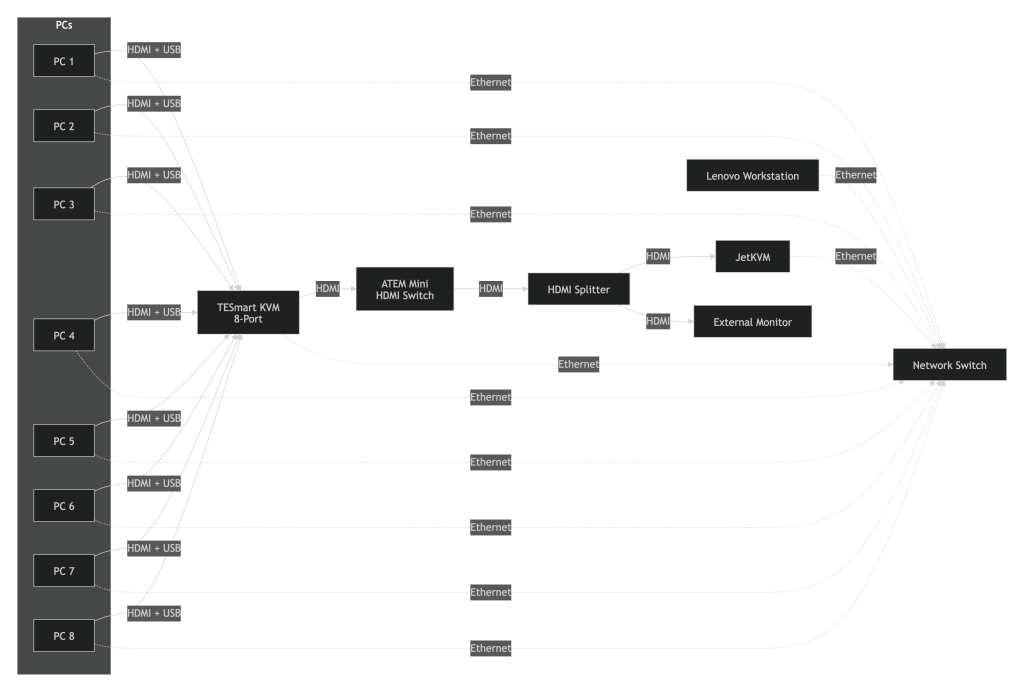
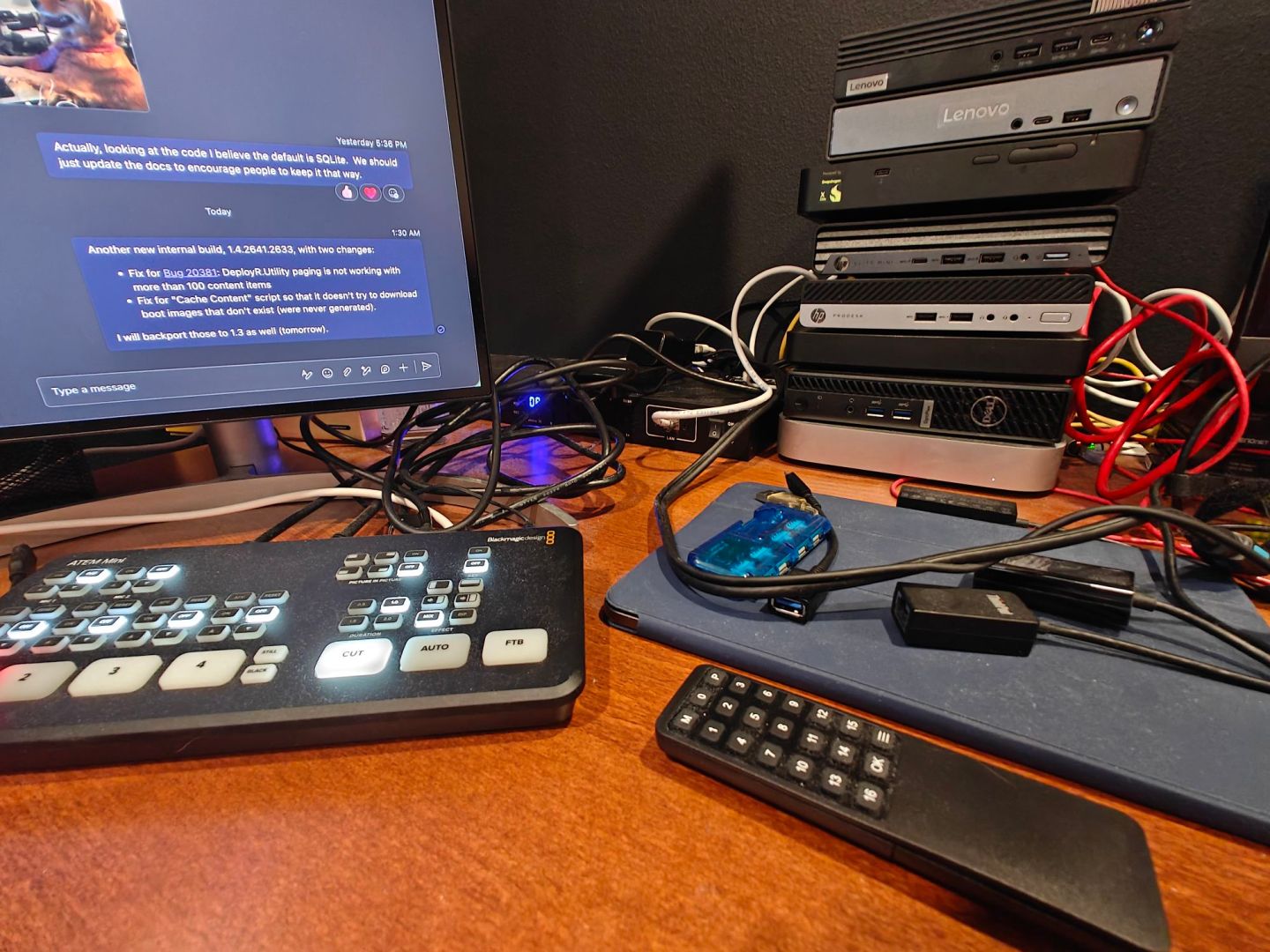
I think my “lab” (all the PCs on and around my desk) keeps getting more and more complicated, while at the same time enabling fun scenarios. This time, it’s via a new JetKVM added to my network. That would be easy if I just wanted to access one PC remotely; it gets a little more interesting when I want to access 8 different ones (one Lenovo ThinkStation P620 workstation running Windows Server 2025 and Hyper-V, and a stack of mini-PCs of various flavors). That’s how I ended up with this:
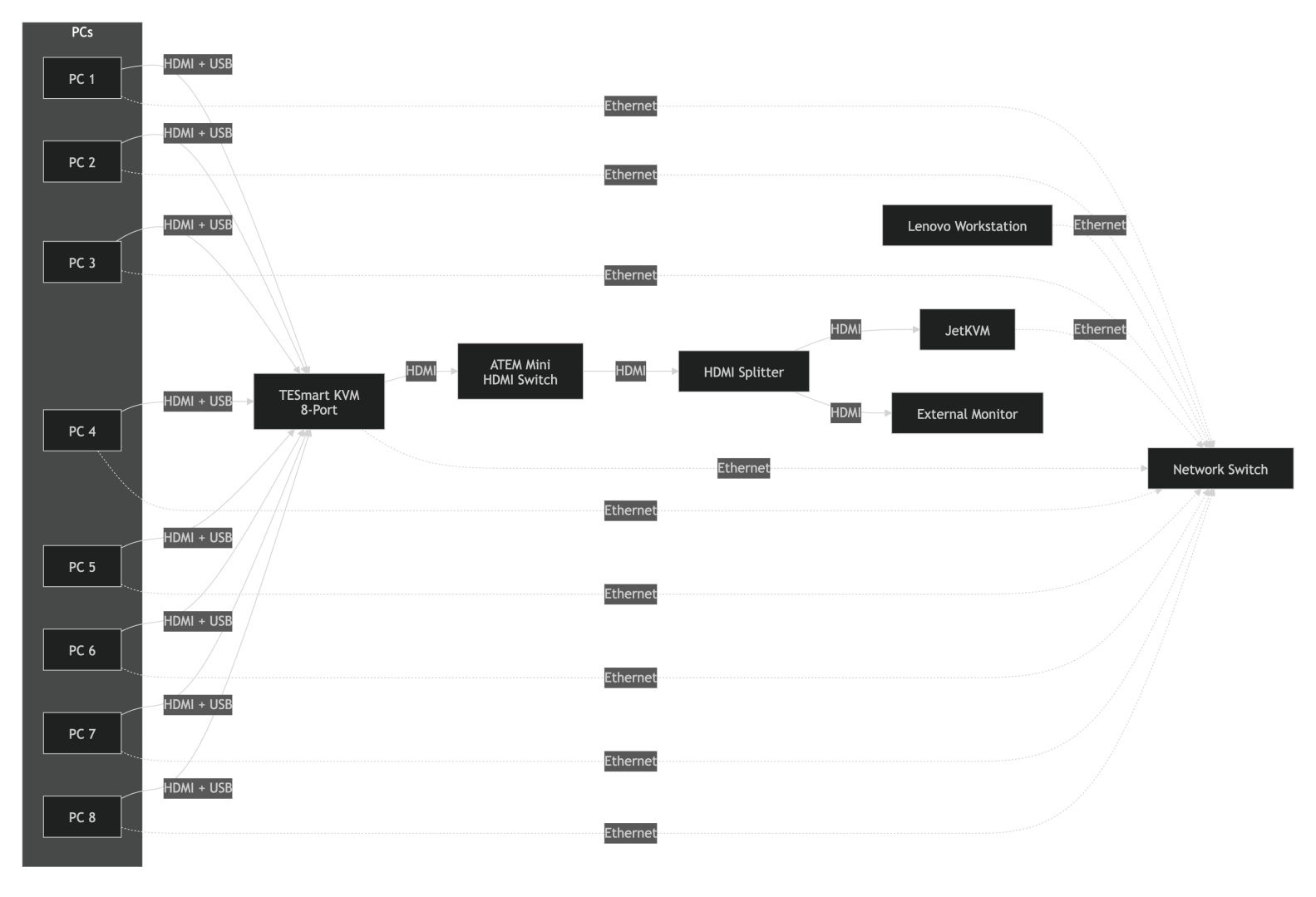
All the PCs are connected to a lab network and the TESmart KVM (it’s actually a 16-port KVM, but right now I only have 8 cables — the rest are on their way from China). Initially, I had a keyboard, mouse, and monitor connected to that KVM, with the ATEM Mini HDMI switch in the middle so that I could record video from any of the PCs via the ATEM Mini’s USB-C output (appears as a camera on the device that is plugged into).
Adding the JetKVM would have been simple: replace the keyboard, mouse, and monitor with the JetKVM. But I still want to use those when I am at my desk, so the goal was to make those work too. That turned out to be “reasonably” simple with an HDMI splitter splitting the output from the ATEM Mini between the JetKVM and the external monitor. Then I have both the JetKVM and the keyboard and mouse plugged into the KVM.
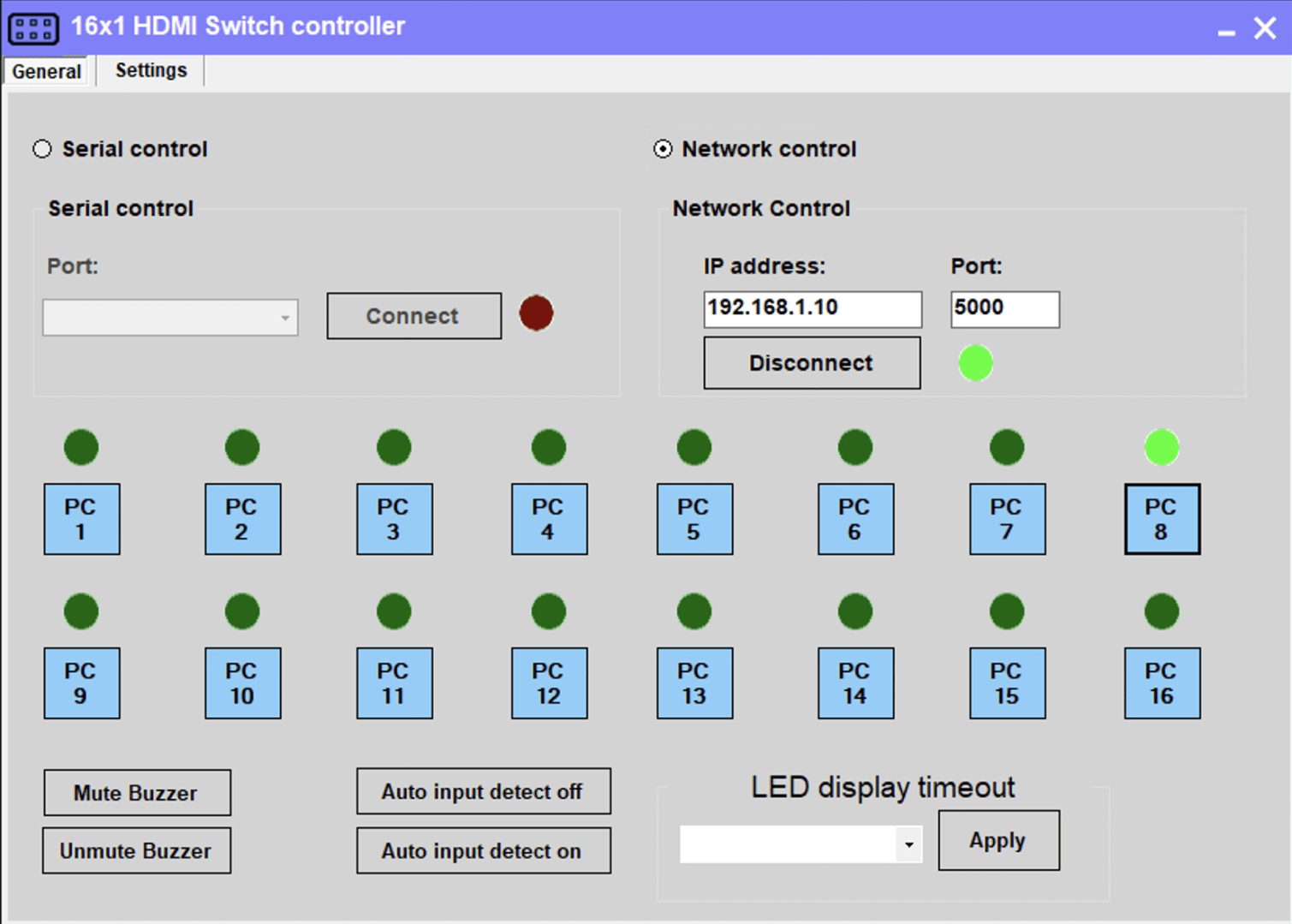
Perfect, except there are a couple of issues remaining. First, how do I switch between the KVM ports remotely? Fortunately, the TESmart KVM supports network control. Plug in an ethernet cable and it pops onto the network with an IP address of 192.168.1.10 (no, it doesn’t use DHCP, but that IP worked just fine on my network). Then you can use TESmart’s (somewhat antiquated) software to control the KVM. (They’ve documented the protocol, so when I get a chance I’ll need to write something better.)
With that, I can now access any machine I want from the JetKVM:
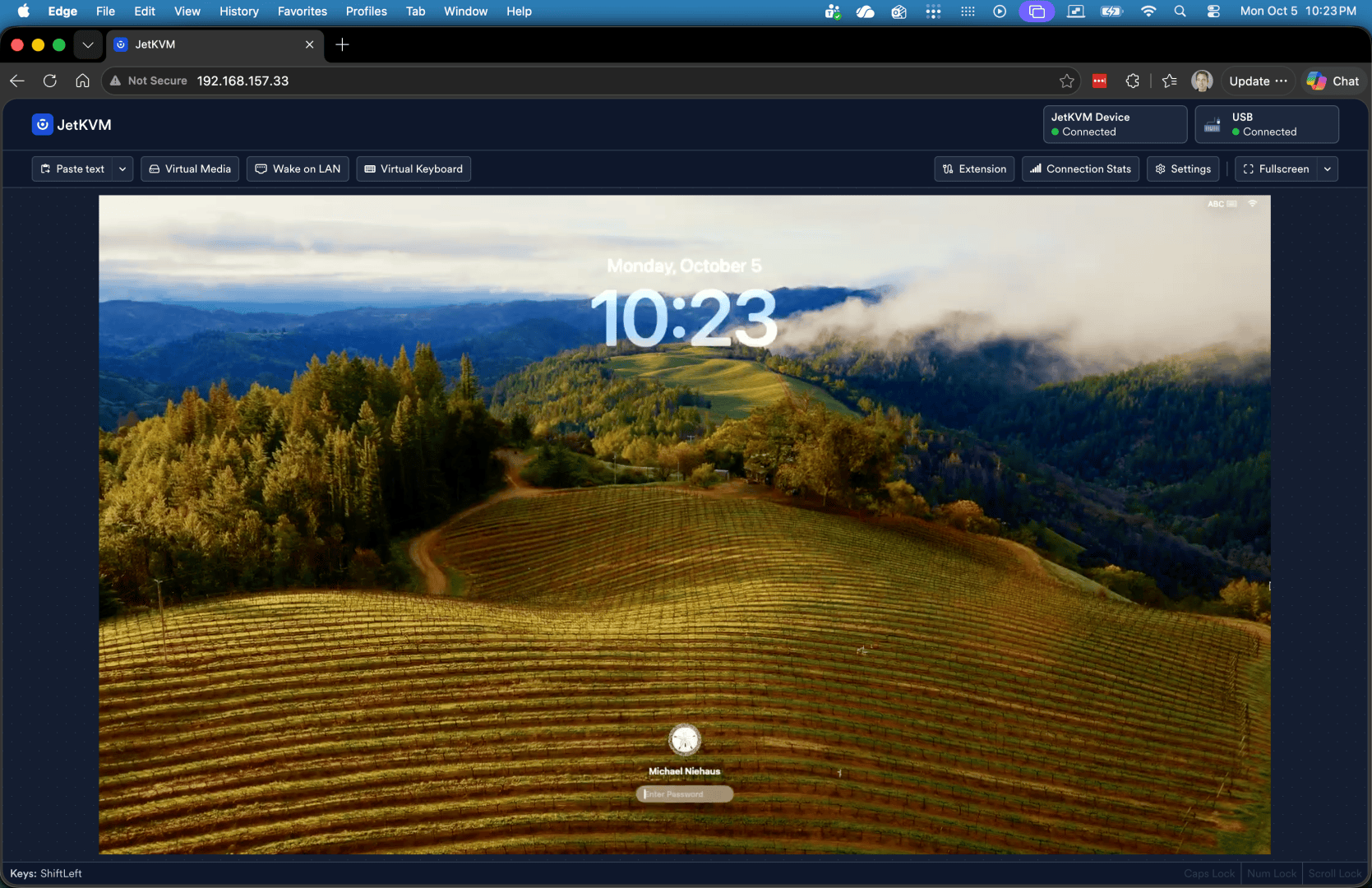
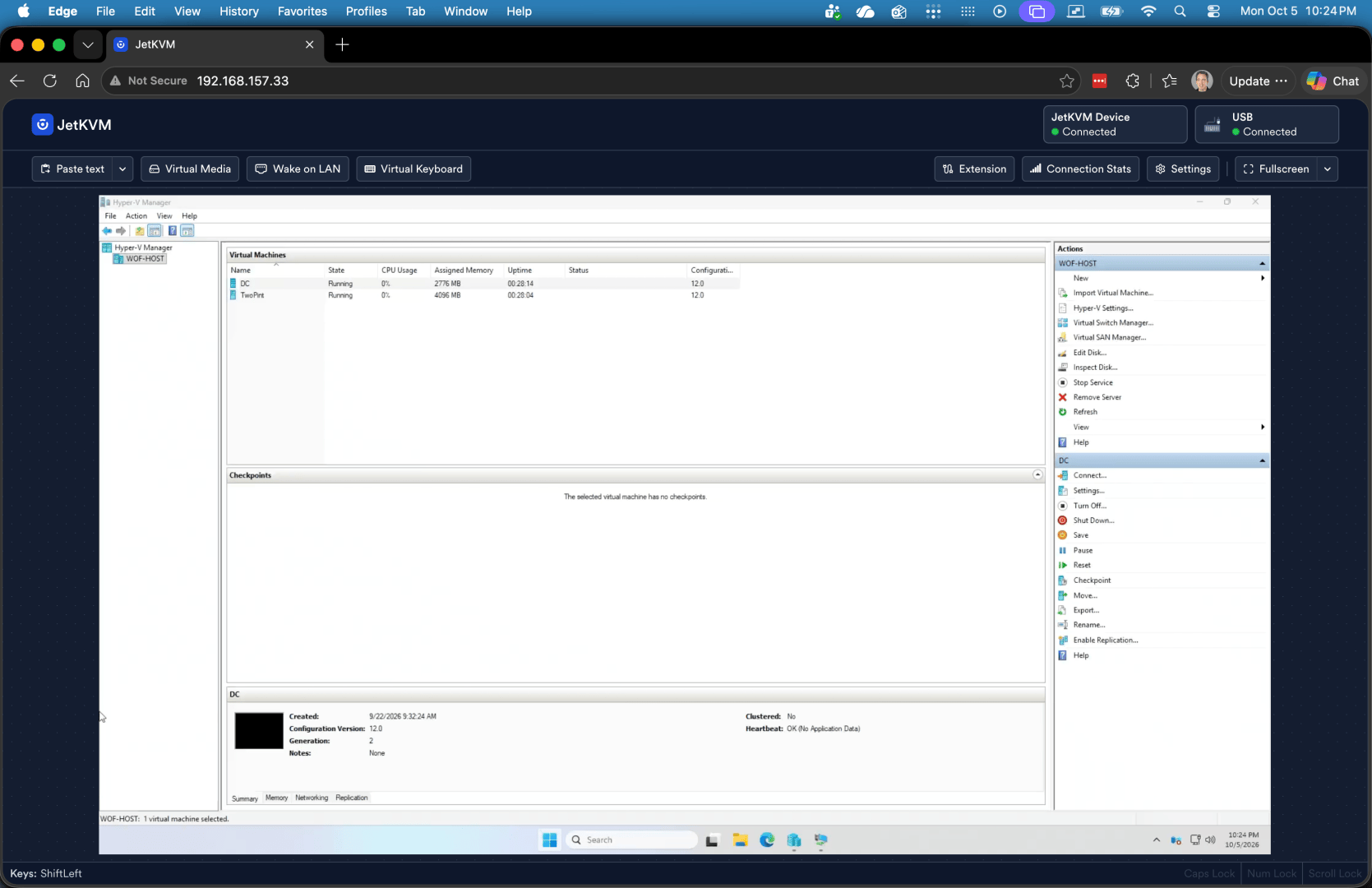
But there is one issue: the keyboard and mouse often don’t work when I switch between PCs, as the JetKVM-emulated USB devices aren’t detected. (The video works fine.). To work around that, rebooting the JetKVM (which typically takes about 15 seconds) is a reasonable quick fix until I have more time to figure out what’s going on with that. (I had originally connected the JetKVM to the USB keyboard input on the TESmart switch, but then JetKVM didn’t detect that there was a USB connection, so I moved the JetKVM USB connection to one of the USB 3.1 ports — works great but doesn’t handle the handoff from one PC to another.)
That leaves one other challenge for the future: powering the devices on and off remotely. JetKVM has the ability to do Wake-on-LAN, which will work in some cases at least (as long as you preconfigure JetKVM with the MAC addresses of the PCs, and have the JetKVM on the same network as the PCs).
And the wiring for all of this is becoming quite a mess (with a lot of it under the desk)…






Leave a Reply