

I had a need to compare two directories to see what differences existed between them. In the past, I had used utilities like WinDiff and WinMerge to do that, but I was hoping to do that more easily. A simple Bing search took me to a superuser.com post that had the simplest possible answer: Just use ROBOCOPY and tell it to just list differences instead of actually doing the copying. Doing that is fairly simple, just specify the two folders and include a couple of switches: /e to compare subdirectories, including empty ones; and /l to just list changes without copying anything. (Don’t forget that second one, otherwise your folders will now match.)
So, in my case when I compared the folders in question, I could easily see the differences:
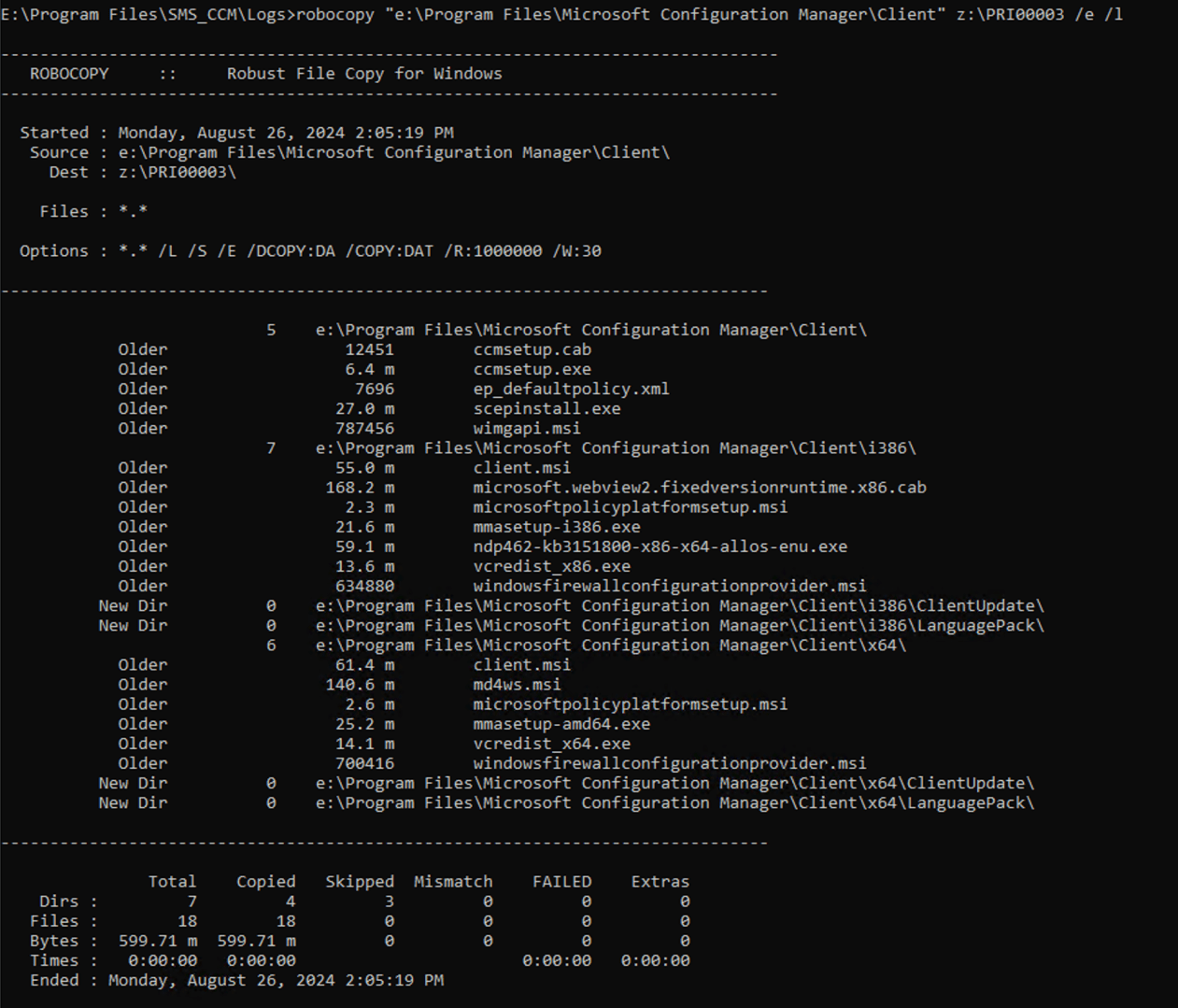
The difference in the dates wasn’t a concern (a side effect of the downloading process, the modification dates weren’t preserved), but I had empty folders that existed in the source but not in the destination — exactly what I needed to know.
File that one away for future use 🙂



 Out of Office Hours