
PowerShell ships with providers that expose things like file systems, the registry, certificates, environment variables, etc. To see which are available in your PowerShell session, you can use Get-PSProvider:
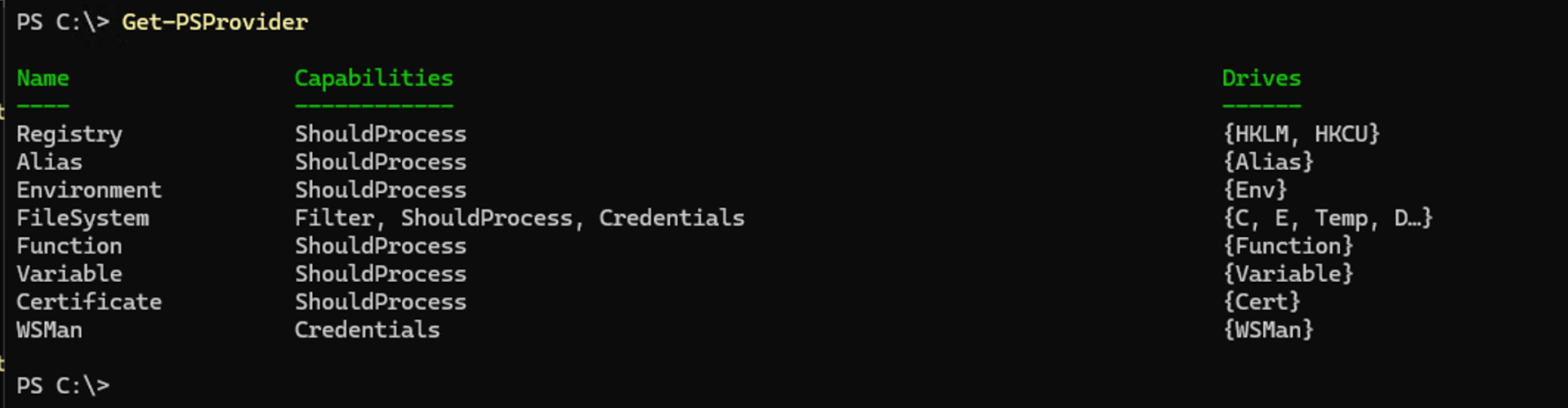
Not surprisingly, these behave differently based on the type of data or objects they are working with. So Microsoft provided a way to extend the provider’s capabilities through dynamic parameters. But discovering what dynamic parameters are available isn’t always as simple as it should be. So here’s a simple way:
- Change to the root of the a particular drive using “Set-Location”
- See what parameters are available in that location using “Get-Command Get-ChildItem”
Here’s an example, which I extended a bit to display the Parameters.Keys list from the Certificates provider:
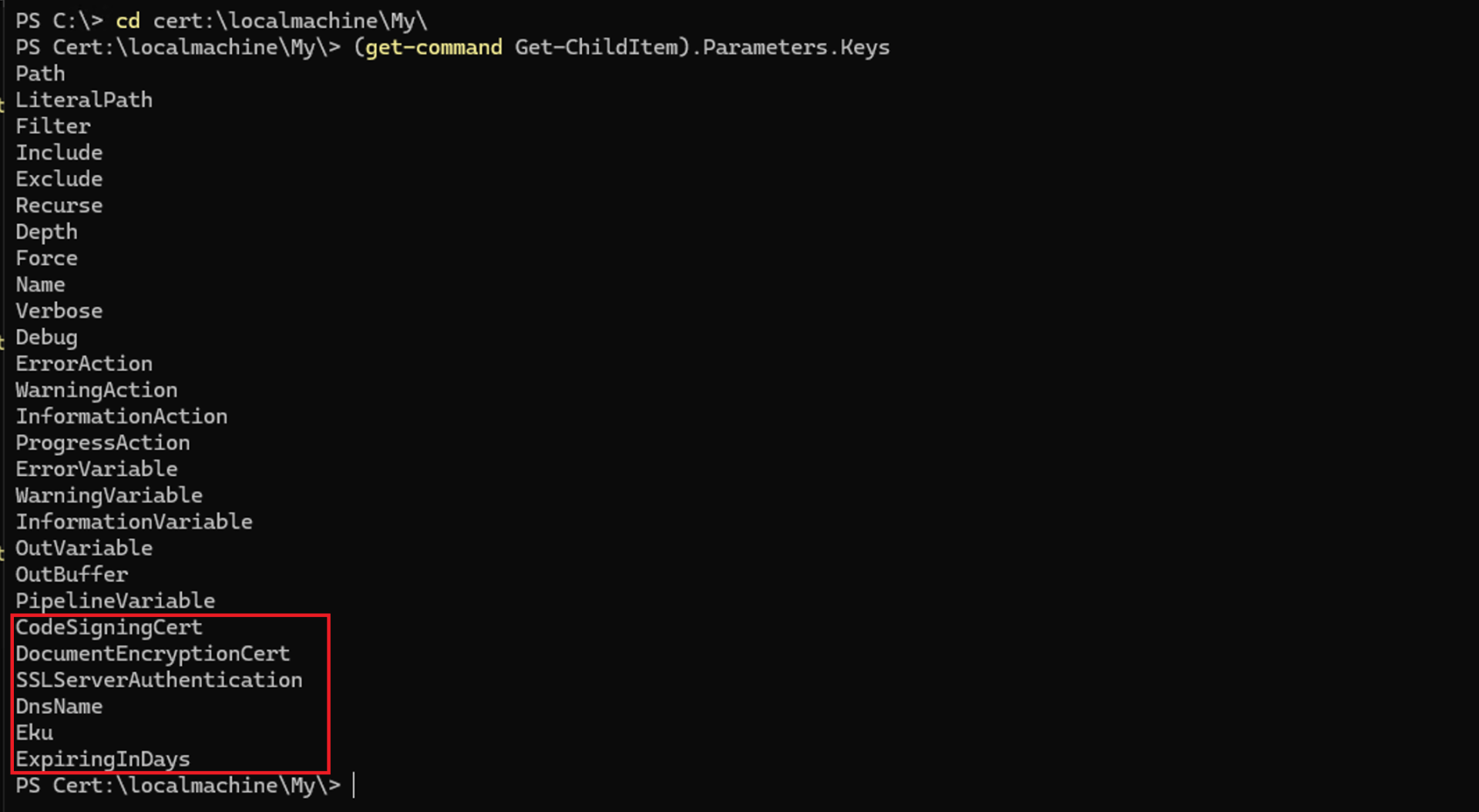
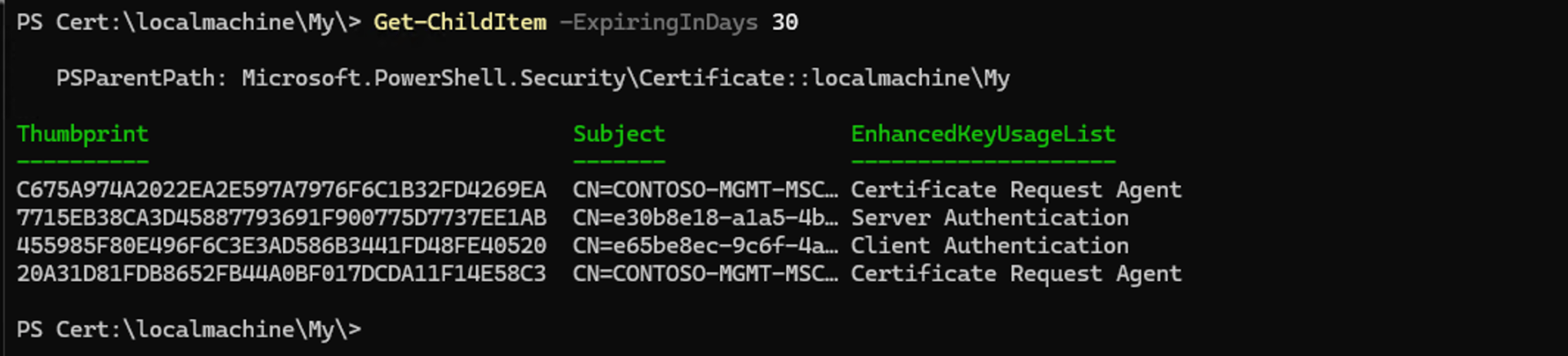
Everything you see through “PipelineVariable” is common for all providers, but those in the red box are unique to this provider. Tab completion will work for those too.
You can repeat the same process for other providers, like the file system provider:
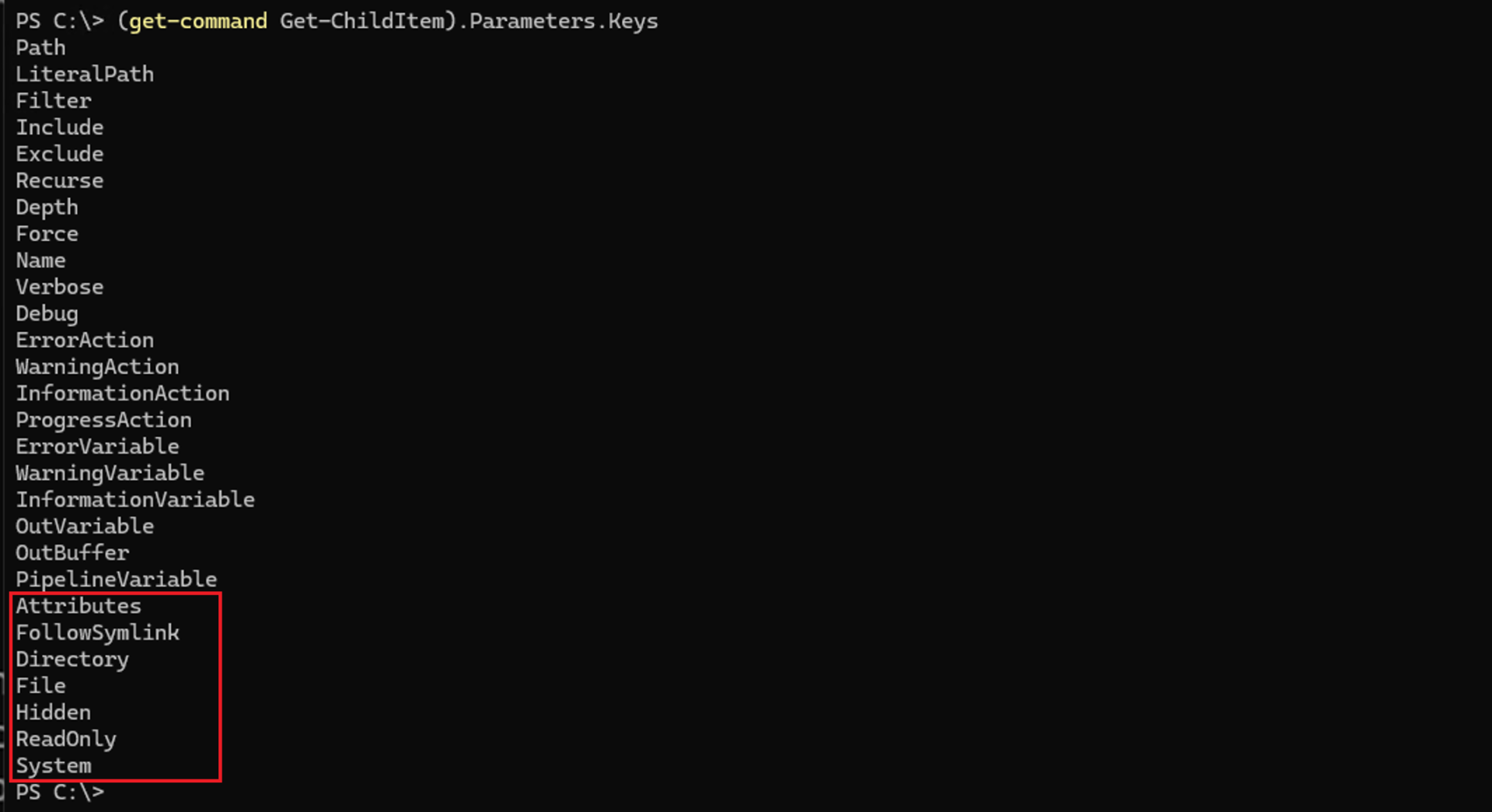
For the other built-in providers, there aren’t any obvious dynamic parameters (although that’s not guaranteed as the list can change depending on where you are in the drive — they are “dynamic” after all).
Going way back to MDT, there was one dynamic parameter that it supported, to filter items by ItemType:
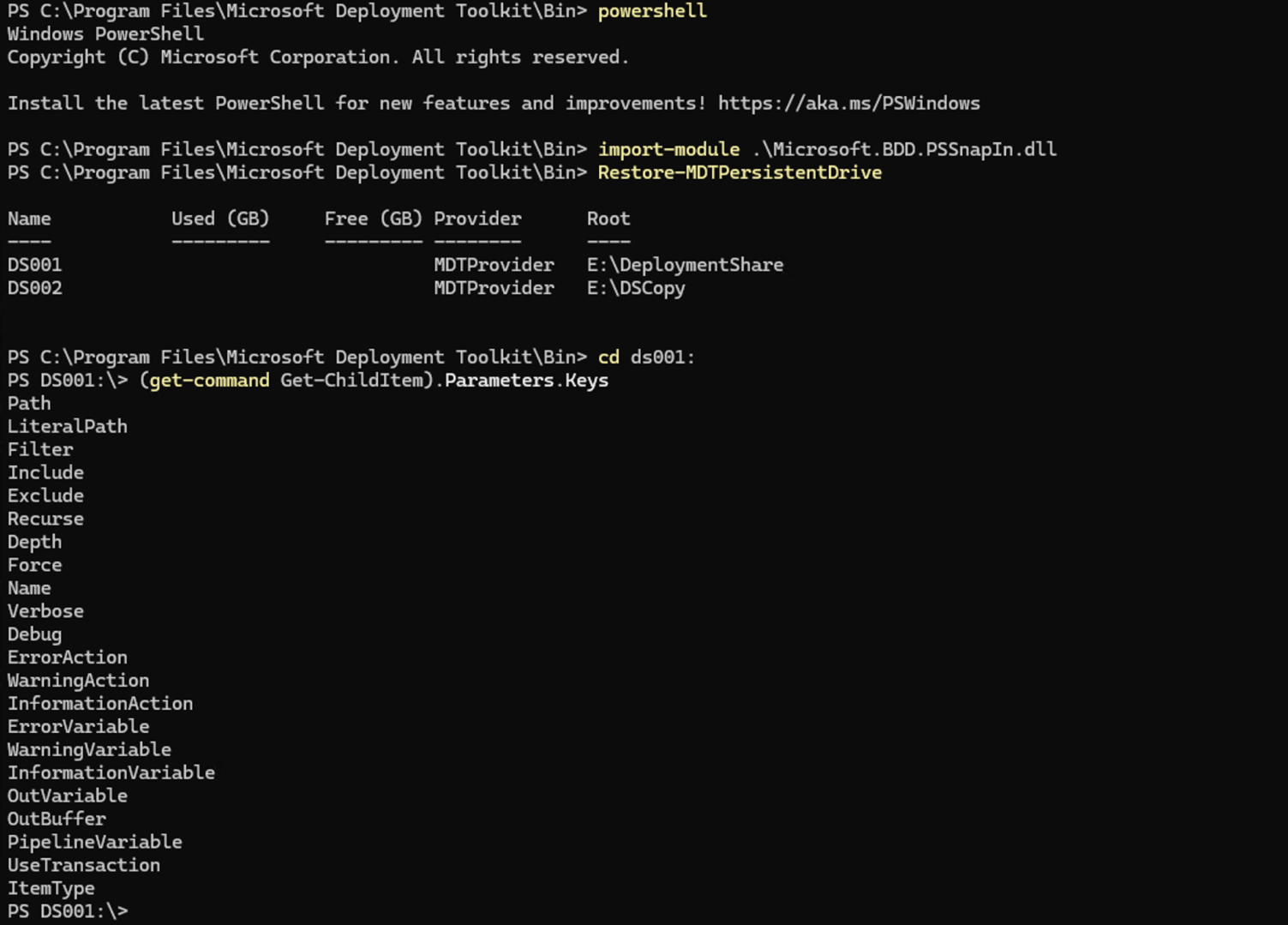
(You might notice the UseTransaction property, which only shows up when the provider supports transactions, e.g. SQL Server. In the case of MDT, that’s a minor bug…)
Sadly, with the shift to REST-based cloud APIs, interest in drive providers has fallen and we’re now stuck with (at best) layers on top of Invoke-RestMethod. But at least the built-in providers remain useful.





2 responses to “Discovering PowerShell provider dynamic parameters”
Made me think of this Command limitations when following symlinks include potential infinite loops (“too many levels”), broken links if the target moves, and specific security risks where permissions on the link itself (always 777) differ from the target. Commands like rm act on the link, not the target, while others like chown -R require specific flags (-h or -P) to avoid traversing or altering the target.
LikeLike
Hopefully my name shows up correctly now. (This could have been a tweet).
LikeLike