
You’ve probably run into a scenario like this before and never understood why: You assign a new, seemingly harmless policy into a configuration profile in Intune, and now the device reboots at the end of the device ESP phase. And after the reboot, the user has to log in to continue the user ESP phase, since their credentials aren’t persisted through the reboot.
But what causes that? The idea was somewhat reasonable: Certain policies need a reboot before they actually become effective, so to ensure that happens as soon as possible, that reboot should automatically be triggered. The logic for doing that is actually not part of Windows Autopilot, it’s part of the Windows MDM client, but the net effect is the same: when certain policy URIs are received by the device, it will reboot at the end of the device ESP.
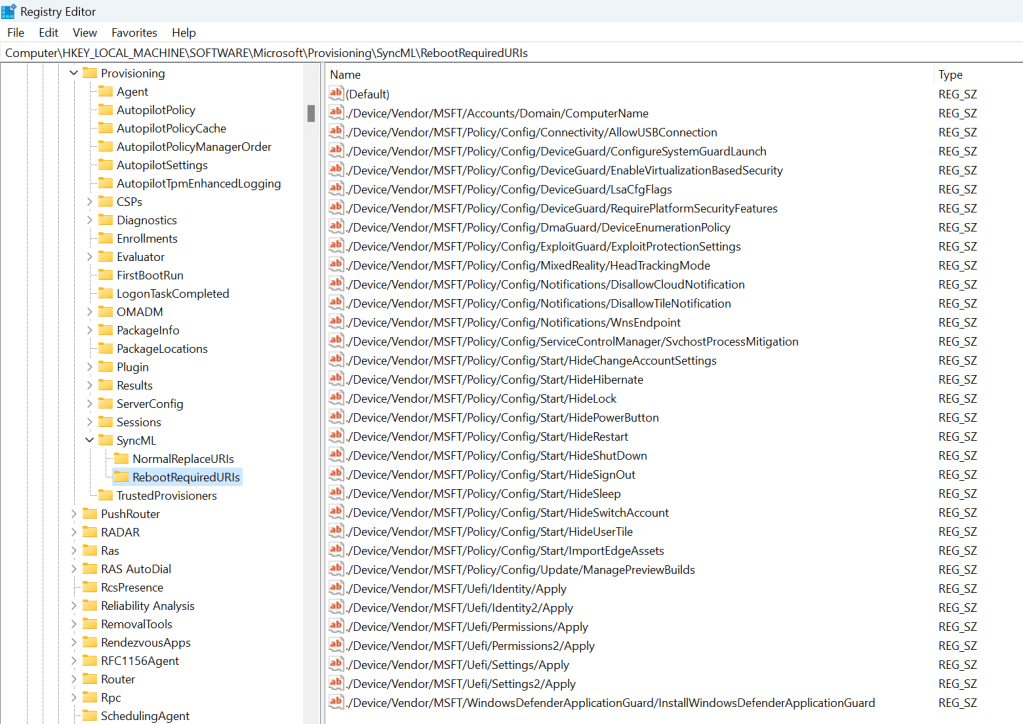
Where is that list of policies defined? You can find it in the registry at HKLM\Software\Microsoft\Provisioning\SyncML\RebootRequiredURIs:
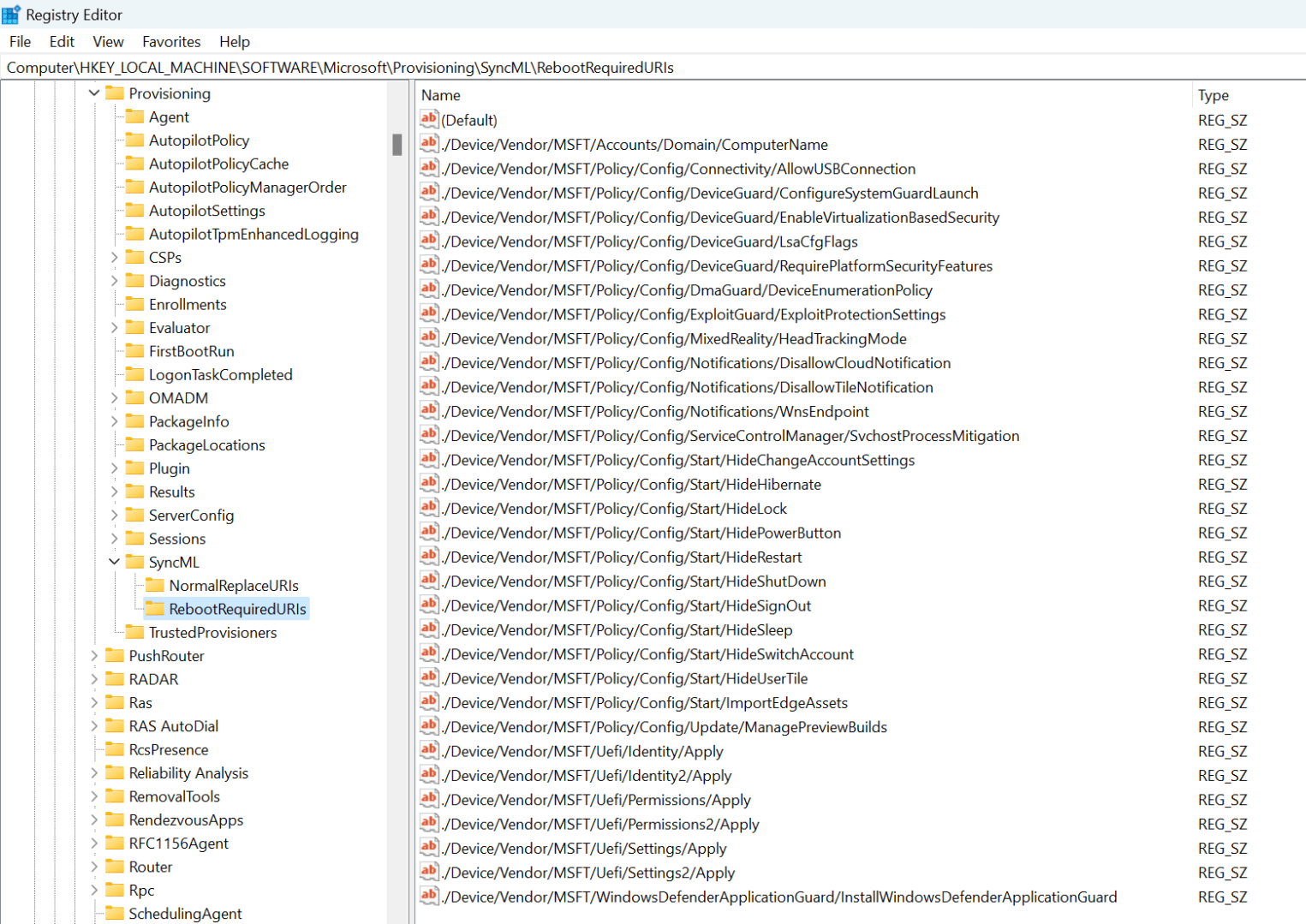
The problem is that the implementation is way too simplistic. Some examples:
- All of the “Start/Hide*” policies. If these are device-targeted (reasonable, as they are device policies), they will be applied during device ESP, but since they affect the start menu, when do they take effect? When a user signs in. Has a user signed in yet? No. So the reboot here is pointless: the computer will reboot to solve a problem that wasn’t actually a problem.
- The “ManagePreviewBuilds” setting. Let’s say that you decide all of your devices should be in the normal “semi-annual” channel for Windows 10/11 and users should not be able to change that, so you create a policy that specifies that. Great, but that’s also the default — so unless a user managed to enroll in Insider before that policy was applied, the policy isn’t going to do anything. But the reboot logic doesn’t take that into account — it doesn’t consider the value of the policy being applied, or the fact that it doesn’t have any impact because it’s applying a default. It reboots anyway. But that’s not the only issue: What if you were changing the value from “semi-annual” to an “Insider” ring? Does that need an immediate reboot? Well, only if you want to immediately install a new Insider build. If you just wait, the device will eventually reboot anyway (e.g. patch Tuesday).
- Note that “update ring” definitions often configure this setting. I haven’t tried Autopatch to see if it does this, but if it does, then you’re going to see a reboot…
- The “ComputerName” setting. This can be used to rename a device, but only when AAD joined (since renaming a device for HAADJ is complicated). After that rename, is it necessary to reboot right away? Not really, since the computer name doesn’t really matter for AAD (there is no computer identity in AAD, unlike with AD). But it would be invoked anyway. (I’ve not actually seen anyone use this policy, but you could: it does support the same name-generation options as Autopilot, which isn’t surprising since that’s what Autopilot uses behind the scenes.)
Maybe some of the security-related settings make sense, and perhaps the UEFI settings as well (although they are tied to DFCI, which is used by hardly no one). But overall, there’s little value here — you could delete all the entries from that registry key (which is pretty much guaranteed to be unsupported) and be no worse off.
Obviously these reboots happen often enough for Microsoft to have troubleshooting steps documented in multiple places:
- https://learn.microsoft.com/en-us/troubleshoot/mem/intune/device-enrollment/understand-troubleshoot-esp#identify-unexpected-reboots
- https://techcommunity.microsoft.com/t5/intune-customer-success/support-tip-troubleshooting-unexpected-reboots-during-new-pc/ba-p/3896960
It is worth mentioning that there are other causes for reboots as well:
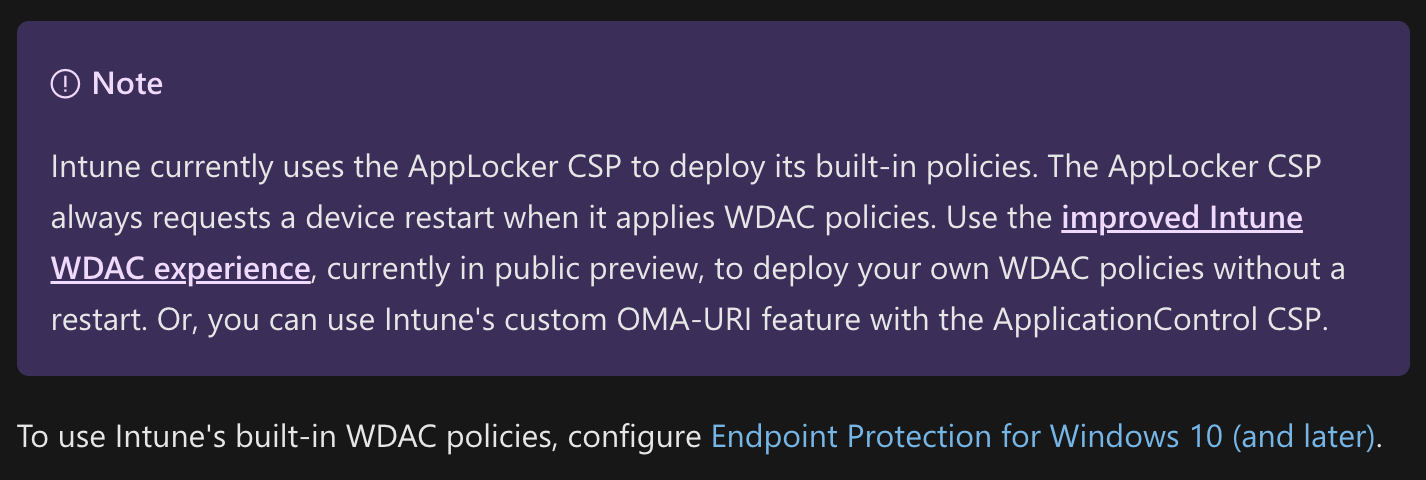
- AppLocker. The original MDM CSP forced an immediate reboot — it didn’t use the RebootRequiredUris list, it just invoked a reboot itself. That’s bad overall. At least they documented it:
- App installs. The “nice” way for an app to trigger a reboot is to set a 3010 return (exit) code when it completes the install process. That will cause a reboot at the end of the ESP phase (so it naturally “batches up” reboots from multiple apps if each one reports a 3010). The “less nice” way is for an app to return a 1641 return code that specifies a “hard reboot” is needed; that causes a reboot (initiated by the Intune Management Extension service) as soon as that installer completes. The “least nice” way is for an app to initiate a reboot itself.
Usually these reboots don’t break anything, but they certainly can — catch an app install (e.g. Office) at the wrong time and the reboot can cause the installation to fail. They are mostly just annoying, causing delays in the process and extra credential entry by the end user.



 Out of Office Hours
3 responses to ““Required” reboots and the Enrollment Status Page”
The HKLMSoftwareMicrosoftProvisioningSyncMLRebootRequiredURIs ACl-ed with only TrustedInstaller has full access, not even SYSTEM
LikeLike
Yes, that makes it tricky to modify, you have to take ownership first.
LikeLike
Do you remember if user phase in pre-provisioning supposed to do the seamless logon or it’s just user-driven without pre-provisioning? I deleted those keys, so now it didn’t reboot, but it left me in the logon screen instead of auto-logon. I might have something else that breaks this process, need to understand how creds get passed…. I’m testing to see if the MFA prompt in the OOBE would satisfy MFA requirements once logged on – in other words – does it save a full Prt with MFA being satisfied, or just simulates with autologon and MFA would have to be re-satisfied again in the logged on session. I think that’s it, because 1st profile is interractivelly logged on with DefaultUser0, not the target user, so my tests make very little practical sense, IMO.
LikeLike