
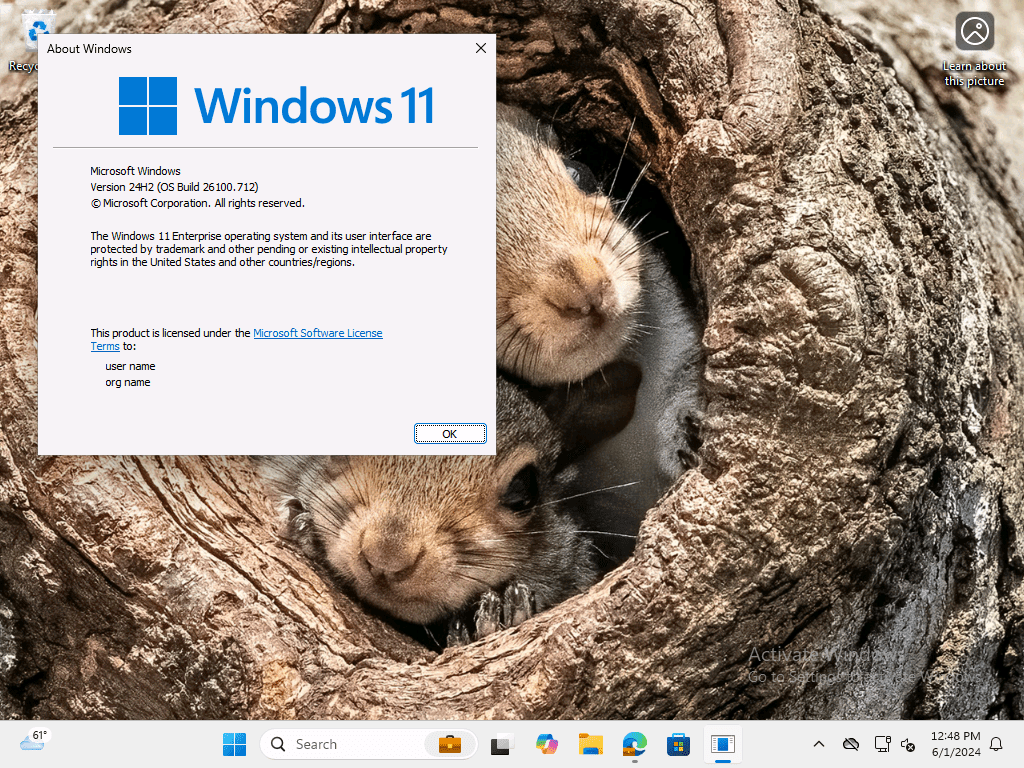
I could stop there, but I won’t. In any case, let’s review the Windows Enterprise SKU licensing model, straight from the source:
Windows 11 Enterprise is licensed as an upgrade license to Windows Pro.
But doesn’t that mean you’re paying for Windows 11 twice? Yes. Is there any way to avoid that? Well, you can always stick with Windows 11 Pro, but otherwise, no. You have to buy devices with Windows 11 Pro as a qualifying OS (generally a $100 upcharge over a PC that ships with Windows 11 Home), and then pay for a subscription that includes Windows 11 Enterprise.
OK, let’s review that “qualifying OS” piece, again straight from the source:
Windows 11 licenses acquired through a Microsoft Commercial Licensing program are upgrade licenses. You cannot acquire full Windows operating system licenses for desktop PCs through Microsoft Commercial Licensing programs. Customers must first have licensed and installed a Qualifying Operating System on a device before the device is eligible for a Windows 11 upgrade license. Full Windows operating system licenses can be acquired for desktop PCs preinstalled on a new PC by an original equipment manufacturer (OEM). Full Packaged Product (FPP – retail) licenses may also be assigned and installed on a desktop PC device as a qualifying license.
That same document then lays out what OSes are qualifying, from a per-user perspective (where users have an appropriate license that includes Windows 11 Enterprise):

And really, it’s no different if you would choose per-device licensing (which is fairly uncommon these days):
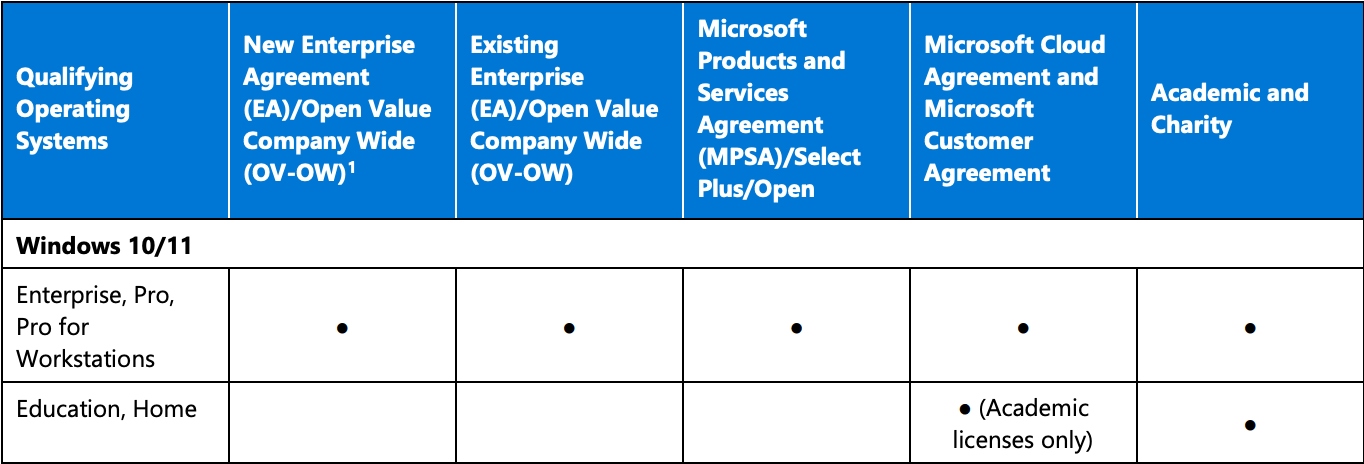
So you need a device that comes preinstalled with Pro or Pro for Workstations, or you need to buy a copy of Pro to cover every device that doesn’t come with it preinstalled (e.g. Windows PCs that ship with Home, or virtualization products that don’t ship with any OS at all).
If you are lucky enough to be an Education customer, you get better terms: Home is just fine as a qualifying OS, so you can save some money there.
But why does it list Enterprise as a qualifying OS, if it’s impossible to buy a device with Windows 11 Enterprise preinstalled? A good question that some licensing expert may well know. It is worth mentioning that there is a later table in that same document that talks about Windows 10/11 IoT Enterprise, and other embedded OSes, being a qualified OS. If you aren’t familiar with the IoT Enterprise license terms, they are very restrictive. Again from the source:

What does that mean? Well, you can’t install desktop apps on the devices, not even Office. OK, but why is this a qualifying OS for the unrestricted Windows 11 Enterprise edition? Well, it’s even more expensive than Pro, starting at over $200 per device. So maybe if you screwed up and ordered devices with this preinstalled, or if you were repurposing devices that were originally intended to be used for POS or thin client applications, you might consider it.
So what subscriptions include Windows 11 Enterprise? A few:
| Subscription | Per user monthly cost |
|---|---|
| Microsoft 365 E3 (without Teams) | $33.75 |
| Microsoft 365 E5 (without Teams) | $54.75 |
| Microsoft 365 F3 (without Teams) | $8.00 |
| Windows Enterprise E3 | $8.00 * |
| Windows Enterprise E5 | $15.00 * |
You might think “wow, I want F3” — and maybe you do. That’s intended for frontline workers, not information workers, and has limitations (e.g. no Office desktop apps, no Autopatch, limits on OneDrive and mail storage, limits on Teams recordings, etc.). Talk to your licensing professionals about that one.
Why the asterisks on Windows Enterprise E3 and E5? Because finding a price is fairly hard — Microsoft doesn’t really want to sell it to you that way, they want you to buy the full Microsoft 365 suite, including Office, EMS (Intune, Entra ID Premium), and Windows. And that’s what most customers do. If you break down the price, it makes sense if you are using all the components:
- Office 365 E3: ~$27 per user per month
- Windows Enterprise E3: ~$8 per user per month
- EMS E3: ~$12 per user per month
So priced separately, $47 per user per month, versus $33.75 for the M365 E3 suite. (Over $400 per user per year…)
And again, Education (and to some extent governments and non-profits) get a better (i.e. much less expensive) deal. And organizations routinely negotiate these prices as part of enterprise agreements, so the real prices being paid might be less.
And yes, before you get any bright ideas on how to “beat the system” you need to talk to an actual licensing expert…





3 responses to “If your reseller tells you to buy PCs with Windows 11 Enterprise preinstalled, it’s time to find a new reseller”
Let’s see if I’ve understood your post correctly. If someone wants to have Windows 11 Enterprise edition on a device, that person has two choices:
You’re saying Microsoft offers no Windows 11 Enterprise licenses for bare-metal devices.
Also, a WordPress blog that supports WordPress Blocks in its comments section? I didn’t know it was possible. I should go get myself one.
LikeLike
M365 F3 does include Autopatch now. It wasn’t originally included but they changed that a while ago. https://learn.microsoft.com/en-us/windows/deployment/windows-autopatch/prepare/windows-autopatch-prerequisites?tabs=windows-enterprise-e3-f3-entitlements%2Cbusiness-premium-a3-intune-permissions#licenses-and-entitlements
LikeLiked by 1 person
I see that — but they didn’t update the Windows 11 Enterprise web site to reflect that.
LikeLike